28
Functional introduction
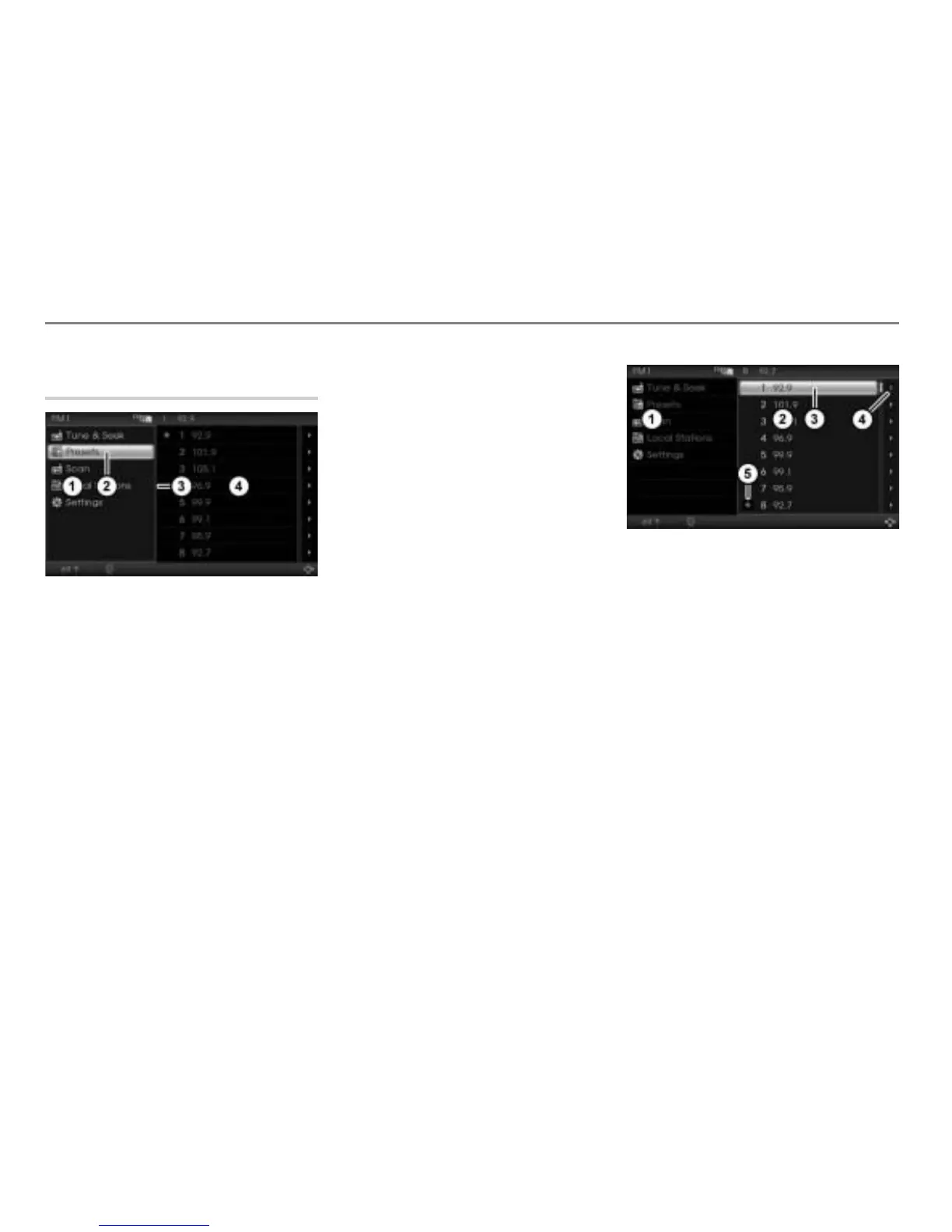
Operating example for the FM main menu
Main menu, content area and
Options menu
Main menu with the various menu items
(blue frame around the menu= menu is
active)
Selected menu item
Blue frame
Content area (no blue frame around the
content area= content area is inactive)
Highlighting a menu item
Turn
the controller until the
desired menu item is highlighted.
If you highlight a menu item in the main
menu
, then the display in the content
area
can automatically show further
information or menus for the selected menu
item. In the previous illustration, the menu
item
Presets is selected and the content
area
then shows the presets in the form
of a list.
Confirming a highlighted menu item
Press the controller
.
The content area is now active and
supplied with a blue frame.
In the following descriptions, highlighting of
a menu item and confirmation of the
highlighted menu item is combined into one
prompt for action and referred to as
“selecting”.
The illustration below shows, in the content
area , the presets in the form of a list.
You can select and confirm a menu item in
the list as previously described, which, in
this example, will result in the system
tuning to the appropriate station.
Main menu
Content area
Selected menu item in the content area
Icon indicating the Options menu is
available
Icon for the currently played station
The Options menu is only available if the
icon
appears to the right of a menu item.
In the illustration above, the Options menu
is available for all menu items.



 To Next Page