138
AUX mode
USB playback
Selecting folders and tracks
Folders can only be selected if the audio
files were organized into folders when they
were stored on the USB memory stick.
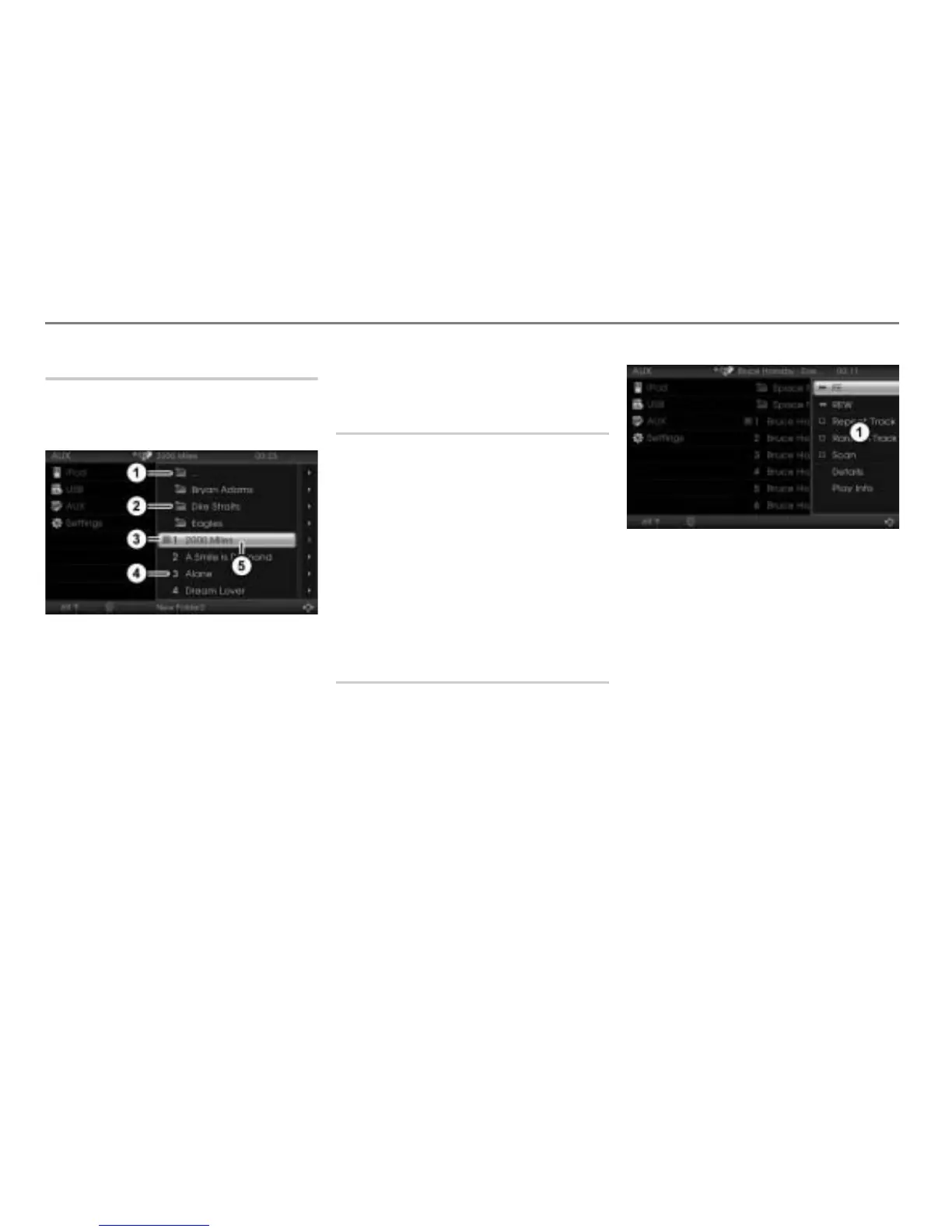
Menu item for the folder change
function
Folder
Play icon for track currently playing
Track
Highlighted track
To switch to the next folder level up:
Select the menu item
.
The display will change accordingly.
To open a folder: Select the desired
folder.
You will see the tracks stored in this
folder.
To play a track: Select the desired
track.
Skipping tracks forward/back
“Skip track forward” skips to the next track.
“Skip track back” skips to the beginning
of the current track, if the track has been
playing for more than 10 seconds. If the
track has been playing for less than
10 seconds, it will skip to the beginning of
the previous track.
Briefly press the or button on
the steering wheel.
The system will execute the track skip
corresponding to the button pressed.
Fast forwarding/reversing
On the central control panel
To open the Options menu: Highlight
any track and push
the controller .
Options menu
To start forwarding: In the Options
menu, select the menu item
FF and
press and hold the controller
.
To start reversing: In the Options
menu, select the menu item
REW and
press and hold the controller .
To terminate forwarding/reversing:
Release the controller
.
On the steering wheel
To start forwarding: Press and hold
the button.
To start reversing: Press and hold
the button.
To terminate forwarding/reversing:
Release the or button.



 To Next Page