198
PHONE
Phonebook
Please see the section “Setting the default
phone number” on page 193 to find out how
to set the default phone number.
To initiate the call to the default
phone number: Press the
controller
.
To initiate the call to another
number: Highlight another number and
press the controller
.
In both cases, the system initiates the
call to the corresponding phone
number.
To cancel the call before the
other party answers: Press the
controller
or press and hold
the button on the steering
wheel.
The call is cancelled.
If the other party answers, the call is
active and you conduct the call over the
hands-free unit.
Please see the section “Functions during a
call” on page 181 for a description of the
functions available during a call.
Deleting phonebook entries
Calling up the phonebook
Call up the phonebook, see the section
“Calling up the phonebook” on
page 188.
The phonebook appears in the form of
a list.
You will find an operating example for a list
in the section “Lists” on page 29 of the
chapter “Functional introduction”. There you
will also find the description of how to scroll
through a list.
Phonebook
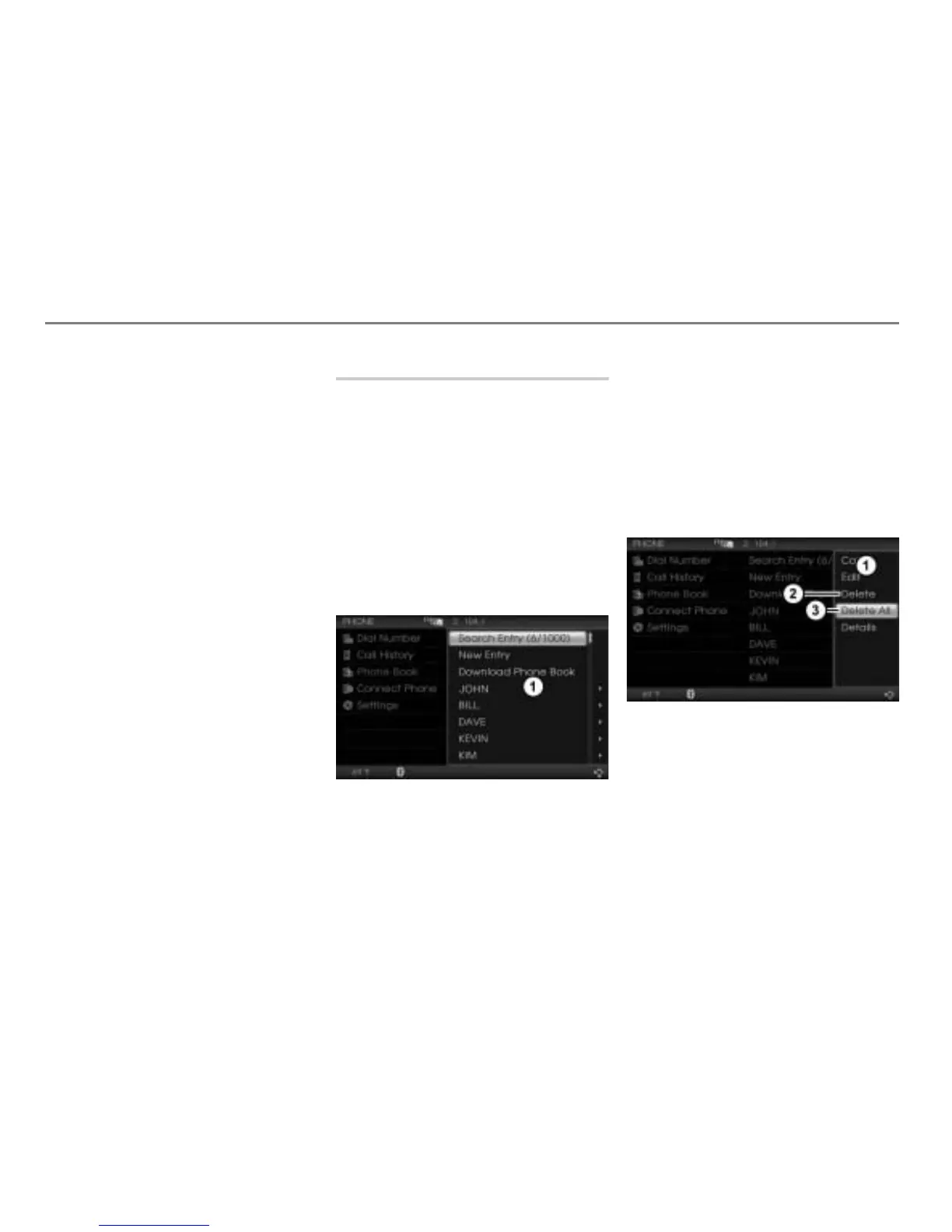
Deleting entries
To delete all entries: Highlight any
entry you like.
To delete an individual entry:
Highlight the desired entry.
After highlighting, push
the
controller .
The Options menu appears.
Options menu
Menu item Delete
Menu item Delete All



 To Next Page