245
Navigation
Functions independent of route guidance
To initiate a phone call to the POI: In
the Options menu, select the menu item
Dial Number.
The system initiates the call.
Traffic information
If you have subscribed to the service XM
NavTraffic
®
, the Driver Information System
is able to:
Automatically receive traffic information
provided by XM
®
Satellite Radio,
display the Traffic Info list, see
page 245,
display the traffic information in the
map, see page 246 and
take the traffic information into account
during route guidance.
For further information about XM
®
Satellite
Radio please refer to section “XM
®
Satellite
Radio information” on page 56 and visit the
following website:
www.xmradio.com
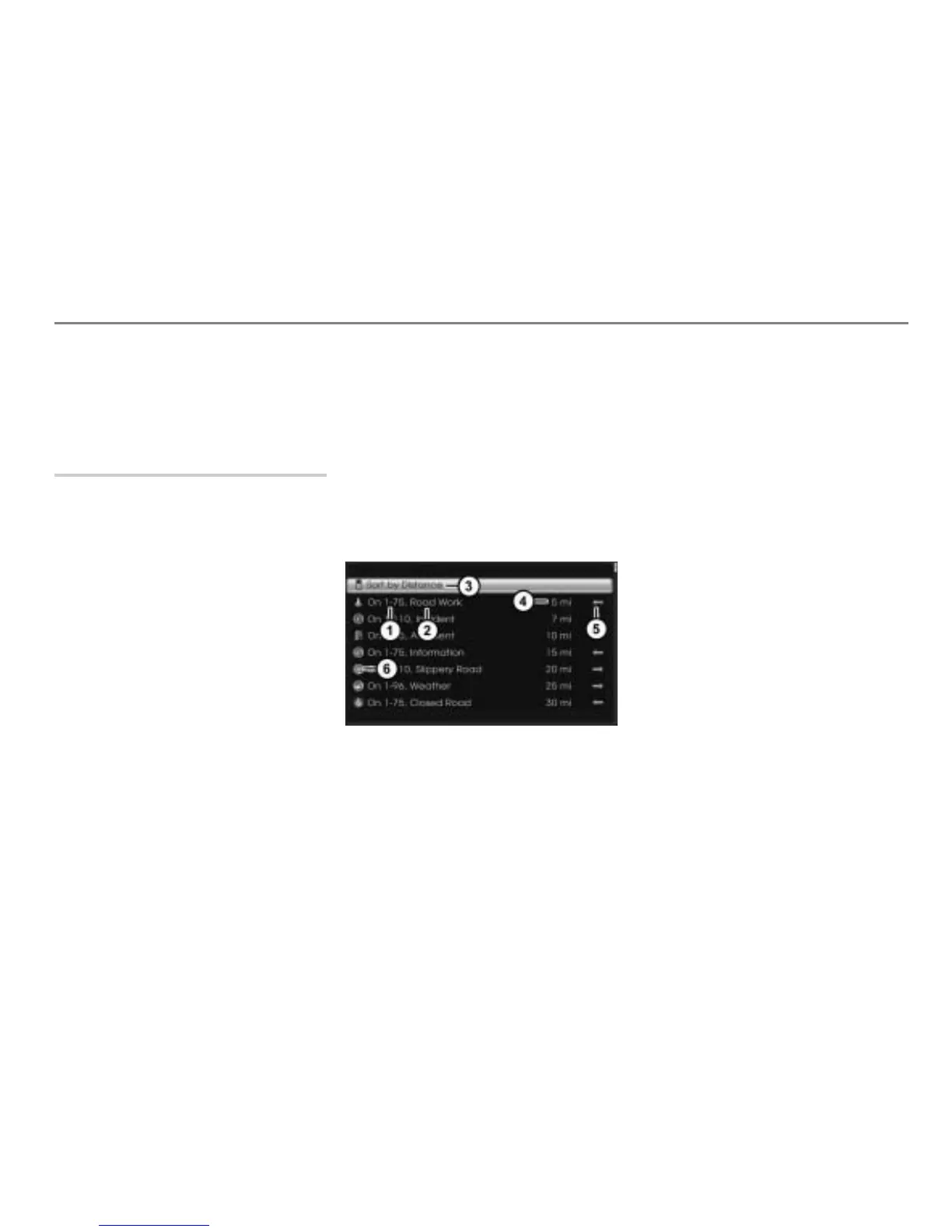
Displaying the Traffic Info list
The Traffic Info list contains the available
traffic information.
To call up the map display: Briefly
press the button.
The map display appears.
To open the Options menu: Press the
controller
.
The Options menu appears.
In the Options menu, select the menu
item
NavTraffic Info.
You will see the Traffic Info list.
Road affected by the traffic incident
Traffic incident
Sorting menu item
Distance from the vehicle position to the
traffic incident
Direction to the traffic incident in a
straight line
Icon for the traffic incident
To sort the Traffic Info list: Select the
menu item
.
The list is resorted.



 To Next Page