186
PHONE
Special functions for two calls
Accepting/rejecting a call-waiting
call
This function is only available if it is
supported by the phone and the phone
service provider and if it is enabled.
If someone rings you during a call, you
will see the call waiting display.
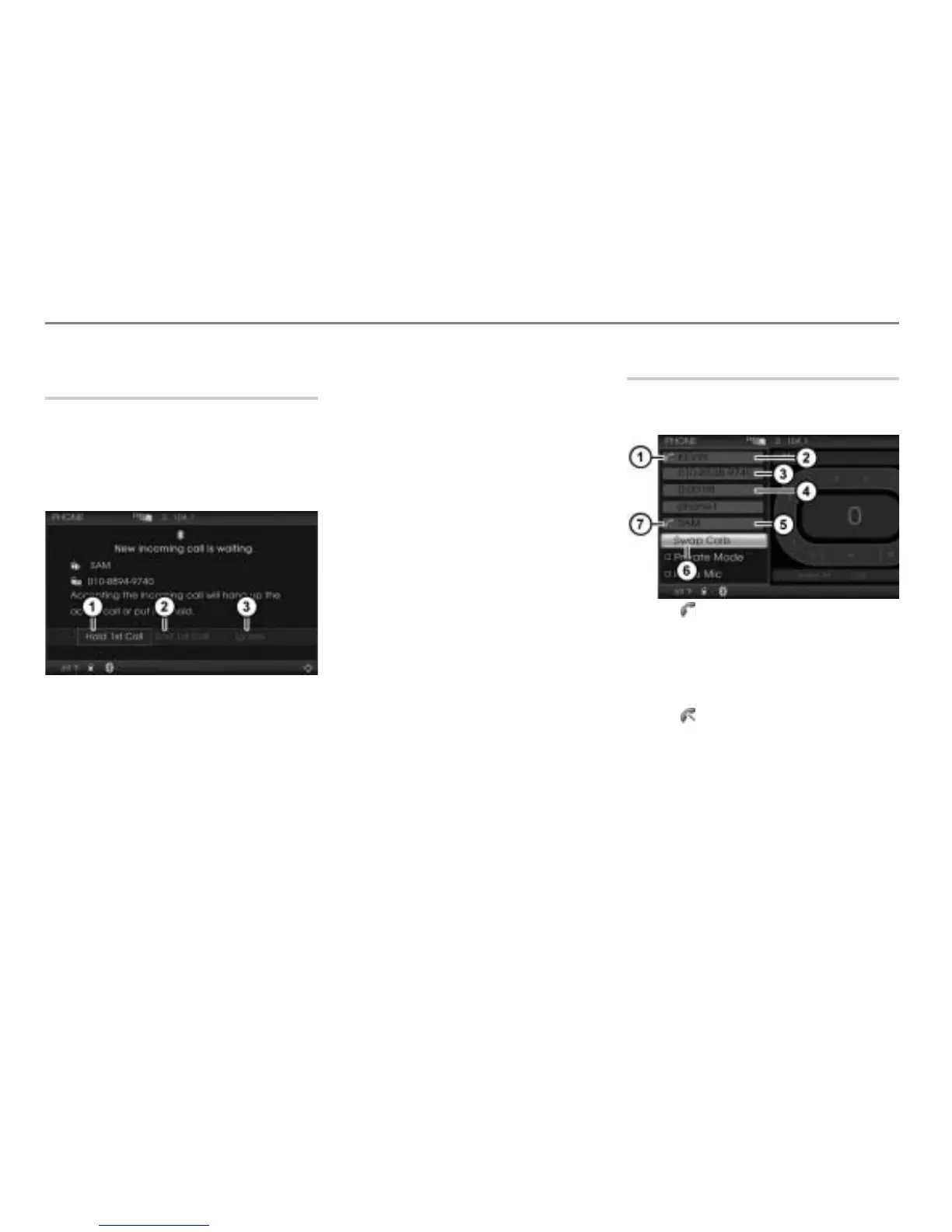
Menu item Hold 1st Call
Menu item End 1st Call
Menu item Ignore
The following functions are available:
Accepting the call-waiting call and
holding the first call
Accepting the call-waiting call and
ending the first call
Rejecting the call-waiting call
Accepting the call-waiting call and
holding the first call
Option 1: Select
Hold 1st Call.
Option 2: Briefly press the button
on the steering wheel.
In both cases, the call-waiting call is
accepted and active and the first call is
on hold.
Accepting the call-waiting call and
ending the first call
Select
End 1st Call.
The call-waiting call is accepted and
active and the first call is ended.
Rejecting the call-waiting call
Select
Ignore.
The first call remains active.
Swapping between two calls
If you have one active call and one call on
hold, you can swap between the two calls.
Icon for the active call
Name of the active party
Phone number of the active party
Duration of the active call
Name of the party on hold
Swap Calls menu item
Icon for the call on hold



 To Next Page