43
FM and AM mode
General operation
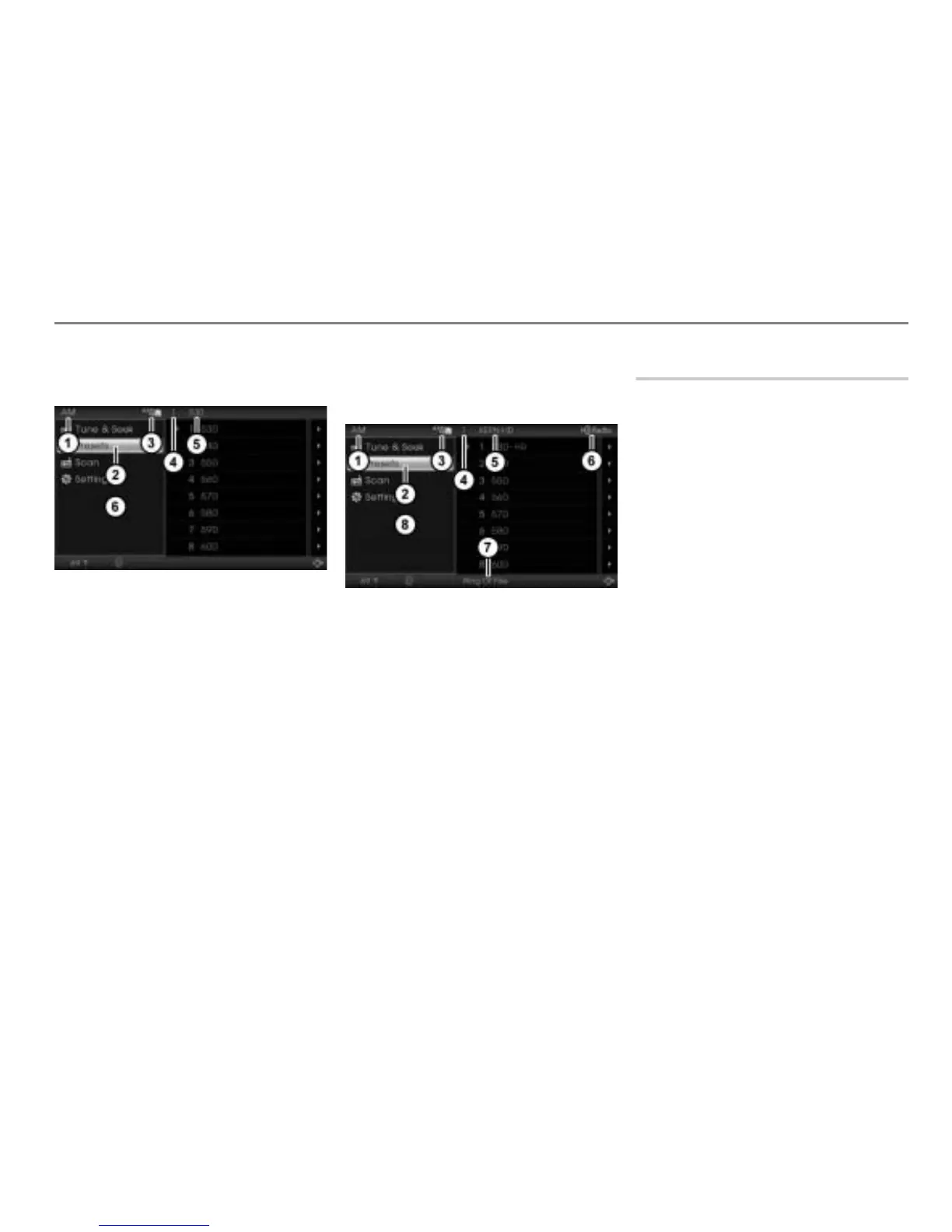
AM main menu and upper status line
while receiving an analog AM signal
Currently active mode
Highlighted menu item in the main
menu
Currently active entertainment source
Preset of the currently tuned station in
the presets
Frequency of the currently tuned station
Main menu
AM main menu and upper/lower status
line while receiving a digital AM HD
Radio
TM
signal
Currently active mode
Highlighted menu item in the main
menu
Currently active entertainment source
Preset of the currently tuned station in
the presets
If transmitted name of the currently
tuned station, else frequency
Indicator for HD Radio
TM
reception
If transmitted song title currently
playing, else no display
Main menu
Switching mode/band
There are 16 presets available for the AM
band and 32 presets for the FM band. The
32 FM presets are distributed among 2 FM
modes (
FM1 and FM2).
You can use the FM modes to tune to
separate set of stations for different regions.
Using the central control panel
Press the button.
If FM1 is the currently active mode, the
system will switch to FM2.
If FM2 is the currently active mode, the
system will switch to AM band.
If AM is the currently active band, the
system will switch to FM1.
Using the steering wheel
Press the button repeatedly until
the band is switched.
With the button, you cannot switch
between FM1 and FM2.



 To Next Page