136
AUX mode
USB playback
For information on general system
operation, please refer to the chapter
“Functional introduction” from page 17.
Accessing folders and tracks or scrolling
through lists can be delayed depending on
file names and sizes.
Starting playback
Option 1: Connect a USB stick, see the
section “Connecting signal sources” on
page 123.
Option 2: Switch to AUX mode and, if
necessary, open the AUX main menu
and select the USB stick as the signal
source, see section “General operation”
from page 127.
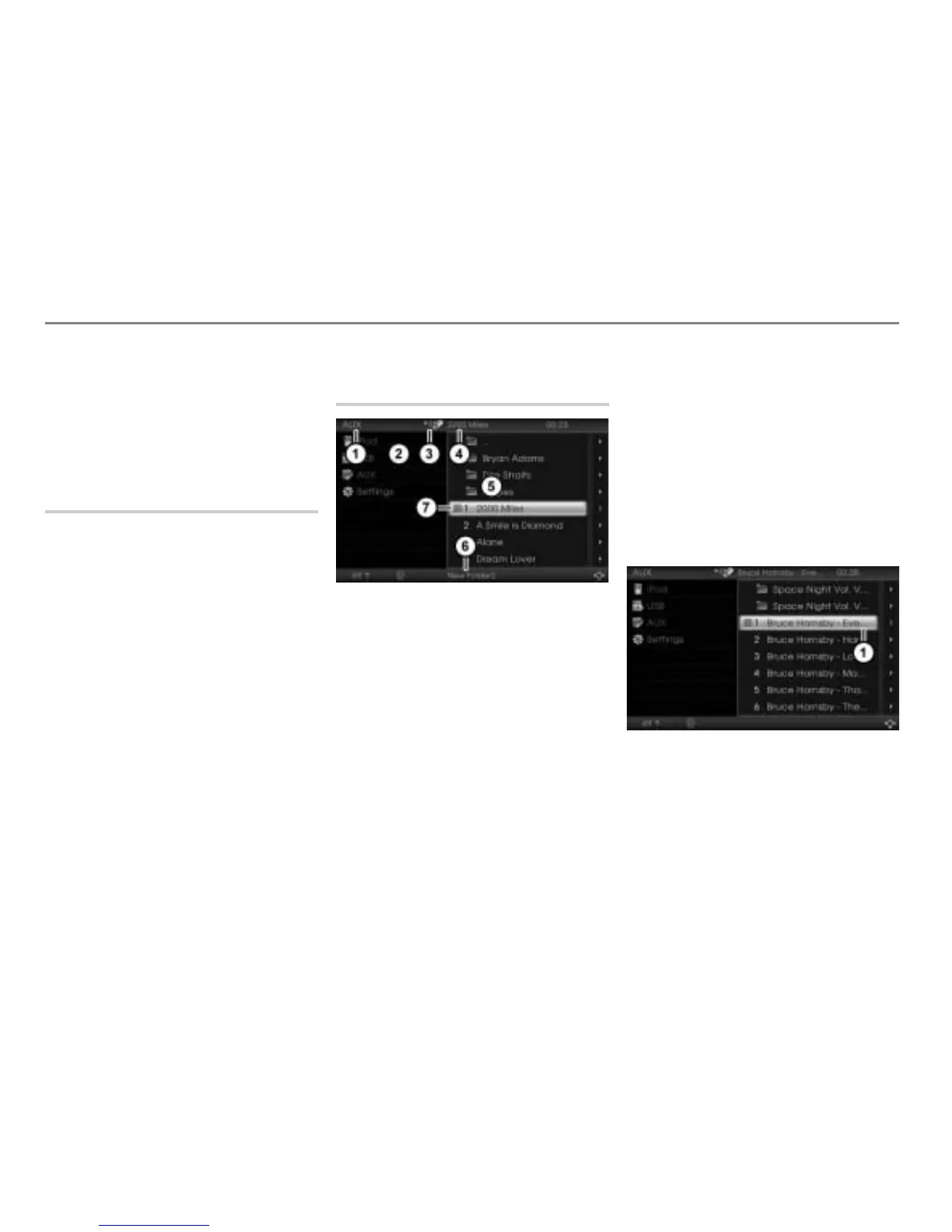
AUX main menu during USB
playback
Currently active main function
AUX main menu with list of signal
sources
Currently active entertainment source
Track currently playing
AUX content area with track/folder list
Name of the currently active folder
Play icon for the track currently
playing
Displaying the track and folder names
The system uses the names assigned
during storage of the audio files on the USB
memory stick for the track/folder names
displayed in the AUX content area
. Any
ID3 tags in the audio files will be ignored.
If a track or folder name is too long, the
system will display it in abbreviated form.
This is indicated by the three dots “…” at
the end of the name.
Abreviated track name
If this happens, you can call up a details
display if you want to see the complete
track name or you can call up a play info
display if you want to see further
information.



 To Next Page