181
PHONE
Functions during a call
For information on general system
operation, please refer to the chapter
“Functional introduction” from page 17.
Overview
The following functions are available during
a call:
Setting the call volume, see the section
“Setting the volume” on page 33
Mute the microphone, see page 182
Switching private mode on/off, see
page 182
Holding and reactivating a call, see
page 183
Sending DTMF tones, see page 183
Ending a call, see page 184
Special functions for two calls, see
page 185
Call display
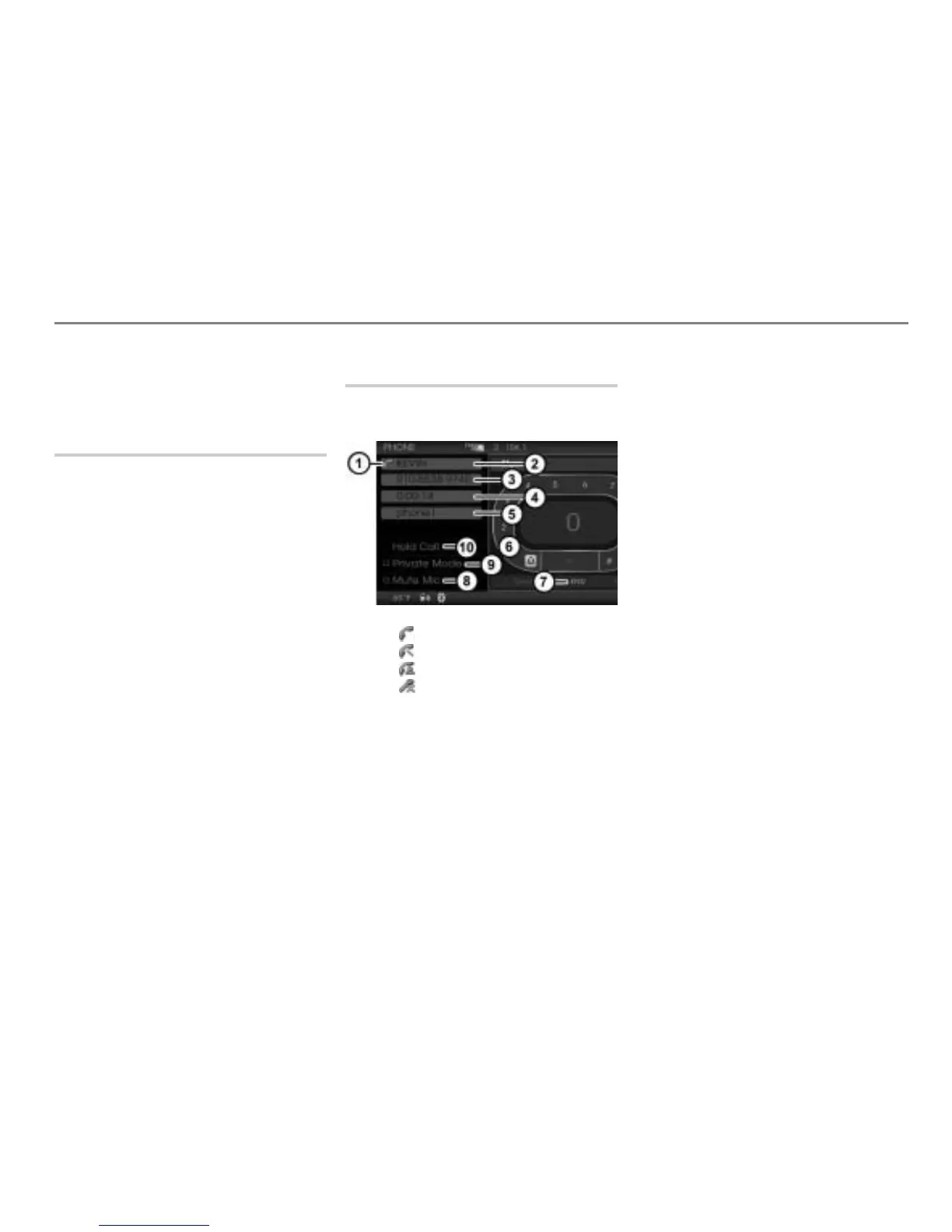
The following illustration shows the display
during a call via the mobile phone.
Call status display:
Icon = Call is active
Icon = Call is on hold
Icon = Private mode is switched on
Icon = Microphone is muted
Name of the other party
Phone number of the other party
Call duration
Name of the mobile phone connected
with the system
Speller
End the call
Switch the microphone on/off
Switch private mode on/off
Hold or reactivate the call
If the other party transmits the phone
number and if it is exactly as transmitted
stored in the phonebook, the display
shows the name stored in the
corresponding phonebook entry.
Additionally, the display
shows the
phone number.
If the transmitted phone number is not
stored in the phonebook, the display
shows the phone number and the display
is empty.
If no phone number is transmitted, the
display
shows Unknown and the display
is empty.
User control area of the call display
The call display has three user-control
areas:
Area with the speller
Area with the menu item
Area with the menu items
-
To move from one area to another:
Push
the controller .



 To Next Page