243
Navigation
Functions independent of route guidance
For information on general system
operation, please refer to the chapter
“Functional introduction” from page 17.
Freeway mode
As soon as you start driving on a freeway,
the system will automatically show you
freeway information provided the function
“
Show Freeway Mode” is activated and no
driving manoeuvre is imminent.
Please refer to the section “Map display
settings” on page 258 to find out how to
activate or deactivate the function.
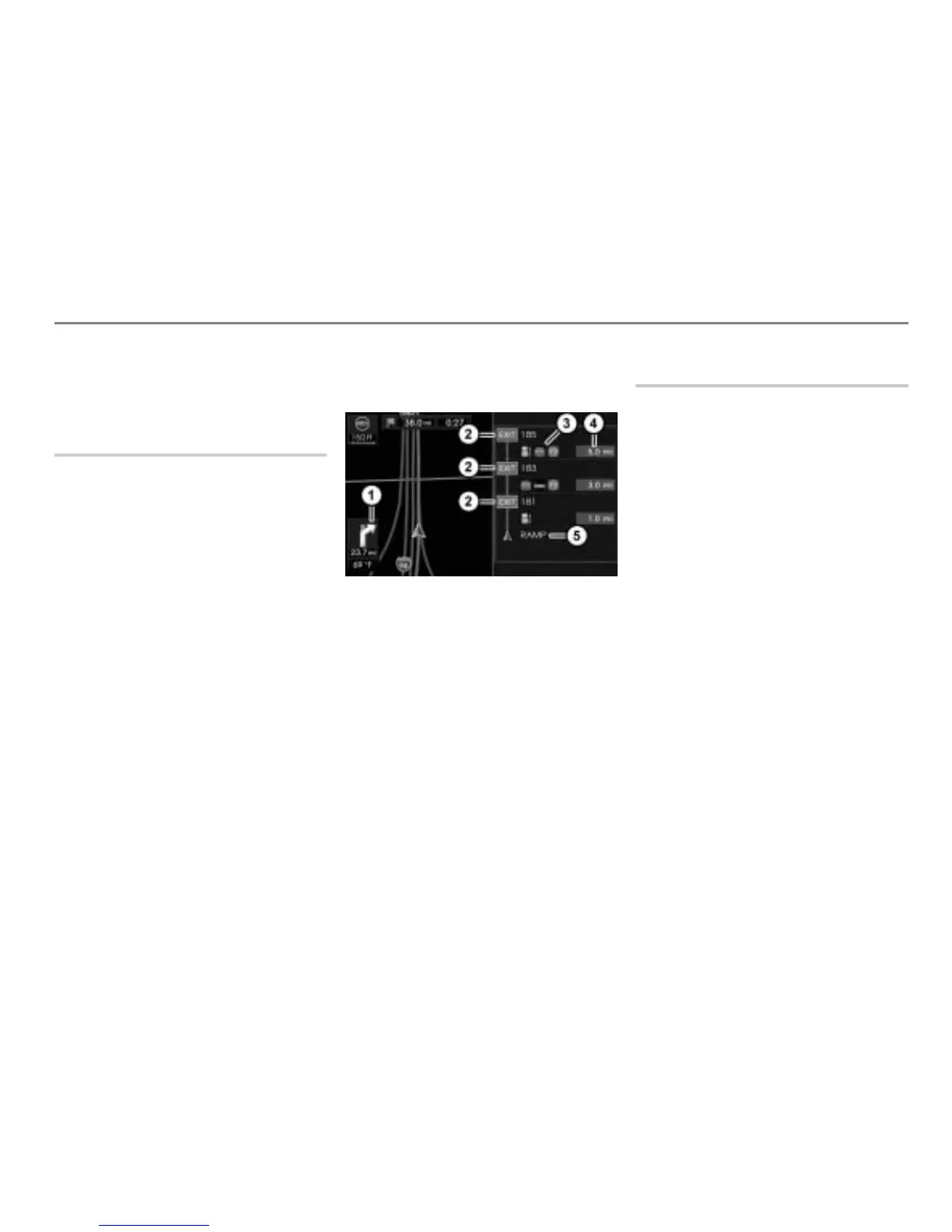
The freeway mode shows you the
following:
The next three stations on the freeway
as icons, e.g. rest areas or exits,
the distance to the stations,
the available services at the stations,
the freeway currently being driven on
and
turns as icons.
In the sample illustration below, the next
three stations are exits.
Map display shows night mode
Direction to turn to continue following
the route (only visible if a route
guidance is active)
Icons for the next three stations
Icons showing the available services at
the station
Distance to the station
Freeway currently being driven on
Turn List
As soon as you start driving on a normal
road, the system will automatically show
you a turn list, provided the function “
Show
Turn by Turn
” is activated and no driving
manoeuvre is imminent.
If this function is activated, but the function
“
Show Freeway Mode” is deactivated, the
system will show the turn list also when
driving on freeways
Please refer to the section “Map display
settings” on page 258 to find out how to
activate or deactivate the function.
The turn list shows you the following:
The next three turns,
the kind of the turns as icons,
the distance to the turns and
the road currently being driven on.



 To Next Page