79
DISC mode
Loading the disc changer magazine
For information on general system
operation, please refer to the chapter
“Functional introduction” from page 17.
Safety instruction
General information
The Driver Information System features a
built-in disc changer magazine with six
compartments.
If the disc is printed on one side, this side
must face upwards when loading the
magazine. If neither side is printed, the side
to be played must face downwards.
Loading the magazine automatically
terminates playback of another disc.
Loading the first available empty
magazine compartment
The following description only applies to
scenarios where a mode other than DISC
mode is active, for example in PHONE
mode.
If you wish to load a magazine compartment
when DISC mode is active, please proceed
as described in the section “Loading a
specific empty magazine compartment”,
see page 80.
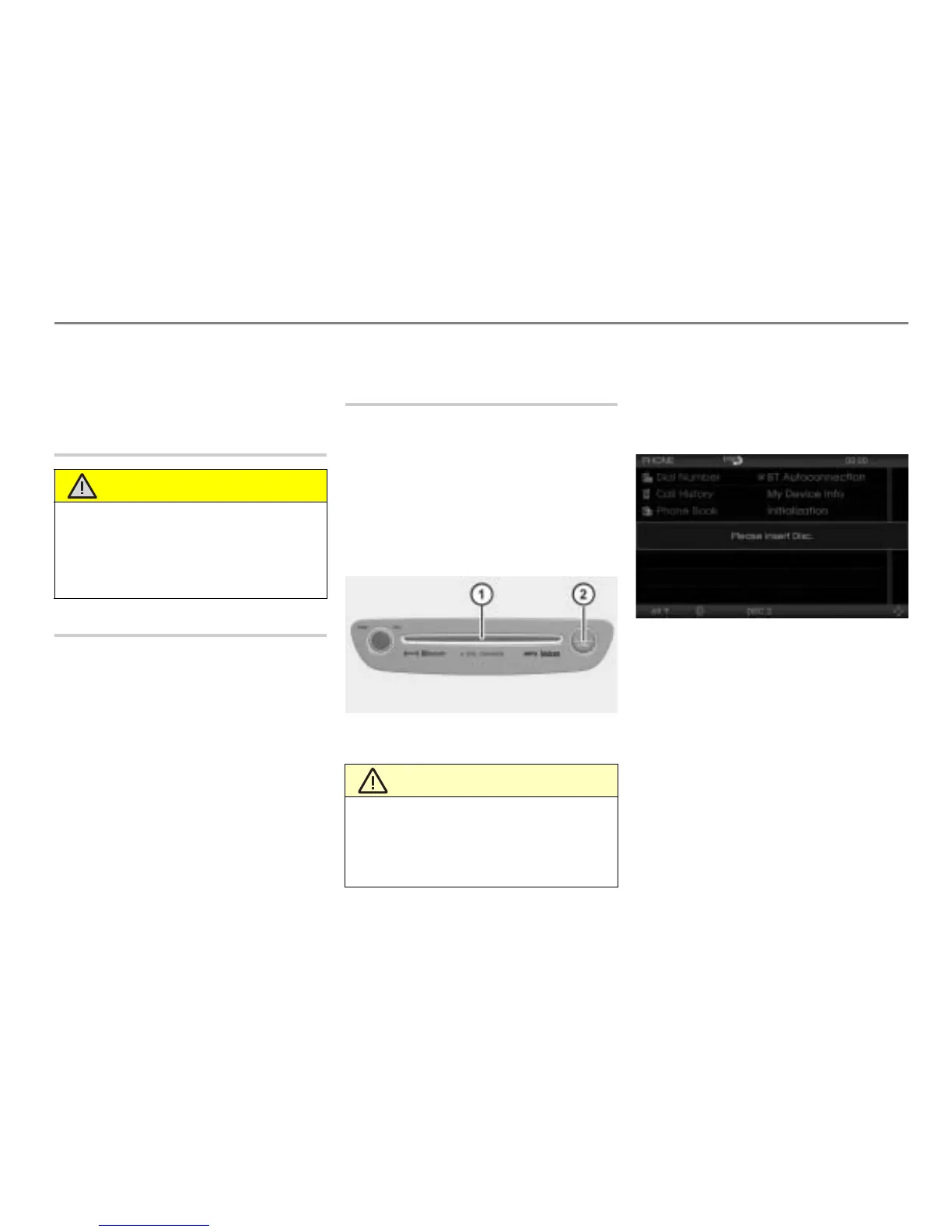
Disc slot
button
Briefly press the button.
After a short time, the system will
prompt you to insert a disc with the
message
Please insert Disc.
Insert a disc into the slot
.
The system will load the disc into the
appropriate magazine compartment
and then play it.
If you wait too long before inserting the disc,
the system will abort the loading procedure.
WARNING
If you load the magazine when driving, you
may be distracted from the traffic situation,
thus increasing the accident hazard.
Only load the magazine when the vehicle is
stationary.
CAUTION
Only insert a disc into the disc slot when
the display shows the message
Please
insert Disc. The Driver Information System
may be damaged if you insert a disc before
this message is displayed.



 To Next Page