87
DISC mode
Audio disc playback
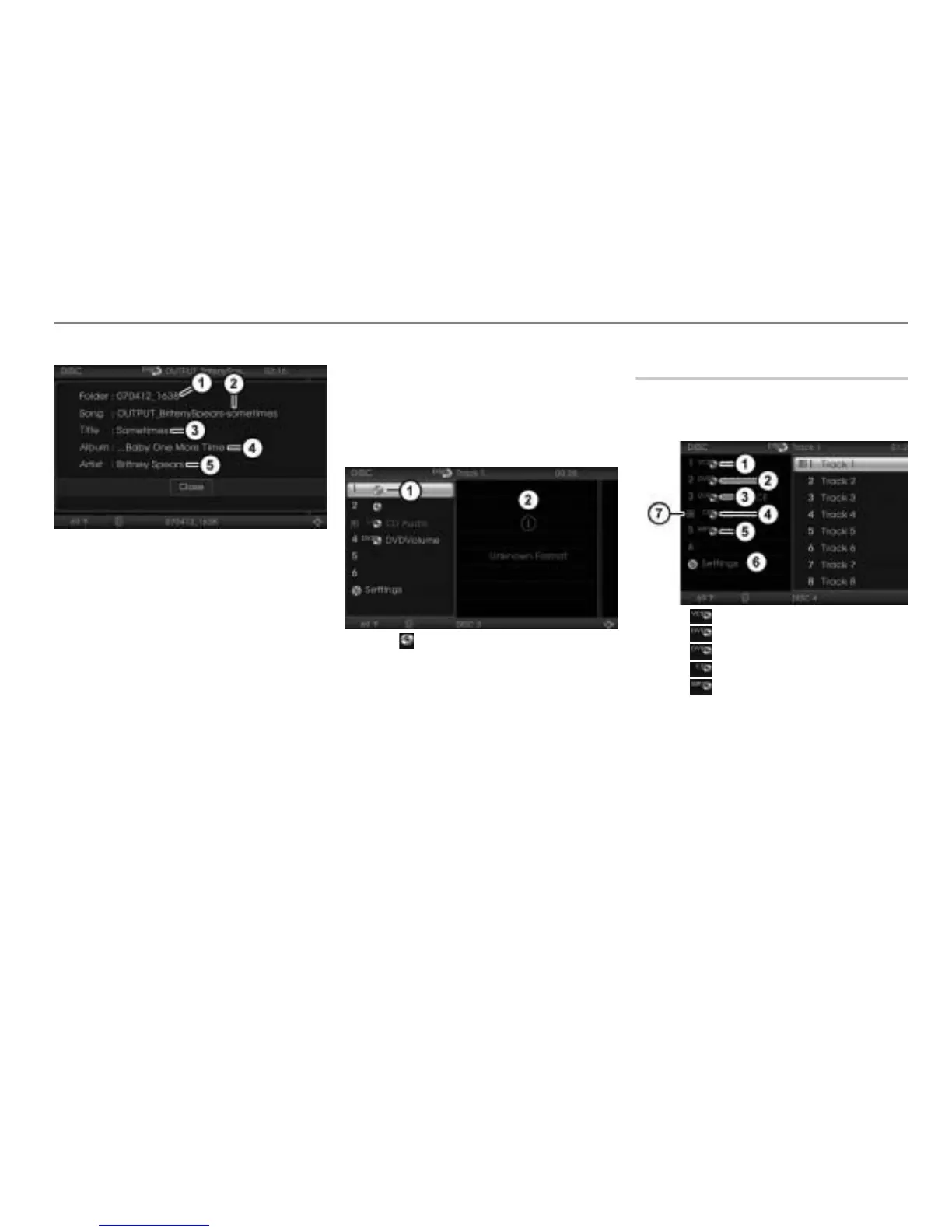
Current folder name
Current file name
Current song title
Current album title
Current artist name
In order to display the current song title,
album title and artist name, these
information must be stored as ID3 tags
inside the MP3 or WMA track.
If you select another track or if the system
plays the next track, the play info display will
not be closed and it will be updated
automatically.
To close the play info display: Press
the controller
.
Unknown discs
Discs that have not yet been played after
the magazine has been loaded are not
known to the system. They are displayed
as follows.
Icon for an unknown disc
Display for the unknown content of the
unknown disc
As soon as an unknown disc is played,
display takes place as previously described
in the section “Displaying the disc, track
and folder names”, see page 85.
The system does not store the data,
therefore after a disc is removed from the
magazine and reinserted at a later date, it
may be unknown to the system once more.
Selecting and playing discs
Selecting using the central control
panel
Icon for a video CD
Icon for a video DVD
Icon for an audio DVD
Icon for an audio CD
Icon for an MP3 CD
DISC main menu with list of discs
Play icon for the disc currently play-
ing
Select an audio disc in the list of discs
in the DISC main menu.



 To Next Page