86
DISC mode
Audio disc playback
In the case of MP3 or wma CDs, the system
uses the names assigned during creation
of the CD to display the CD, track and
folder names. Any ID3 tags in the files are
ignored.
If a track or folder name is too long, the
system will display it in abbreviated form.
This is indicated by the three dots “…” at
the end of the name. If this happens, you
can call up a complete name display.
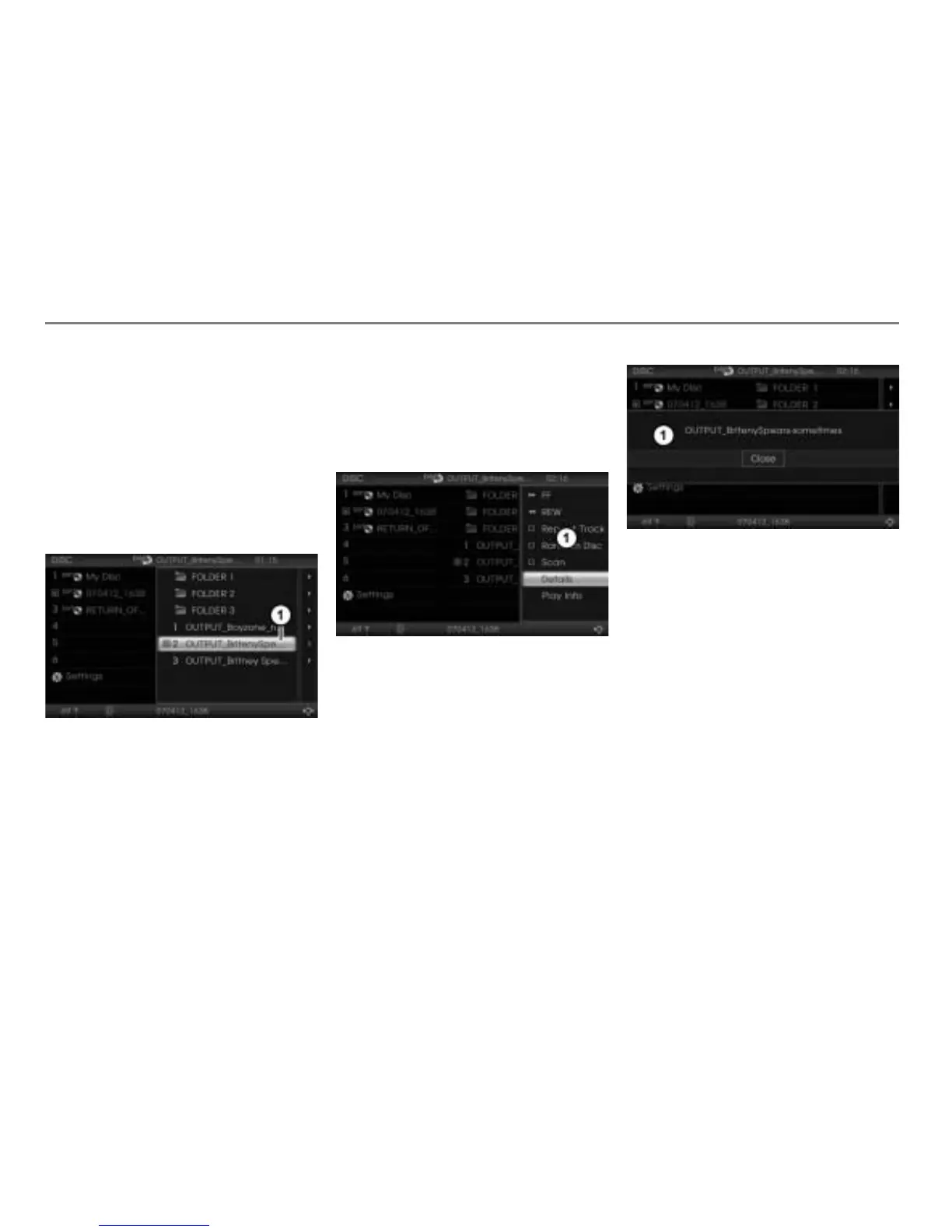
Abreviated track name
You can call up a details display if you want
to see the complete track name.
In case of MP3 or WMA discs, you can call
up a play info display if you want to see
further information.
Calling up a details or play info display
To open the Options menu: Highlight
the desired track or folder and push
the controller .
The Options menu appears.
Options menu
To call up the details display: In the
Options menu, select the menu item
Details.
In case of an audio disc, the details display
containing the complete track name
appears.
In case of a MP3 or WMA disc, the details
display containing the complete file name
appears.
Details display
To close the details display: Press
the controller
.
To call up the play info display (MP3
and WMA disc only): In the Options
menu, select the menu item
Play Info.
The play info display of the track
currently playing appears, containing
several information.



 To Next Page