85
DISC mode
Audio disc playback
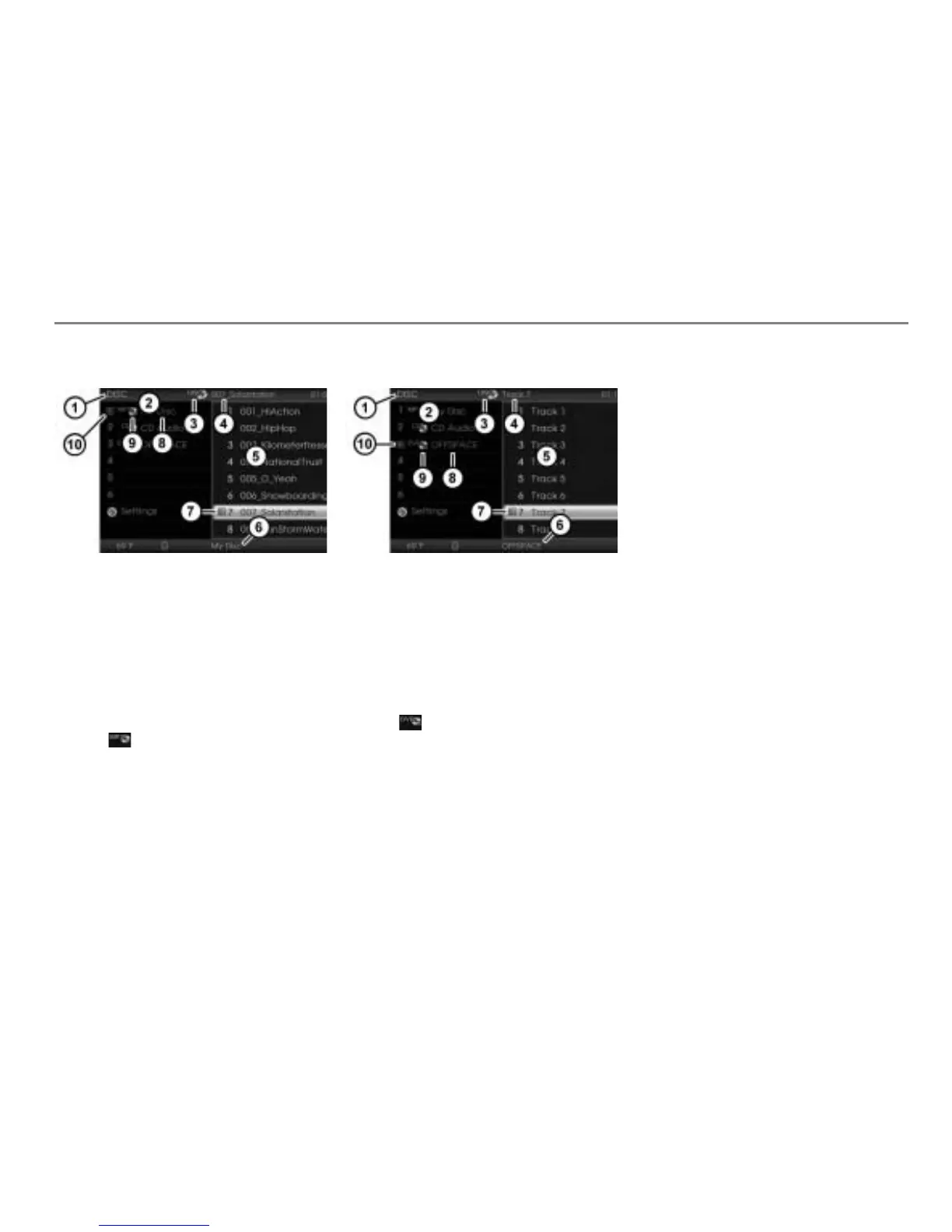
During playback of an MP3 or wma CD
Currently active main function
DISC main menu with list of discs
Currently active entertainment source
Track currently playing
Track or folder list of the disc currently
playing
Name of the disc currently playing
Play icon for the track currently
playing or the current folder
Disc currently playing
Icon for an MP3 CD
Play icon for the disc currently
playing
The display shows also the folder
currently playing if the track currently
playing is stored in a folder.
During playback of an audio DVD
Currently active main function
DISC main menu with list of discs
Currently active entertainment source
Track currently playing
Track list of the disc currently playing
Name of the disc currently playing
Play icon for the track currently
playing
Disc currently playing
Icon for an audio DVD
Play icon for the disc currently
playing
Displaying the disc, track and folder
names
The list of discs in the DISC main menu
(please see
in the previous three
illustrations) shows the discs available in
the magazine by their names, provided the
names are stored on the discs. If there are
no names stored, the respective disc type
is displayed.
The track or folder list (please see
in the
previous three illustrations) shows the
tracks or folders on the disc currently
playing.
The number display on the left of each
entry in the track or folder list shows a
maximum of three digits. In case of list
entries beyond 999, the number display will
be truncated. Example: List entry 1006 will
be displayed as 006.
In the case of audio CDs and audio DVDs,
the tracks are displayed with their names if
the names are stored on the disc. If there
are no names stored, “
Track” followed by
the appropriate track number is displayed.



 To Next Page