49
FM and AM mode
Storing stations
For information on general system
operation, please refer to the chapter
“Functional introduction” from page 17.
There are 16 presets available for the AM
band and 32 presets for the FM band. The
32 FM presets are distributed among 2 FM
modes (
FM1 and FM2).
You can use the FM modes to tune to
separate set of stations for different regions.
For information on switching the mode,
please refer to the section “Switching mode/
band” on page 43.
Storing stations using the station
presets
To tune to the desired station: See
section “Tuning to stations” on page 44.
To request the station presets: Open
the FM or AM main menu, see section
“Switching to FM or AM mode” on
page 42.
In the FM or AM main menu, select the
menu item
Presets.
In case of AM, the presets appear in the
form of a list.
In case of FM, the presets of the
currently active FM mode appears in
the form of a list.
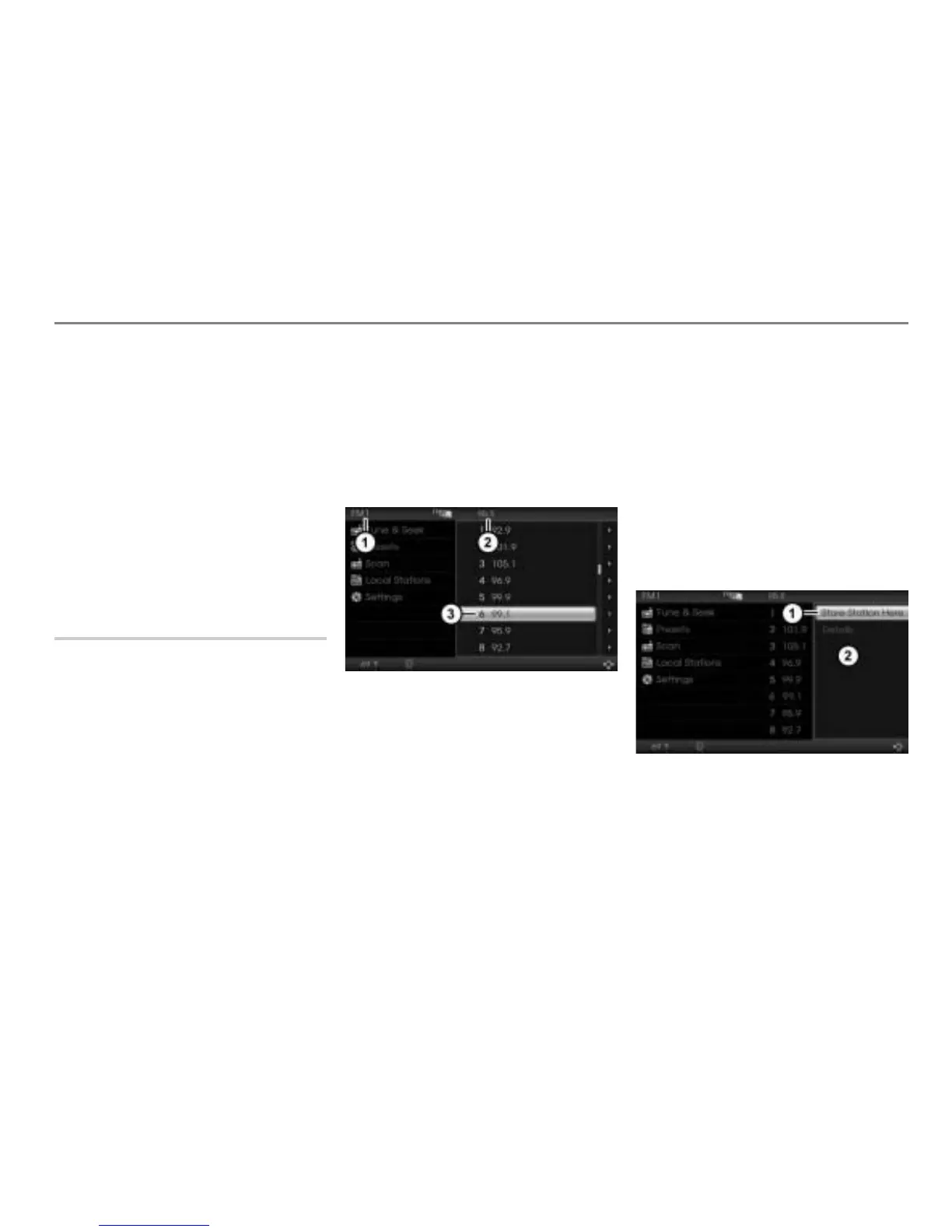
The illustration shows the FM presets
Currently active FM mode (FM1 or FM2)
Frequency or name of the currently
tuned station (depends on the setting,
see section “RDS on” on page 53)
Preset number 6
To select a preset (e.g. preset
number 6): Turn
the controller
until the preset number 6 is highlighted.
Option 1 to store the currently tuned
station in the preset number 6: Press
and hold the controller
until the
station is stored.
Option 2 to store the currently tuned
station in the preset number 6:
Push
the controller once.
The Options menu appears.
Menu item Store Station Here
Options menu



 To Next Page