129
AUX mode
iPod playback
For information on general system
operation, please refer to the chapter
“Functional introduction” from page 17.
Accessing iPod
®
main/submenu items and
tracks can be delayed depending on file
names and sizes.
Starting playback
The iPod
®
searching process can be
different depending on iPod
®
models.
The actual order of playback of iPod
®
content on the system may be different from
actual iPod
®
.
When iPod
®
itself shuts down due to an
internal failure, please use iPod
®
after
making a reset (refer to iPod
®
operation
manual).
Option 1: Switch to AUX mode and, if
necessary, open the AUX main menu
and select the iPod
®
mobile digital
device as the signal source, see section
“General operation” from page 127.
Option 2: Connect an iPod
®
mobile
digital device, see the section
“Connecting signal sources” on
page 123.
In both cases, playback of the currently
active track in the iPod
®
will be
continued.
The position of the active track in the iPod
®
structure is unknown to the system after the
iPod
®
has been just connected or after the
system was switched off and on with iPod
®
still connected.
Due to the unknown position, the following
points are valid:
In the Options menu, the menu item
Now Playing has no function.
The system will display the iPod
®
menu
in the content area, instead of the track
list with the track currently playing as
described below.
The top category of the track currently
playing will not be shown in the lower
statusline as described below.
If you navigate through the iPod
®
menu,
the track currently playing will not be
marked with the play icon
as
described below.
As soon as you select another track, the
position of that track in the iPod
®
structure is
known to the system and the points
described above are no longer valid.
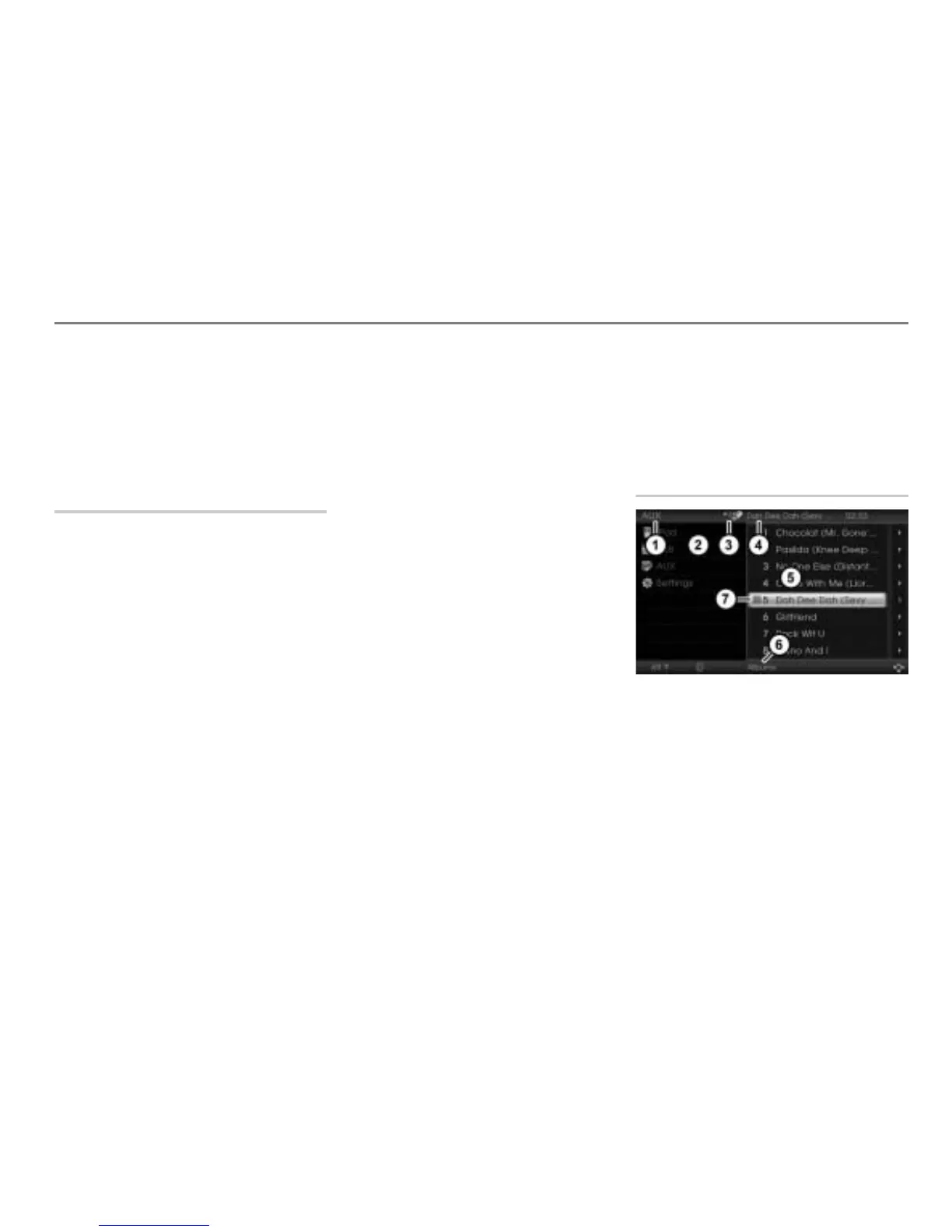
AUX main menu during iPod
®
playback
Currently active main function
AUX main menu with list of signal
sources
Currently active entertainment source
Track currently playing
Content area with track list
Top category of the track currently
playing
Play icon for the track currently
playing



 To Next Page