183
PHONE
Functions during a call
Switching private mode on/off on the
steering wheel will also work if the monitor is
showing something other than PHONE
mode, for example the map display in
Navigation mode.
If you initiate or accept a call directly on the
mobile phone, private mode will be switched
on automatically. But this function is not
possible with all mobile phones.
Holding and reactivating a call
This function is only available if it is
supported and enabled by the phone
network operator and supported by the
mobile phone.
When the call is on hold, you will not hear
the other party and they will not hear you.
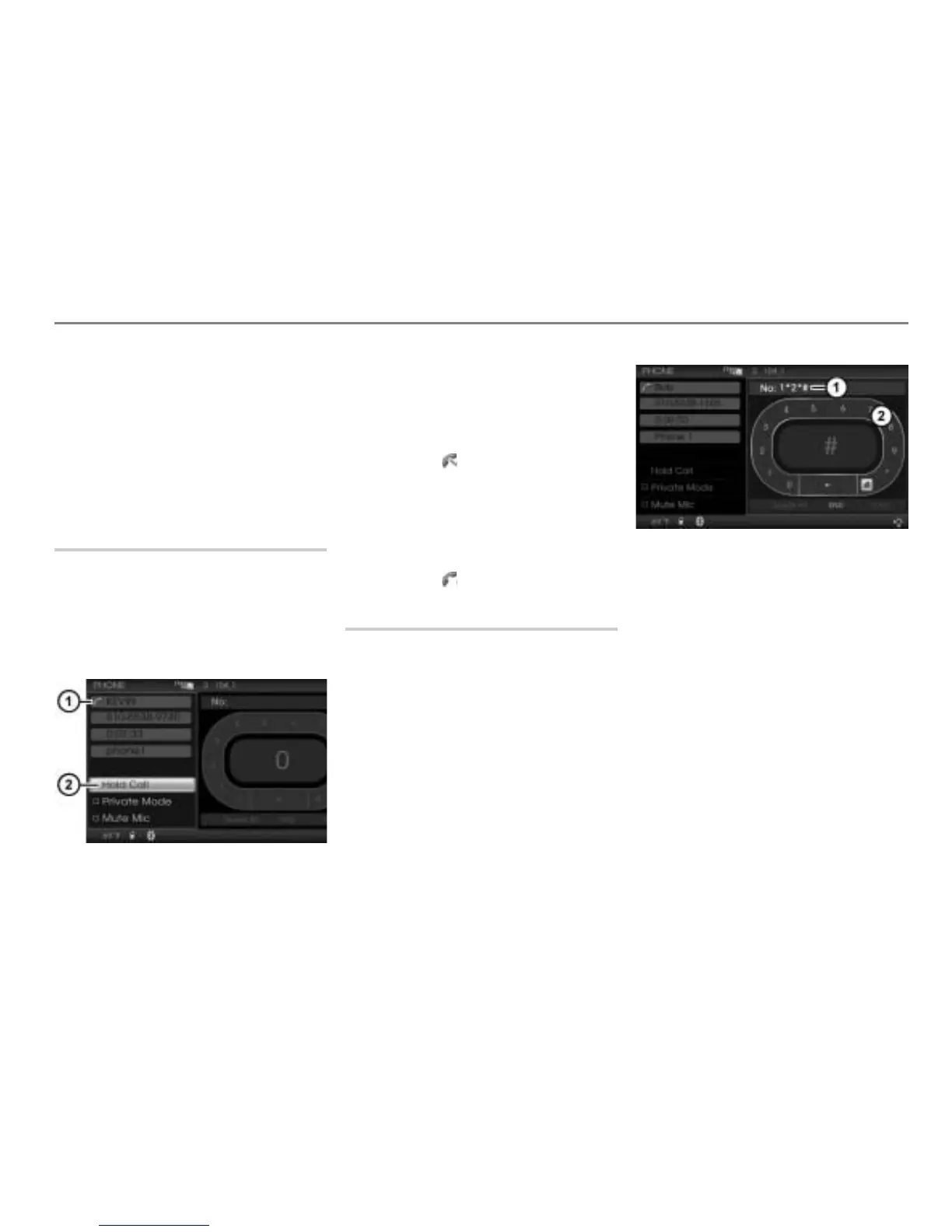
Call status display
Hold Call or Activate Call menu item
To hold a call: In the call display, select
the menu item Hold Call.
The call is on hold and the menu item
Hold Call changes to Activate Call.
Further, the call status display
changes to .
To reactivate a call: In the call display,
select the menu item
Activate Call.
The call is reactivated and the menu
item
Activate Call changes to Hold
Call
. Further, the call status display
changes to .
Sending DTMF tones
DTMF tones can be sent during the call. You
can use them to control answering
machines or other devices, for example for
remote query functions.
Display of the digits or characters
already sent
Speller
In the speller
, highlight a digit or
character and press the controller .
The corresponding tone will be sent and
the digit or character appears in the
display
.



 To Next Page