96
DISC mode
Video DVD playback
You can open the following menus during
playback:
DISC main menu, see page 96
Native DVD menu, see page 101
On-screen menu, see page 105
DISC main menu
Opening the DISC main menu
During video playback, press and hold
the button until the DISC main
menu appears.
Video playback continues in the background
when the DISC main menu is open.
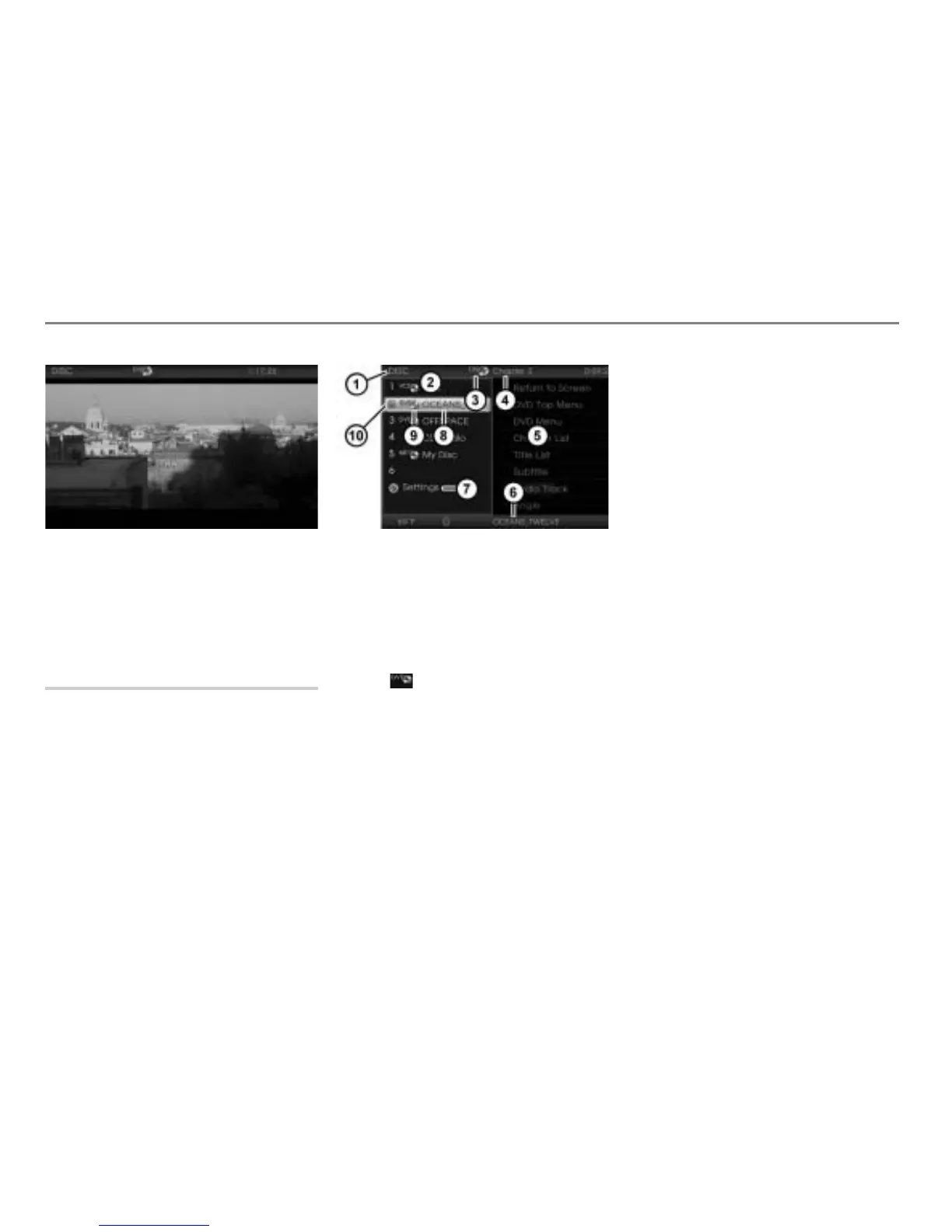
Currently active main function
DISC main menu with list of discs
Currently active entertainment source
Chapter currently playing
Content area with native DVD menu
Name of the disc currently playing
Open the Settings menu
Disc currently playing
Icon for a video DVD
Play icon for the disc currently
playing
Closing the DISC main menu and
returning to video full-screen display
Option 1: In the content area
with
the native DVD menu select the menu
item Return to Screen.
Option 2: Press the button.
Displaying the disc name
The list of discs in the DISC main menu
shows the discs available in the magazine
by their names, provided the names are
stored on the discs. If there are no names
stored, the respective disc type will be
displayed.
If a video DVD is highlighted in the list of
discs in the DISC main menu
, then the
content area will display the native DVD
menu if the DVD has the correct region
code.
If it does not have the correct region code,
the content area
will display the
message
Wrong DVD region code.



 To Next Page