162
PHONE
Options
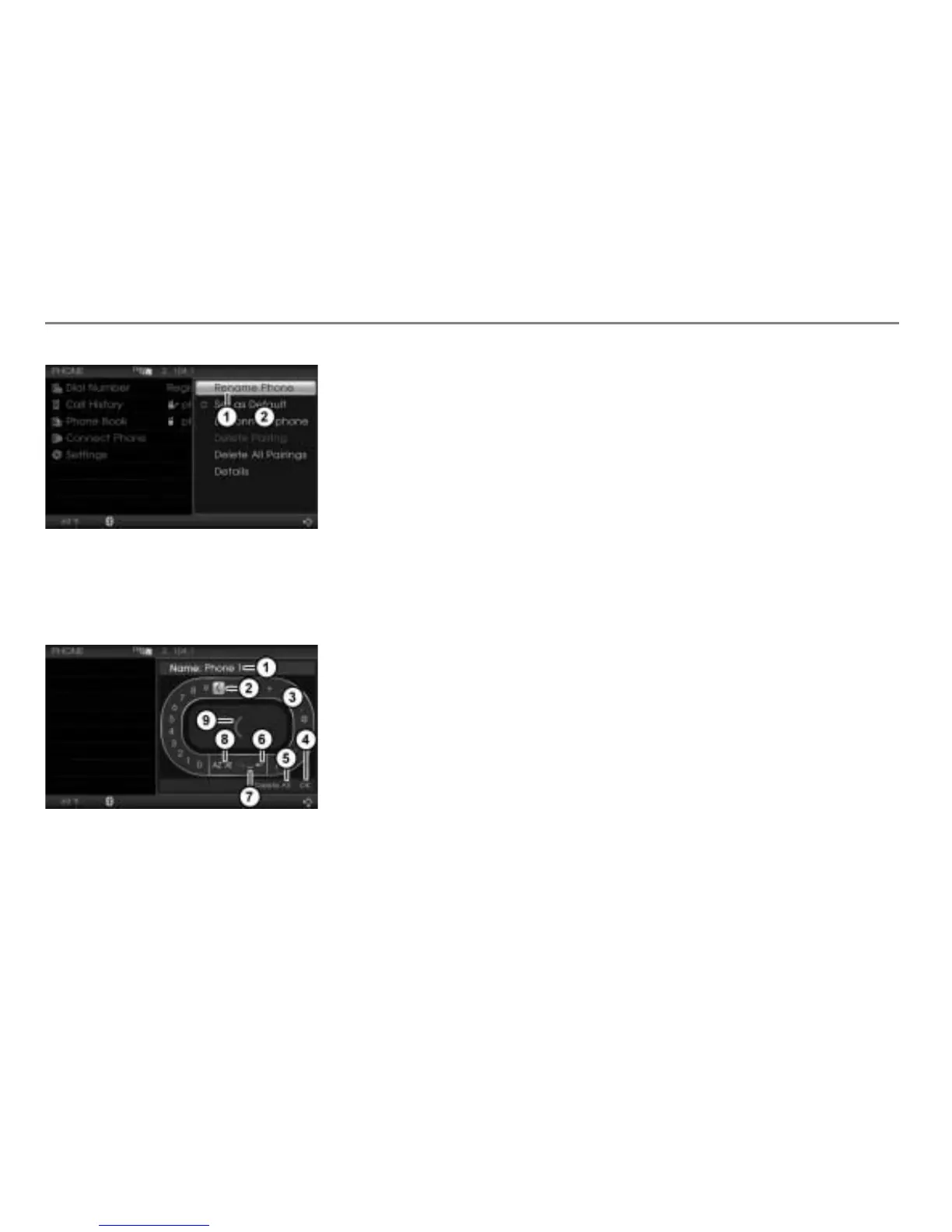
Menu item Rename Phone
Options menu
In the Options menu, select the menu
item
Rename Phone.
The input menu appears.
Input field with characters already
entered
Currently highlighted character
Speller
Confirm entry
Delete all characters in the input field
Delete the last character in the input
field
Enter space
Switch character set
Enlarged display of the currently
highlighted character in the speller
The input menu has two user-control areas:
The area with the speller
and the area
with the menu items
and .
To move from one area to another:
Push
the controller .
To enter a character: In the speller,
highlight a character by turning
the
controller
and press the
controller .
The character is entered and appears in
the input field
.
To switch character set: In the speller,
select one of the menu items
.
The corresponding character set
appears in the speller.
To delete the last character in the
input field: In the speller, select the
menu item
.
The last character entered is deleted.
To delete all characters in the input
field: From the speller, push
the
controller
and select the menu item
Delete All.
All characters are deleted.
To make a new entry: Push
the
controller to move back to the
speller and enter characters as
described previously.
To confirm an entry: From the speller,
push
the controller and select the
menu item
OK.



 To Next Page