195
PHONE
Phonebook
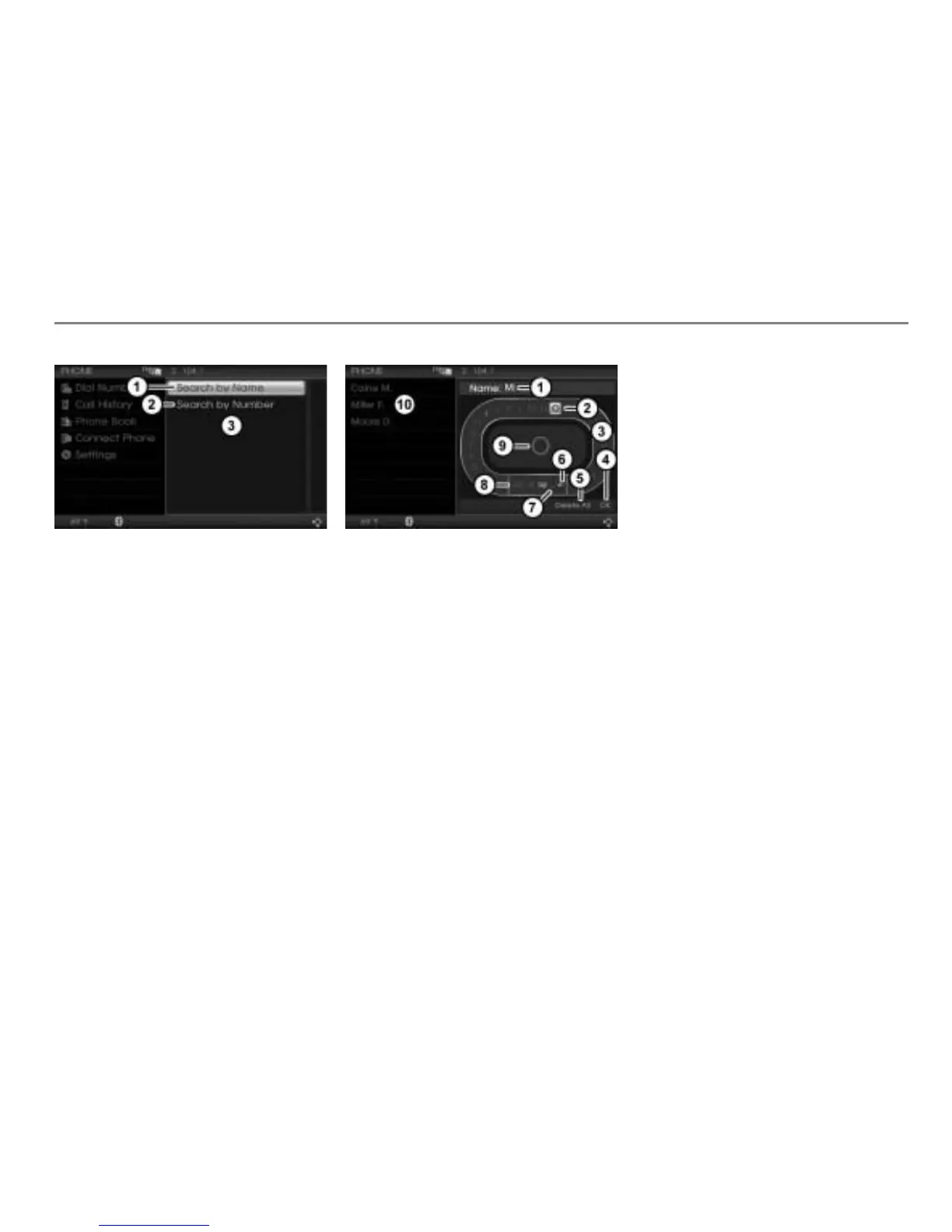
Search by Name menu item
Search by Number menu item
Selection menu
In the selection menu, select the menu
item
Search by Name or Search by
Number
.
Either the name or the number input
menu appears, depending on the menu
item selected.
Input menu
The following illustration and the
descriptions refer to the name input menu
and entering a name. The number input
menu and entering a number are similar.
Input field with characters already
entered
Currently highlighted character
Predictive speller
Confirm entry
Delete all characters in the input field
Delete the last character in the input
field
Enter space
Switch character set
Enlarged display of the currently
highlighted character in the predictive
speller
List of hits
At the beginning, the input field is empty.
The input menu has two user-control areas:
The area with the predictive speller
and
the area with the menu items and .
To move from one area to another:
Push
the controller .
Entering a name
To enter a character: In the predictive
speller, highlight a character by
turning
the controller and press
the controller .
Not all of the characters displayed can be
highlighted in the predictive speller. The
characters that can be highlighted depend
on those already entered and the data for
the phonebook.
The character is entered and appears in
the input field .
The list of hits
is adapted
accordingly each time you enter
a character. It shows the entries
matching the entered characters.



 To Next Page