233
Navigation
Functions after entering the destination
Other routes
In addition to already calculated routes, the
system can calculate up to four other
routes. This function is only available if the
following conditions are met:
The route does not contain any
waypoints.
Route guidance has not yet been
started.
Calculating other routes
In the Options menu, select the menu
item
Other Routes.
The system calculates the other routes.
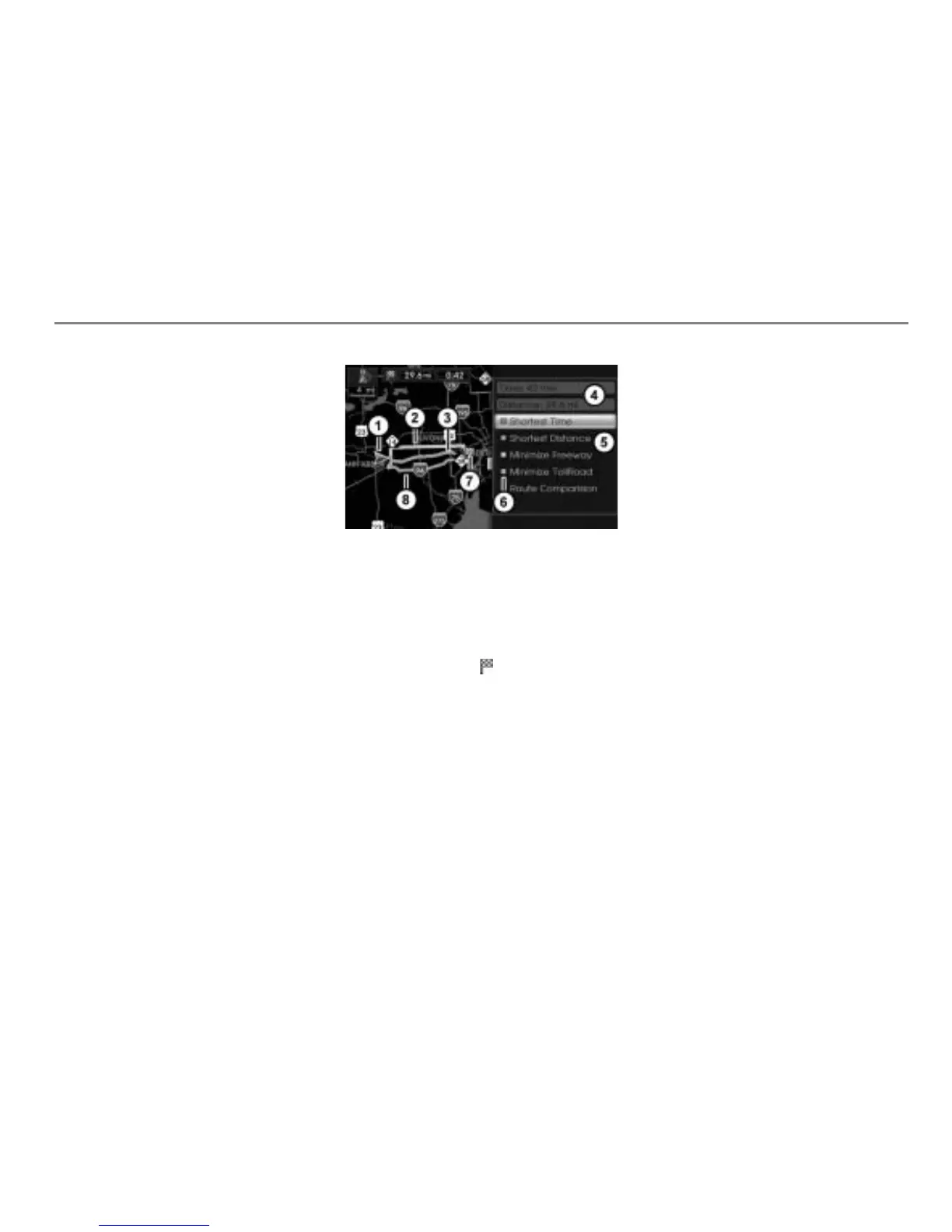
After the routes have been calculated,
you will see all calculated routes on the
map and, on the right-hand side, route
information as well as the route menu.
Map display shows night mode
Current vehicle position
Route “Minimize Freeway”
Route “Shortest Distance”
Route information display
Route menu
Colored symbol
Destination (Icon )
Route “Shortest Time”
The various routes are indicated with
differently colored symbols
in the route
menu
. The routes displayed on the map
are also colored accordingly.
Information about a route
Highlight a route in the route menu
.
You will see information about the
highlighted route in the information
display
.
Route comparison
In the Route menu, select the menu
item Route Comparision.
The route comparison list appears.
It contains the following reference
information for each route:
Journey time
Journey distance
To close the list: Briefly press
the button.
Selecting a route and starting route
guidance
Select a route in the Route menu or in
the route comparison list.
The Options menu appears again.



 To Next Page