5 Human machine interface
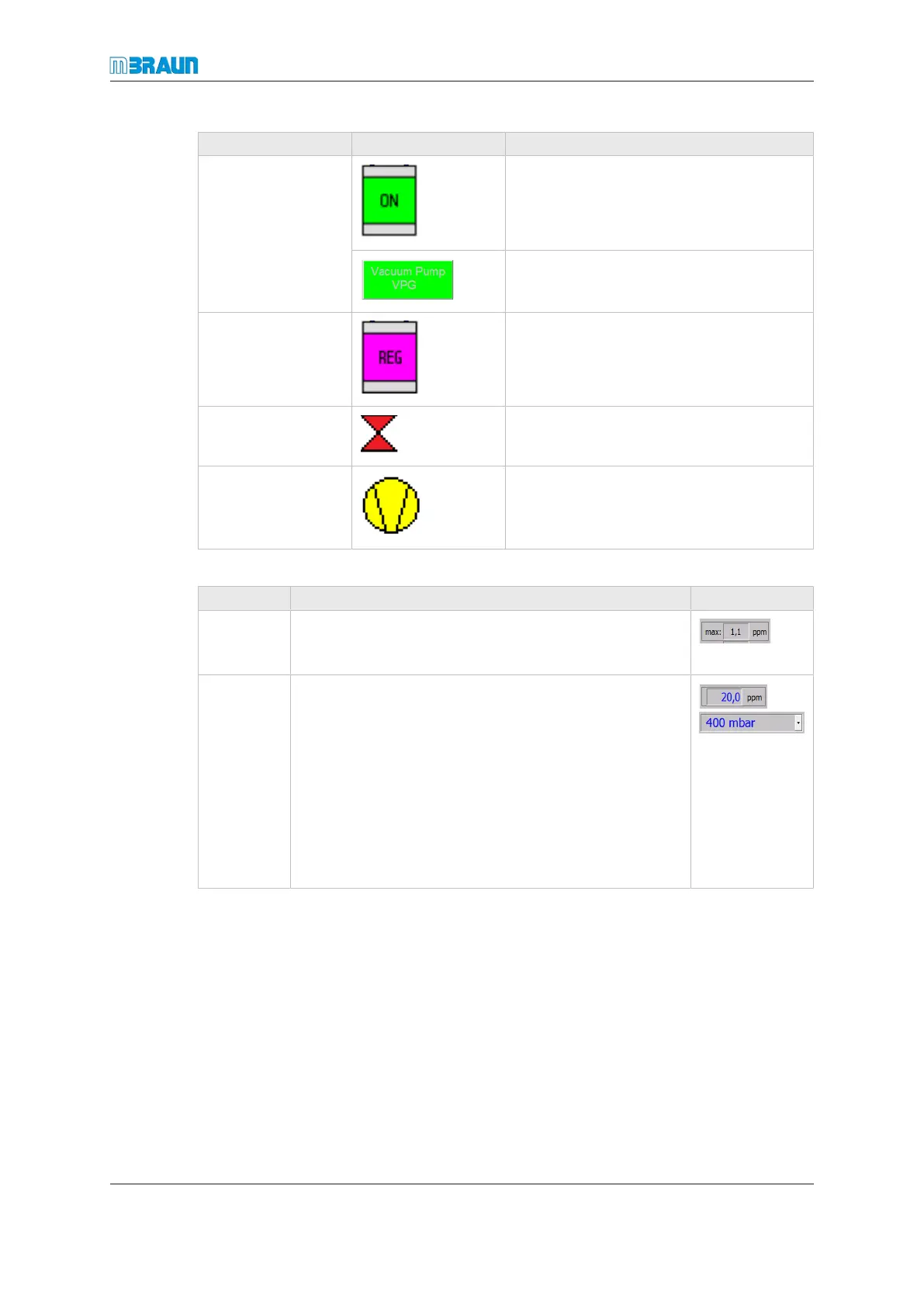
Explanation of symbols and colours
MB-20-G/MB-200G-W_MB-LABmaster_MB-200 MOD_TP700
Operating Manual - V5.0 - 04/2018 - STD
Page
5 - 3
Colour Example Explanation
Green Component or function is switched on
Text colour gray: Function cannot be
switched off
Magenta Reactor or solvent filter is in regeneration
mode
Red Malfunction of the component or existent
warning message
Yellow Not in operational state (e.g. not all pre-
requisites are fulfilled)
System parameters are displayed as follows:
Name Function Example
Display
field
Value is displayed in black colour:
Parameter cannot be changed by the operator.
Input field Value is displayed in blue colour:
Parameter can be changed by the operator.
There are two input field types:
¡ Pull-down menu
Parameter can be set to predefined values or op-
tions.
¡ Alphanumeric input field
Operator can enter a value within the parameter
range.



 To Next Page