5 Human machine interface
User level / password concept
MB-20-G/MB-200G-W_MB-LABmaster_MB-200 MOD_TP700
Operating Manual - V5.0 - 04/2018 - STD
Page
5 - 13
Accessing WIN CE
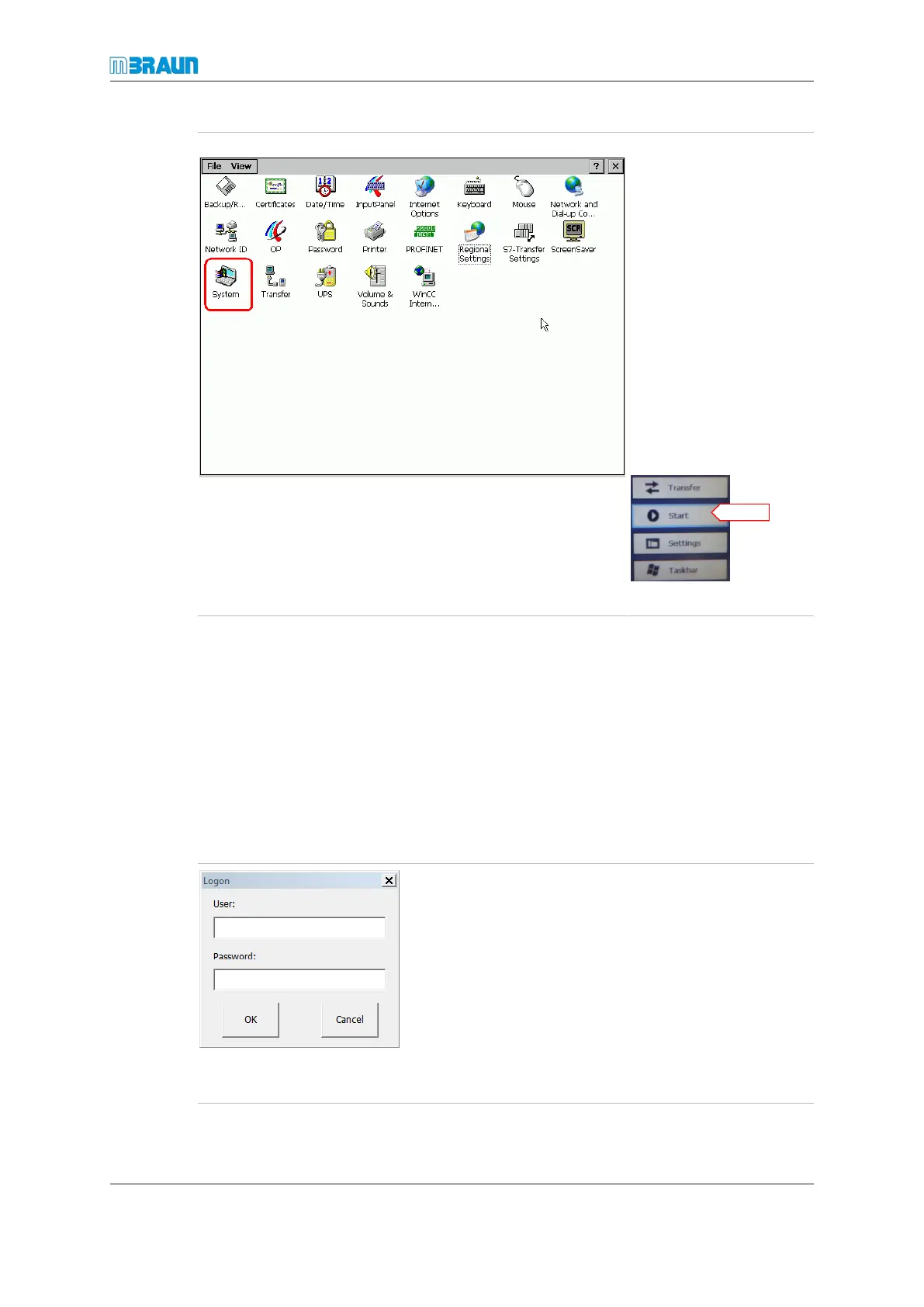
► Navigate to the OS
services screen.
► Touch WIN CE.
ð The MBRAUN user
interface closes.
ð The touch panel
switches to the oper-
ating system level.
ð The windows CE user
interface is displayed.
► To return to the
MBRAUN user inter-
face, tap the screen.
ð A menu pops up.
► Touch Start.
5.9 User level / password concept
In MBRAUN standard systems, only MBRAUN Service screens are password protected.
In non-standard systems, access to selected functions can also be password protected.
¡ If the button for a protected function is touched, the logon screen is displayed.
¡ There is no optical indication of an access protection on protected buttons.
5.9.1 Logon
When a password protected button is touched, the Logon screen is displayed.
► Tap the input field.
ð The alphanumeric input field is displayed (refer to Para-
meter screens [}5 - 9]).
► Enter the user name and password via the alphanu-
meric field.
► Touch Enter in the alphanumeric field display.
► After entering the user name and password, touch
OK.
After successfully logging on to one protected button, any
other protected buttons will also be accessible.
Instead of logging on at a protected button, a logon at the LOGIN touch button is possible
at the OS Services screen.



 To Next Page