9 Antechamber operation (Vacuum antechamber)
Manual loading and unloading of the mini antechamber
Page
9 - 6
MB-20-G/MB-200G-W_MB-LABmaster_MB-200 MOD_TP700
Operating Manual - V5.0 - 04/2018 - STD
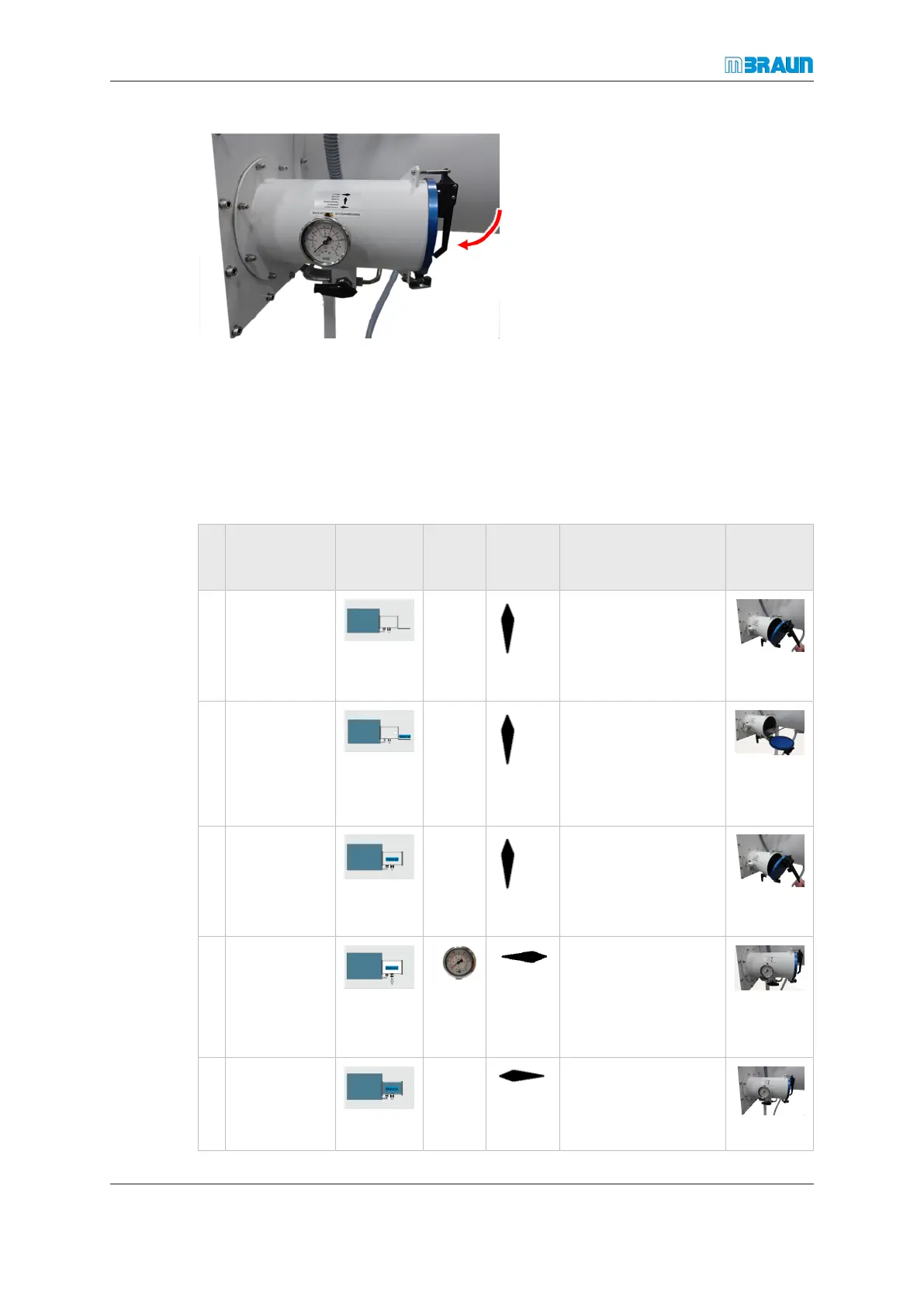
To close:
► Close door.
► Fix lever in the top catch to lock the cover.
9.4 Manual loading and unloading of the mini antechamber
9.4.1 Transferring material in
Step
Door
status
1
Atmo-
sphere
status
AC pres-
sure
status
2
Manual
valve
status
Action
Example
Mini-
AC
3
1 I: CLOSED
O: OPEN
at
Closed
► Unlock cover.
► Open cover.
2 I: CLOSED
O: OPEN
at
Closed
► Pull out tray.
► Place material
on tray.
► Push tray back
into AC.
3 I: CLOSED
O: OPEN
at
Closed
Lock outer door:
► Close cover.
► Lock cover.
4 I: CLOSED
O: CLOSED
0 ...
-0.1
MPa
evacu-
ate
Evacuation step
5 I: CLOSED
O: CLOSED
Glove-
box
pres-
sure
refill
Refill from Glovebox



 To Next Page