8 Glovebox or enclosure operation
Setting glovebox parameters
Page
8 - 8
MB-20-G/MB-200G-W_MB-LABmaster_MB-200 MOD_TP700
Operating Manual - V5.0 - 04/2018 - STD
8.5.4 Analyser operating hours
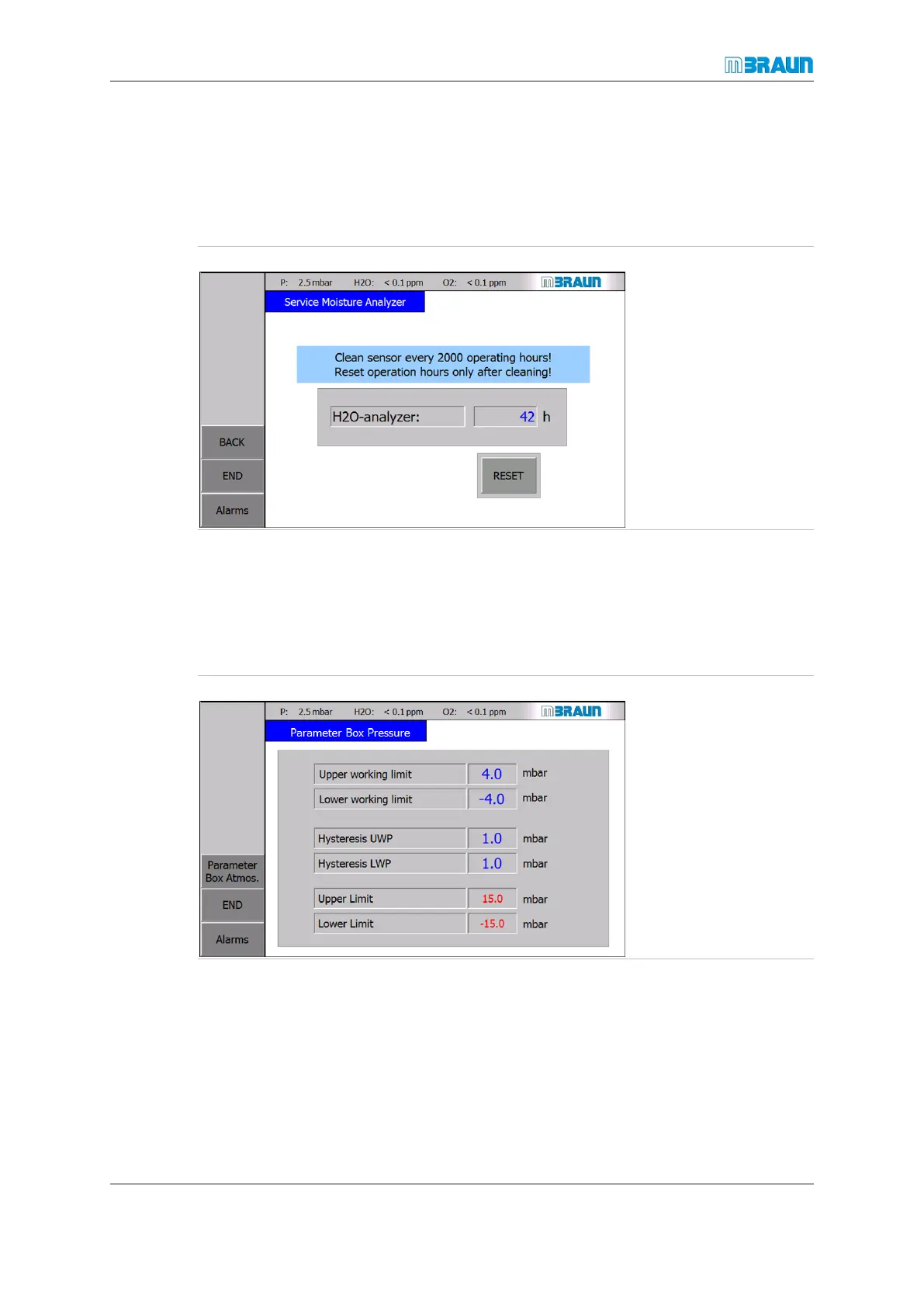
The moisture analyser must be cleaned and calibrated in intervals. Cleaning the moisture
analyser is recommended in intervals of 2000 operating hours. For this purpose, the
moisture analyser's operating hours are tracked. The hours counter must be reset after
each cleaning.
Start Screen ⇨ Menu ⇨ Service ⇨ H2O-Sensor
► Regularly check the
operating hours.
► Touch the RESET
button.
ð The "H2O-analyzer"
parameter is reset.
Alternatively:
► Enter a value of "0"
in the "H2O-ana-
lyzer" field.
If maintenance work is to be performed more frequently, the "2000 operating hours" para-
meter factory settings can be decreased.
8.6 Setting glovebox parameters
Setting of box pressure parameters
Start Screen ⇨ Menu ⇨ Box Parameter



 To Next Page