8 Glovebox or enclosure operation
Monitoring gas concentration
MB-20-G/MB-200G-W_MB-LABmaster_MB-200 MOD_TP700
Operating Manual - V5.0 - 04/2018 - STD
Page
8 - 7
8.5.3 Activation and deactivation of analysers
Activating an analyser
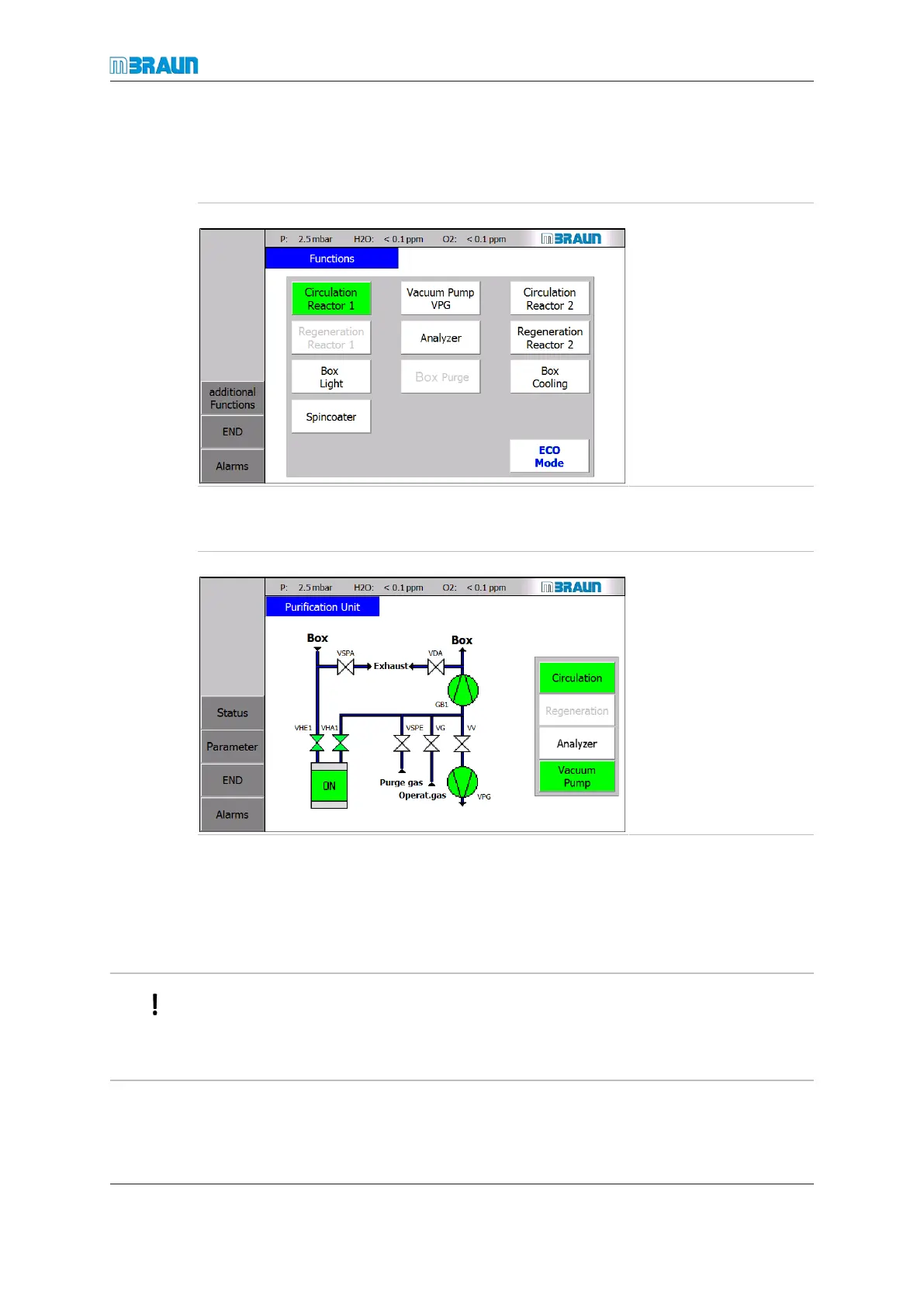
Start Screen ⇨ Functions
► Touch the Analyzer
button.
ð The button colour
changes from white to
green.
ð The analysers are ac-
tivated.
ð Readings are dis-
played.
Alternatively:
Start Screen ⇨ RKM icon
► Touch the Analyzer
button.
ð The button colour
changes to green.
ð The analysers are ac-
tivated.
ð Readings are dis-
played.
Deactivation
► At the Functions or Purification Unit screen touch the Analyzer button.
ð The button colour changes from green to white.
ð “Switched off” is displayed in the Start screen.
If the glovebox is not in operation – i.e. the glovebox is not in circulation or glovebox pur-
ging mode – MB-OX-SE1 and MB-MO-SE1 analysers are automatically deactivated after
30 minutes.
This helps to protect the sensor cells, since there should be a constant flow of working
gas around the cells.



 To Next Page