8 Glovebox or enclosure operation
Activation / Deactivation of glovebox functions
Page
8 - 10
MB-20-G/MB-200G-W_MB-LABmaster_MB-200 MOD_TP700
Operating Manual - V5.0 - 04/2018 - STD
8.7 Activation / Deactivation of glovebox functions
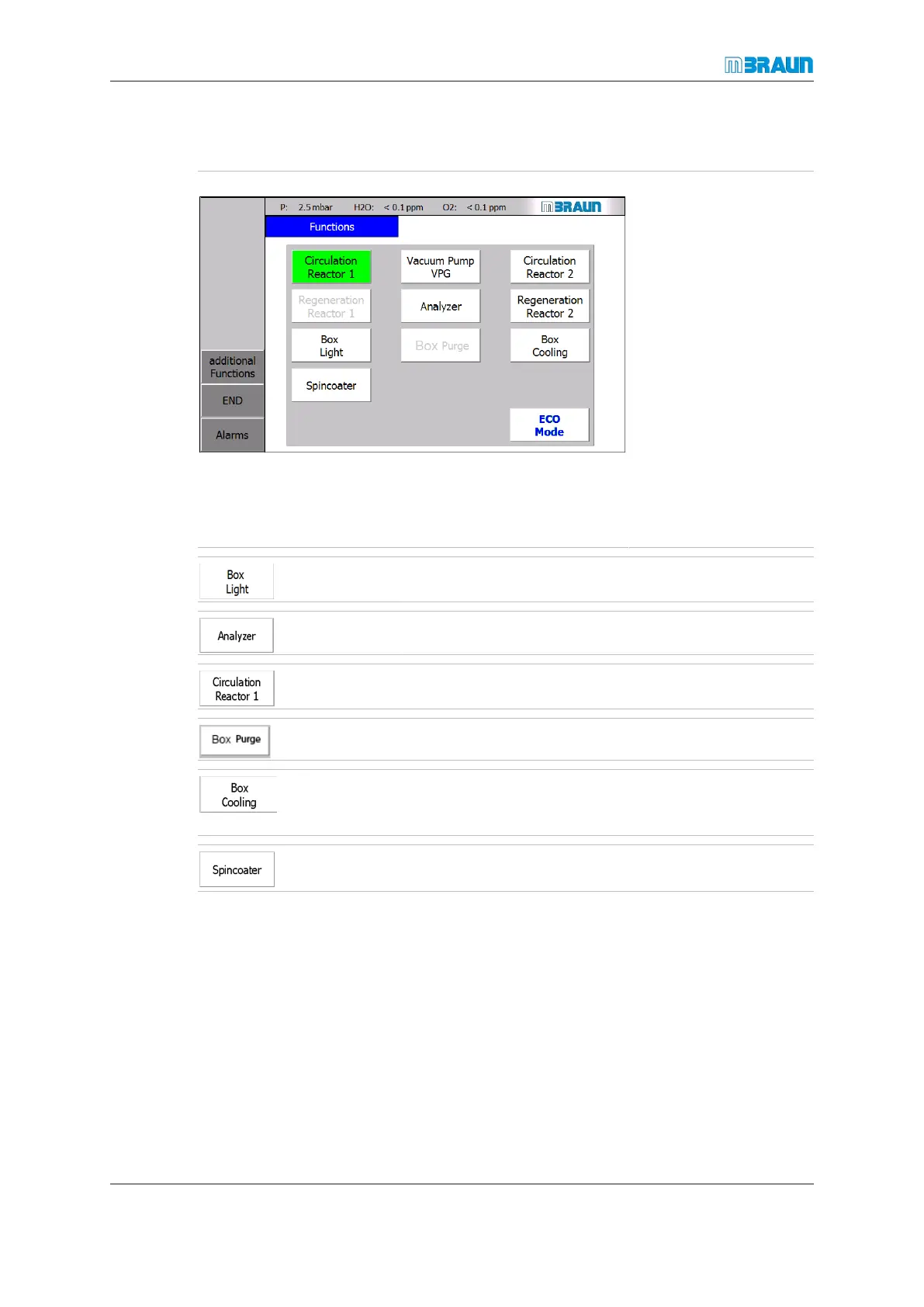
Start Screen ⇨ Functions
Glovebox-related func-
tions are switched, activ-
ated and deactivated on
the Functions screen.
To activate a function:
► Touch the appropri-
ate button.
ð The button colour
changes from white to
green.
To deactivate a function:
► Touch the appropri-
ate button.
ð The button colour
changes from green
to white.
Switches the box light on or off
Switches the analysers on or off
Switches circulation on or off
Optional, switches the glovebox purge function on or off
Optional addition integrated equipment, example ceiling
cooling: switches glovebox inner space cooling function on
or off
Optional addition integrated equipment, example spin-
coater: switches spincoater on or off
8.8 Glovebox during circulation
In circulation mode, the box atmosphere circulates between the box and gas purifier.
The O
2
and H
2
O content of the box atmosphere are monitored by analysers (optional
equipment). A stable box atmosphere is maintained according to the parameters.
In a sp system circulation cannot be started during regeneration.
In a dp system, gas circulation through the glovebox can be continued through the re-
actor that is not being regenerated.
When circulation is activated, the Box Purge function is disabled.



 To Next Page