8 Glovebox or enclosure operation
Setting glovebox parameters
MB-20-G/MB-200G-W_MB-LABmaster_MB-200 MOD_TP700
Operating Manual - V5.0 - 04/2018 - STD
Page
8 - 9
The value of the "Upper working limit" must always be higher than the value of the "Lower
working limit".
The value of the "Upper working limit" must at least be 1mbar lower than the "Upper
limit" value.
The value of the "Lower working limit" must at least be 1mbar higher than the "Lower
limit".
The values for "Upper limit" and "Lower limit" are factory set. They can be changed by
MBRAUN Service.
Refer to the chapter Box pressure control [}2 - 19].
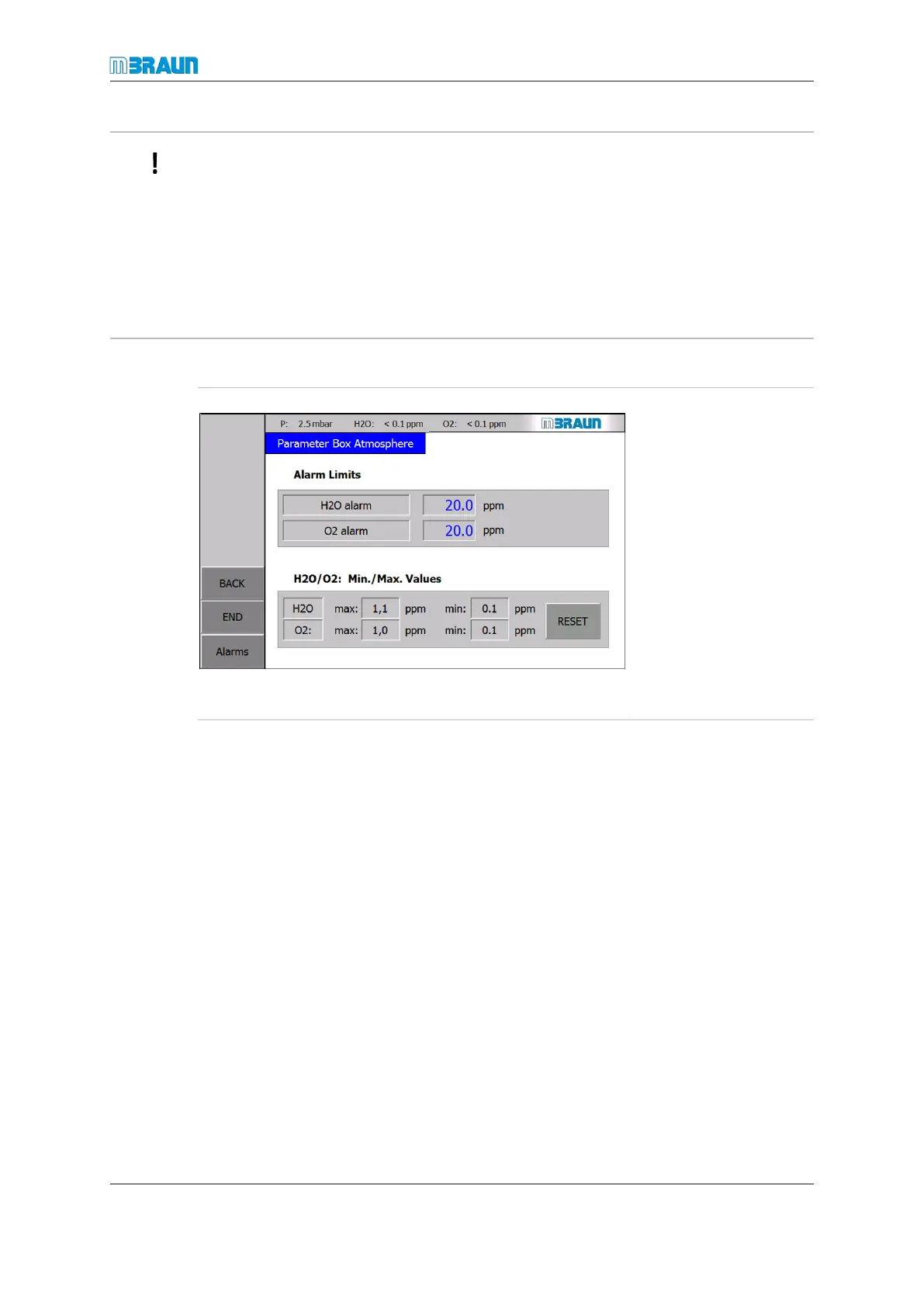
Setting of glovebox atmosphere parameters
Start Screen ⇨ Menu ⇨ Box Parameter ⇨ Parameter Boxatmos.
¡ Input of H
2
O and O
2
alarm concentrations
¡ Display of minimum
and maximum H
2
O
and O
2
values since
the last reset
For information on how to
input parameters refer to
section Parameter screens
[}5 - 9].
To reset min. and max.
values:
► Touch the RESET
button.


 To Next Page