5 Human machine interface
Explanation of symbols and colours
Page
5 - 2
MB-20-G/MB-200G-W_MB-LABmaster_MB-200 MOD_TP700
Operating Manual - V5.0 - 04/2018 - STD
3 RKM icon
Button to open the Purification
Unit screen
4 LMF icon (optional)
Button to open the Solvent Filter
screen
5 Alarms button to open the
Warning Screen
6 Menu button to open the Menu
Screen Selection screen
7 Functions button to open the
Functions screen
8 Icon and button to open informa-
tion about optional equipment
Operating system
The operating system on the touch panel is WIN CE.
5.3 Explanation of symbols and colours
The following conventions concerning symbols and colours are used within the complete
touch panel surface.
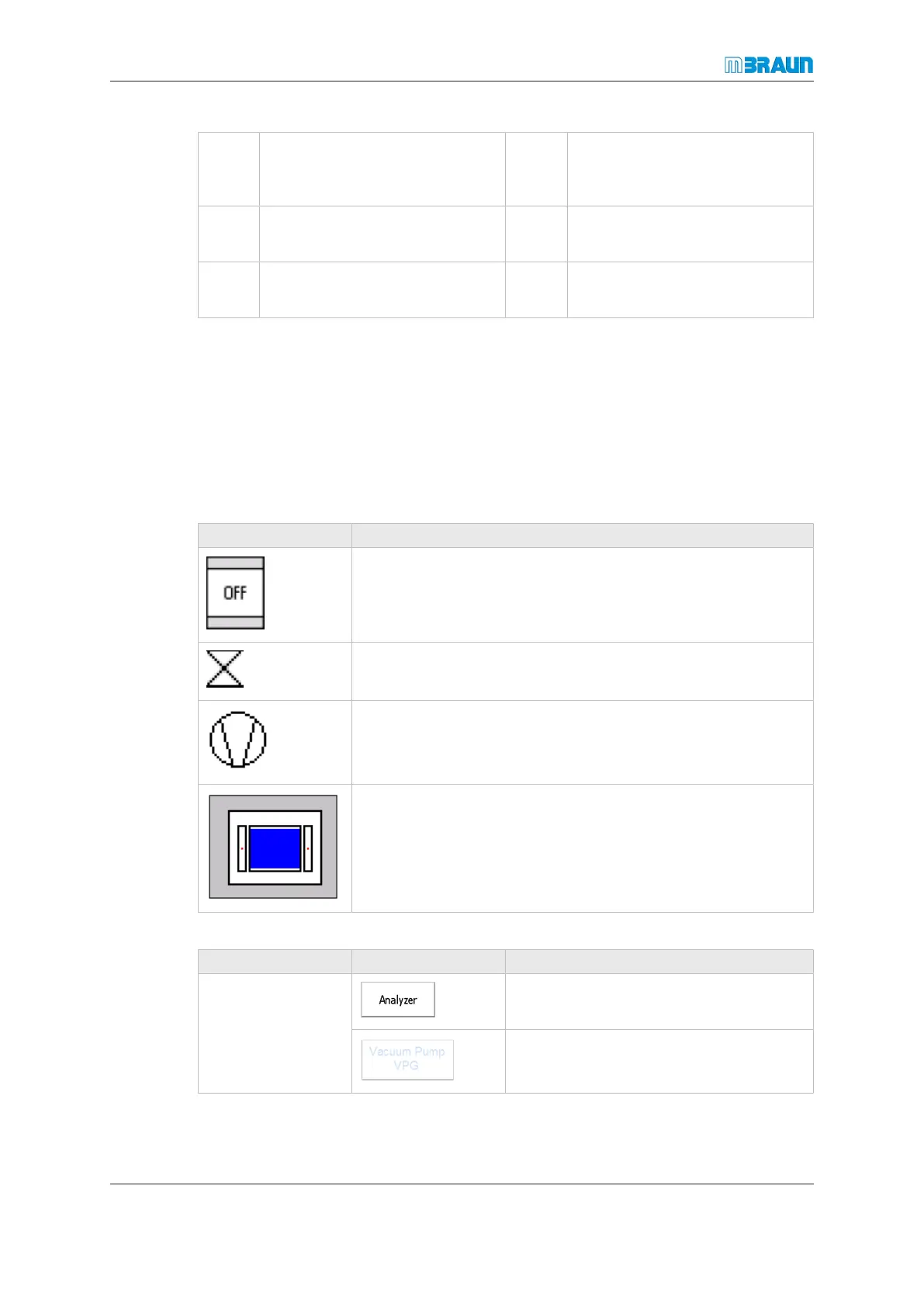
The following symbols are used on the touch panel:
Symbol Explanation
Reactor or solvent filter
Valve
Vacuum pump or blower
Antechamber
The colours of symbols or buttons and the text colour have the following meanings:
Colour Example Explanation
White Component or function is switched off
Text colour gray: Function is disabled



 To Next Page