10A myMBRAUN App
Setting up the myMBRAUN app
Page
10A - 2
MB-20-G/MB-200G-W_MB-LABmaster_MB-200 MOD_TP700
Operating Manual - V5.0 - 04/2018 - STD
Monitoring
Information
Settings
Legal notice
10A.1.4 Registering
If the app is used without a registered glovebox, the pages are populated with sample
values (Demo).
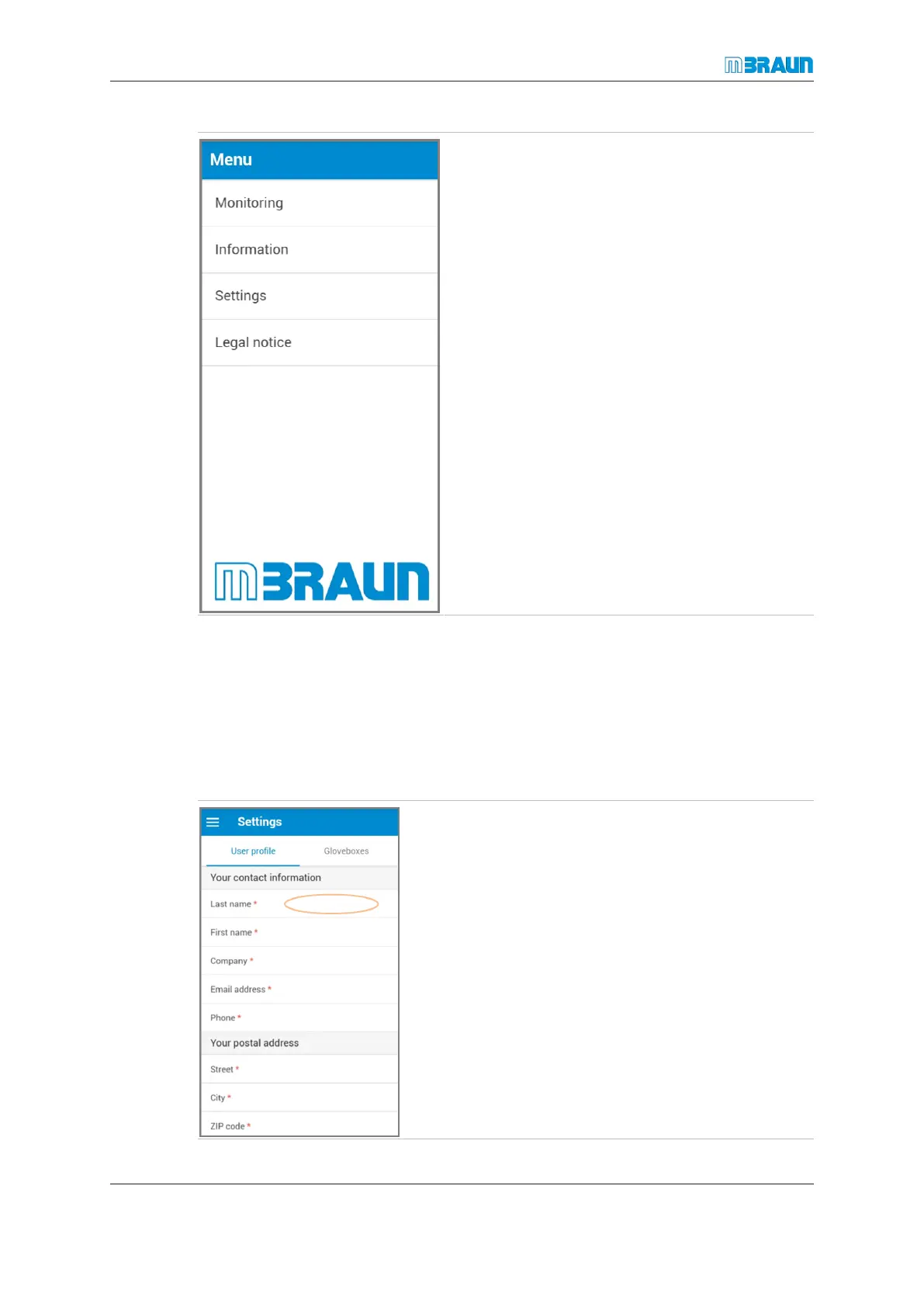
Entering contact information
Providing contact information is mandatory (required fields are marked with a red aster-
isk).
► Touch the white area next to Last name (the brown
oval indicates the area that you should touch).
ð The cursor blinks in the input field.
► Enter your last name.
► Complete all other required fields.



 To Next Page