5 Human machine interface
Menu Screen selection screen
MB-20-G/MB-200G-W_MB-LABmaster_MB-200 MOD_TP700
Operating Manual - V5.0 - 04/2018 - STD
Page
5 - 9
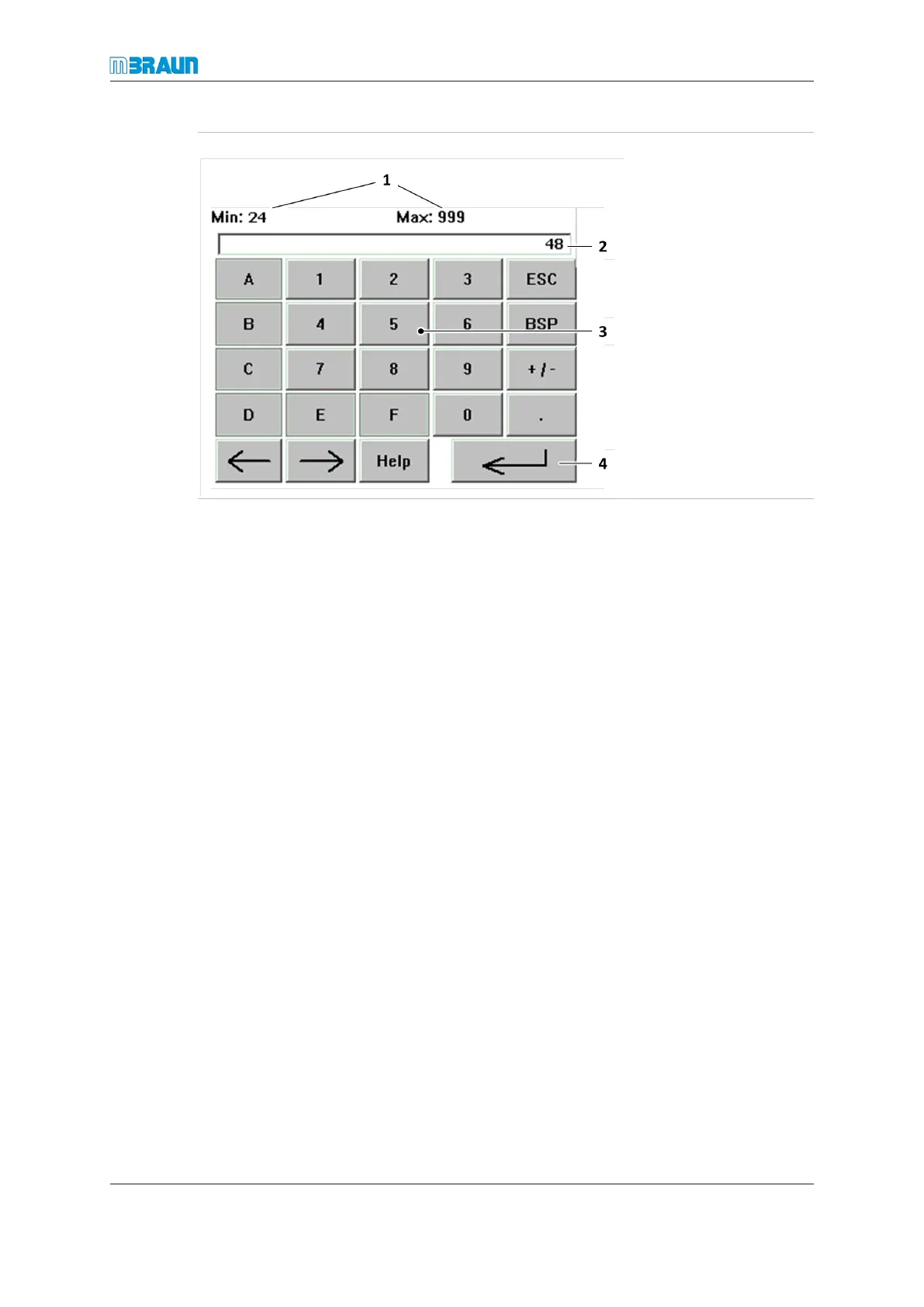
Alphanumeric input field
1= Min. and max.
values of allowed
parameter range
2= Display of input
value
3= Keypad
4= Button Enter to
confirm and com-
plete an input
Entering a value
► Touch the alphanumeric input field.
► The keypad is displayed.
► Enter text or numbers and touch the Enter button to complete.
► A confirmation prompt is displayed.
► After confirmation the input field displays the entered text.
Changing a value
► To change a value, touch the desired input button.
ð The entered value is shown in the input field.
► Confirm with the Enter button.
ð The keypad closes.
5.8.2 Trend screens
Depending on the equipment, the system provides different trend screens. Trend screens
show a temporal development of parameters, e.g., pressure, H
2
O concentration. The fol-
lowing figure shows the box trend screen as an example:



 To Next Page