5 Human machine interface
Start screen
Page
5 - 4
MB-20-G/MB-200G-W_MB-LABmaster_MB-200 MOD_TP700
Operating Manual - V5.0 - 04/2018 - STD
5.4 Start screen
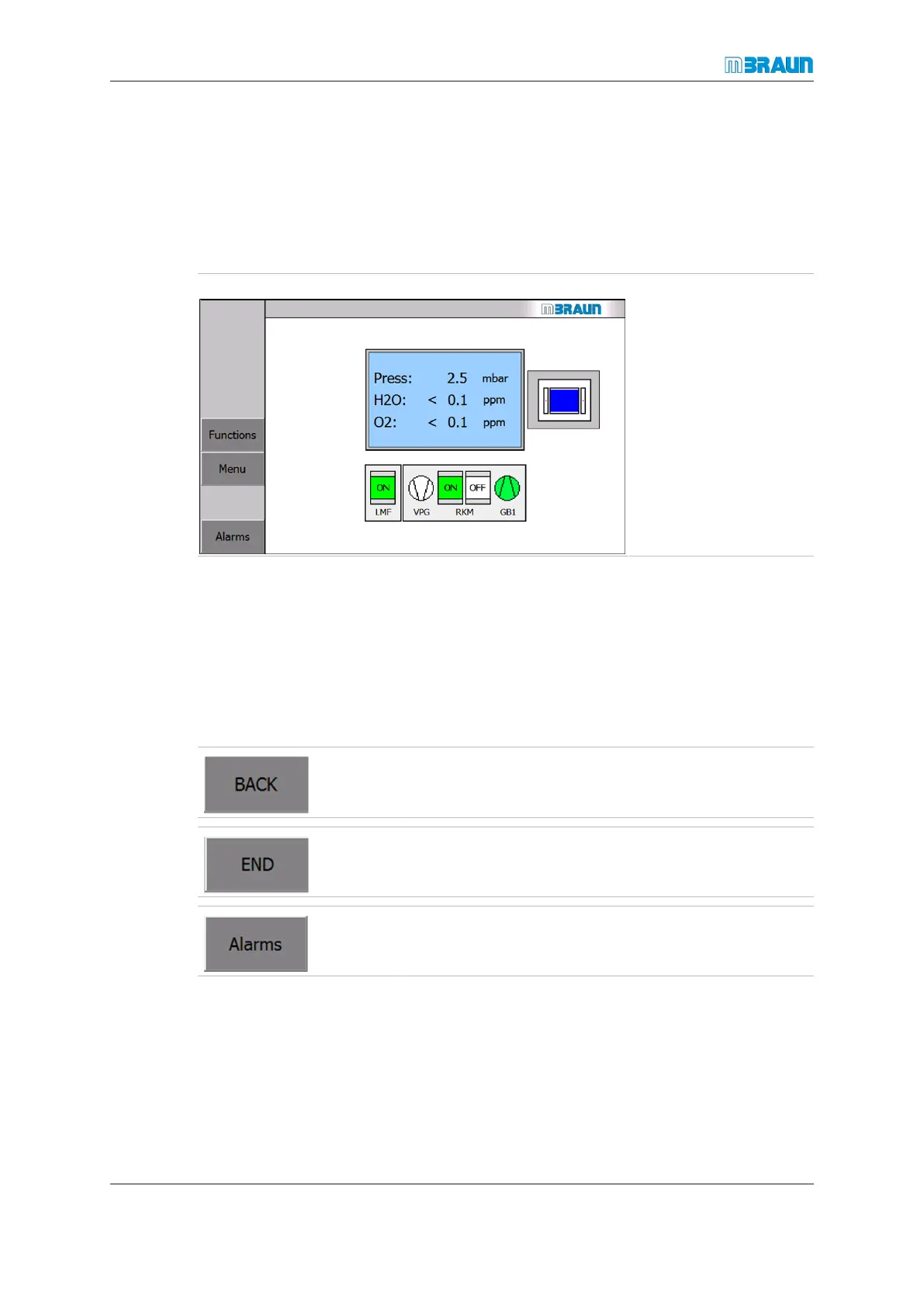
The start screen displays an overview of the system and displays readings of the oxygen
and moisture analyser and optional from other various analysers. It is a pictorial repres-
entation of the system (the various icons will change depending on the selected system
function). It displays an overview of the box status in an information field and acts as start
screen for all operator inputs.
Start Screen
Navigation bar
The navigation bar provides access to the following screens:
¡ Functions (refer to Functions screens [}5 - 6])
¡ Alarms, with the list of active and past alerts as well as warnings (refer to Alarm
screen [}5 - 7])
¡ Menu Screen Selection (refer to Menu Screen selection screen [}5 - 8])
The BACKbutton returns to previous screen.
The Alarms button opens the Warning Screen. The colour
of the button changes to red if a warning message exists.



 To Next Page