7 Gas purifier operation
Navigation overview
MB-20-G/MB-200G-W_MB-LABmaster_MB-200 MOD_TP700
Operating Manual - V5.0 - 04/2018 - STD
Page
7 - 5
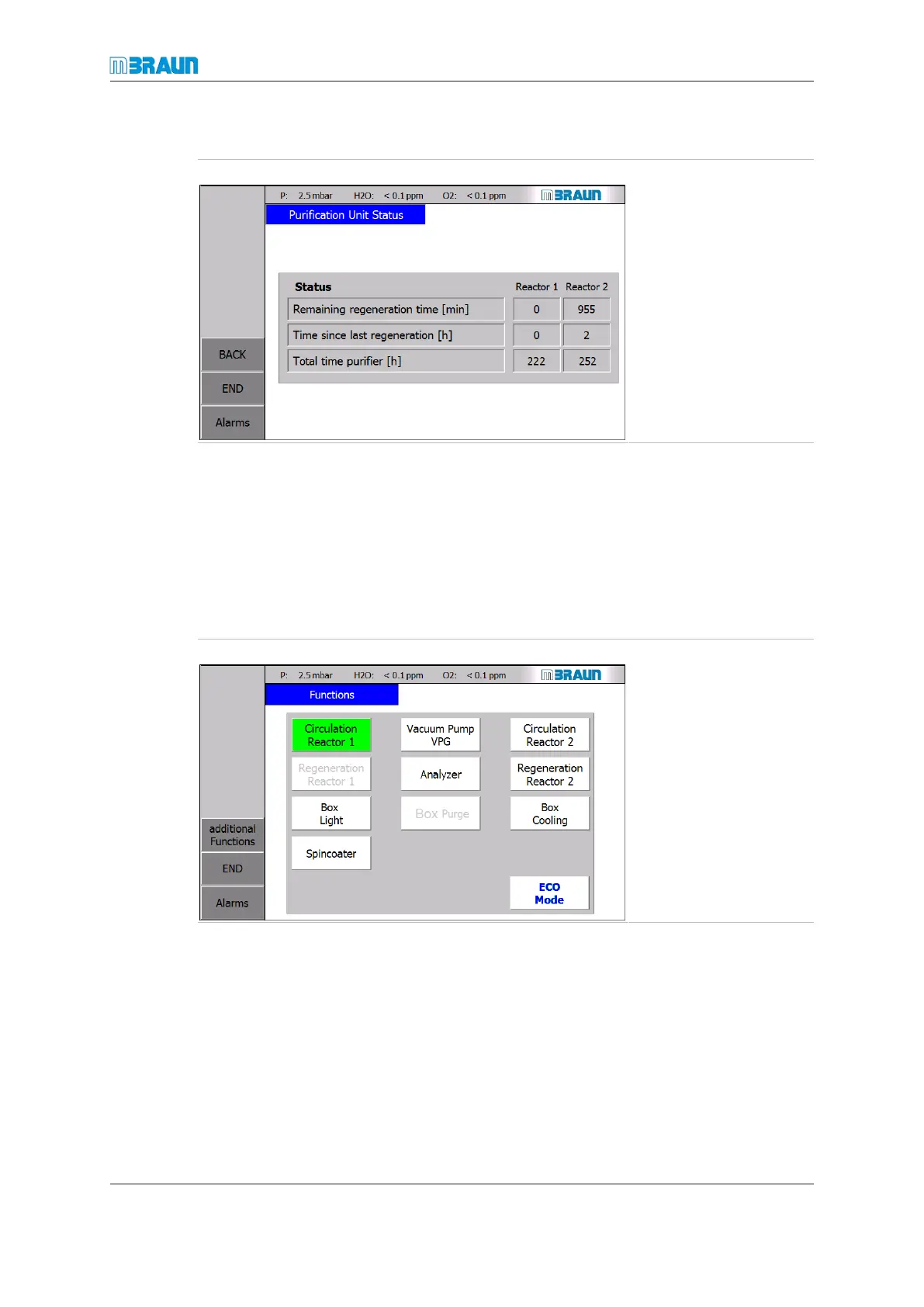
Purification unit status
Start Screen ⇨ RKM icon ⇨ Status
► Touch the Status
button.
ð The Purification Unit
Status screen is dis-
played.
Display
¡ Remaining regeneration time.
¡ Time since last regeneration (reset by the system after each successful regeneration
cycle).
¡ Total operating hours of the reactor since initial commissioning.
7.2.2 Analysers
Start Screen ⇨ Functions
Display and input
► Touch the Analyzer button.
ð The colour changes from white to green.
ð The analysers for H
2
O (MB-MO-SE1) and O
2
(MB-OX-SE1) are activated.



 To Next Page