5 Human machine interface
Screen components
Page
5 - 6
MB-20-G/MB-200G-W_MB-LABmaster_MB-200 MOD_TP700
Operating Manual - V5.0 - 04/2018 - STD
5.5 Screen components
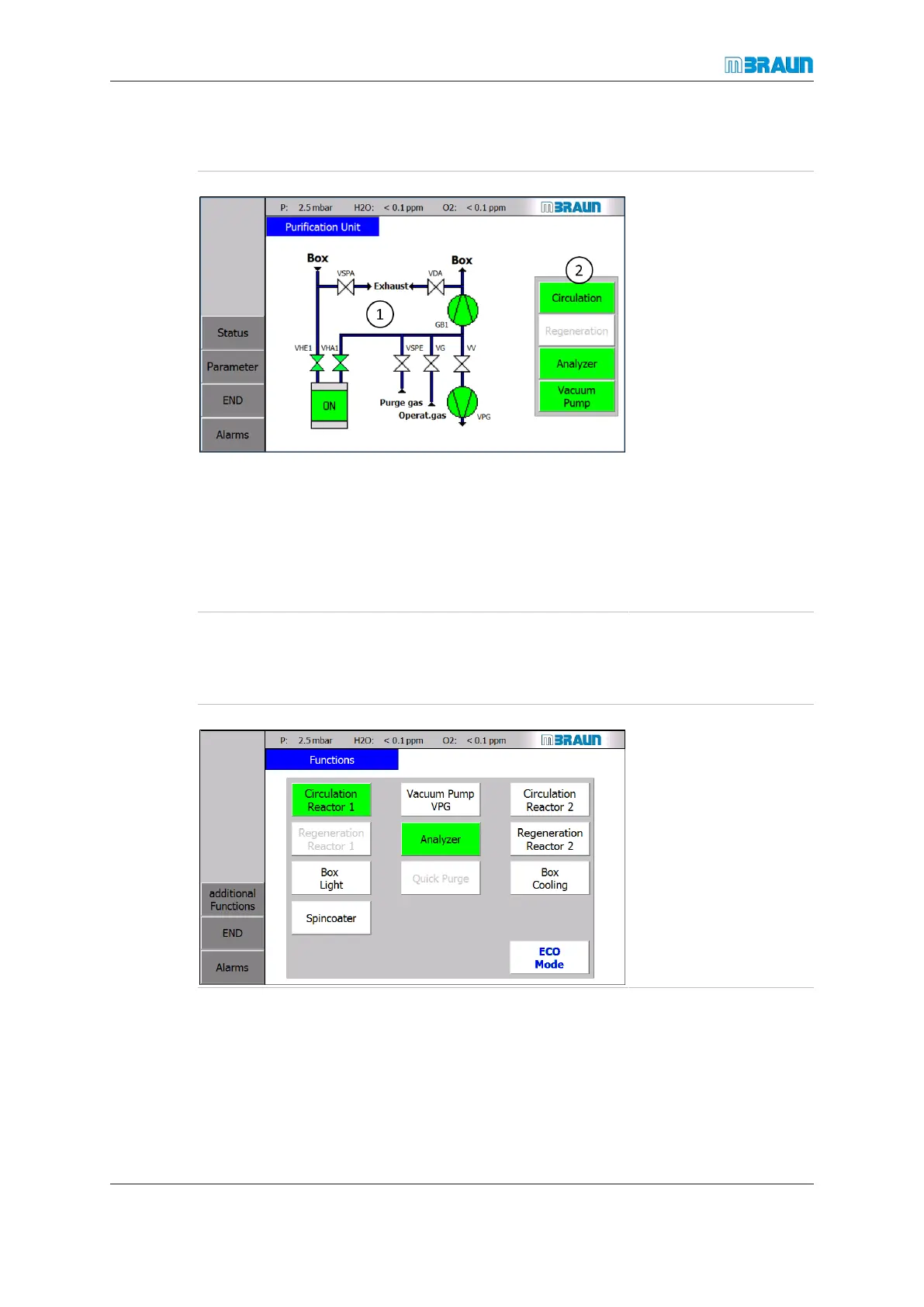
Start Screen ⇨ RKM icon
1 Visualisation of the system, including the status display
of single functions:
¡ Vx: valves
¡ VPG: Vacuum pump
¡ GB1: Blower
2 Touch buttons for activation / deactivation of functions
5.6 Functions screens
On the Functions screen, you can activate and deactivate system functions.
Start Screen ⇨ Functions
► To activate a func-
tion, touch the cor-
responding button.
ð The button colour
changes to green.
► Touch the button to
deactivate the func-
tion.
ð The button colour
changes to white.



 To Next Page