8A O2 and H2O analysers
Mounting an analyser
Page
8A - 10
MB-20-G/MB-200G-W_MB-LABmaster_MB-200 MOD_TP700
Operating Manual - V5.0 - 04/2018 - STD
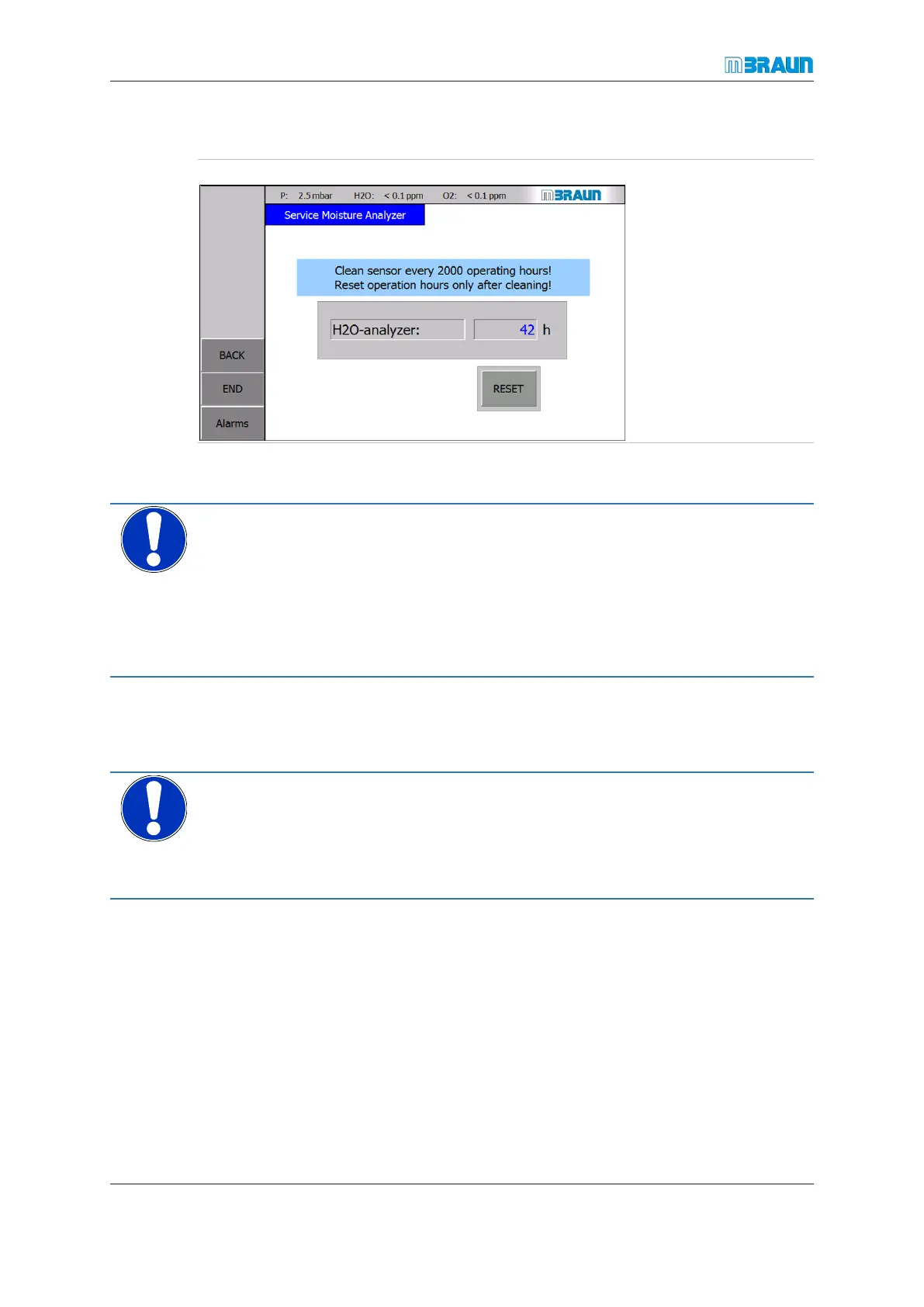
Reset operating hours of moisture analyser
Start Screen ⇨ Menu ⇨ Service ⇨ H2O-Sensor
► For information on
how to clean the H
2
O
analyser, refer to the
chapter "O2 and
H2O analysers".
► After you have
cleaned the H
2
O
analyser, touch the
RESET button to re-
set the operating
hours to 0 h.
8A.4.5 Storing an MB-MO-SE1 analyser
NOTICE
Inappropriate long time storage of the analyser
► Do not storage the analyser over long time with the phosphoric acid on the sensor
head.
► For long time storage, clean sensor head with distilled water and let it dry.
► For re-use after a long time storage impregnate the sensor head again with phos-
phoric acid.
8A.5 Mounting an analyser
NOTICE
Improper commissioning!
Risk of damage to the measuring cell
► The system must be purged before the signal cable is connected to the analyser with
the RJ45 plug
► Put the glovebox (or enclosure) system in the appropriate operation mode:
¡ Deactivate the circulation
¡ Deactivate the analyser on the touch panel.
¡ Set the glovebox pressure to a positive value between +1 … + 5 mbar (+100 …
+500 Pa).
► Open the clamp of the DN KF 40 blind flange where the analyser is to be moun-
ted and place the clamp aside within easy reach.
► Remove the blind flange.
► Insert the new analyser as fast as possible.



 To Next Page