10A myMBRAUN App
Functions
Page
10A - 8
MB-20-G/MB-200G-W_MB-LABmaster_MB-200 MOD_TP700
Operating Manual - V5.0 - 04/2018 - STD
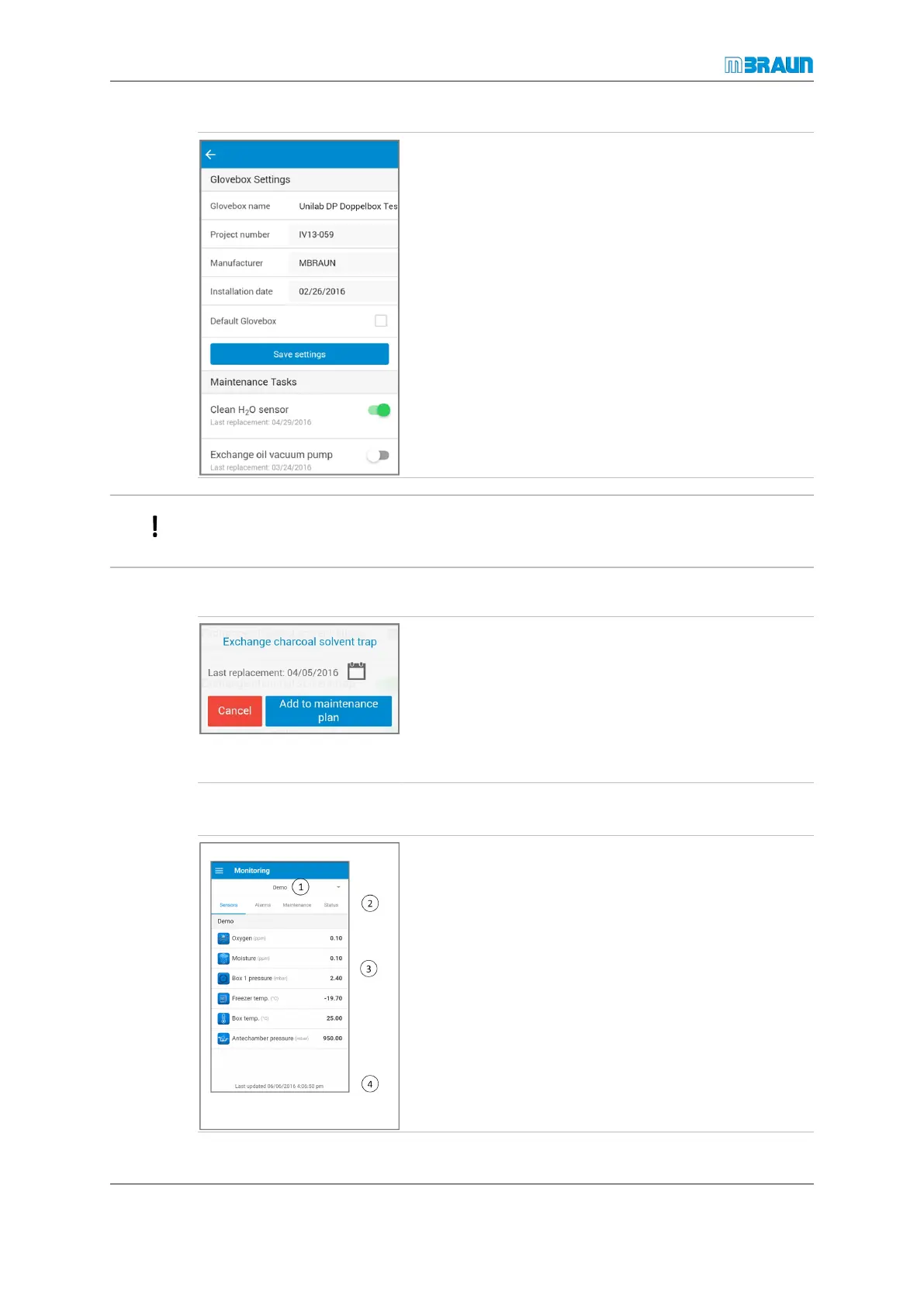
► Touch the name of a glovebox to edit its name.
► Check the Default Glovebox option field to set this
glovebox as the default glovebox. This means that
data of this glovebox will automatically be displayed
when the app starts.
► Touch the Save settings button to save your
changes.
You cannot change greyed-out fields.
Editing the maintenance plan
► Select Settings.
► Select Gloveboxes.
► Touch the name of the required glovebox.
► In the Maintenance Tasks section, activate the ne-
cessary maintenance task.
► In the pop-up window, touch Add to maintenance
plan.
10A.2.2 Monitoring
① Glovebox name
② Pages of the corresponding function
③ Available glovebox data
④ Information about the last update of the glovebox data
in the app
► To change the view, touch the arrow next to the
glovebox name (1). You can choose to display the
data of one glovebox or all gloveboxes.
► To update displayed data, swipe up on the display.



 To Next Page