10A myMBRAUN App
Functions
MB-20-G/MB-200G-W_MB-LABmaster_MB-200 MOD_TP700
Operating Manual - V5.0 - 04/2018 - STD
Page
10A - 9
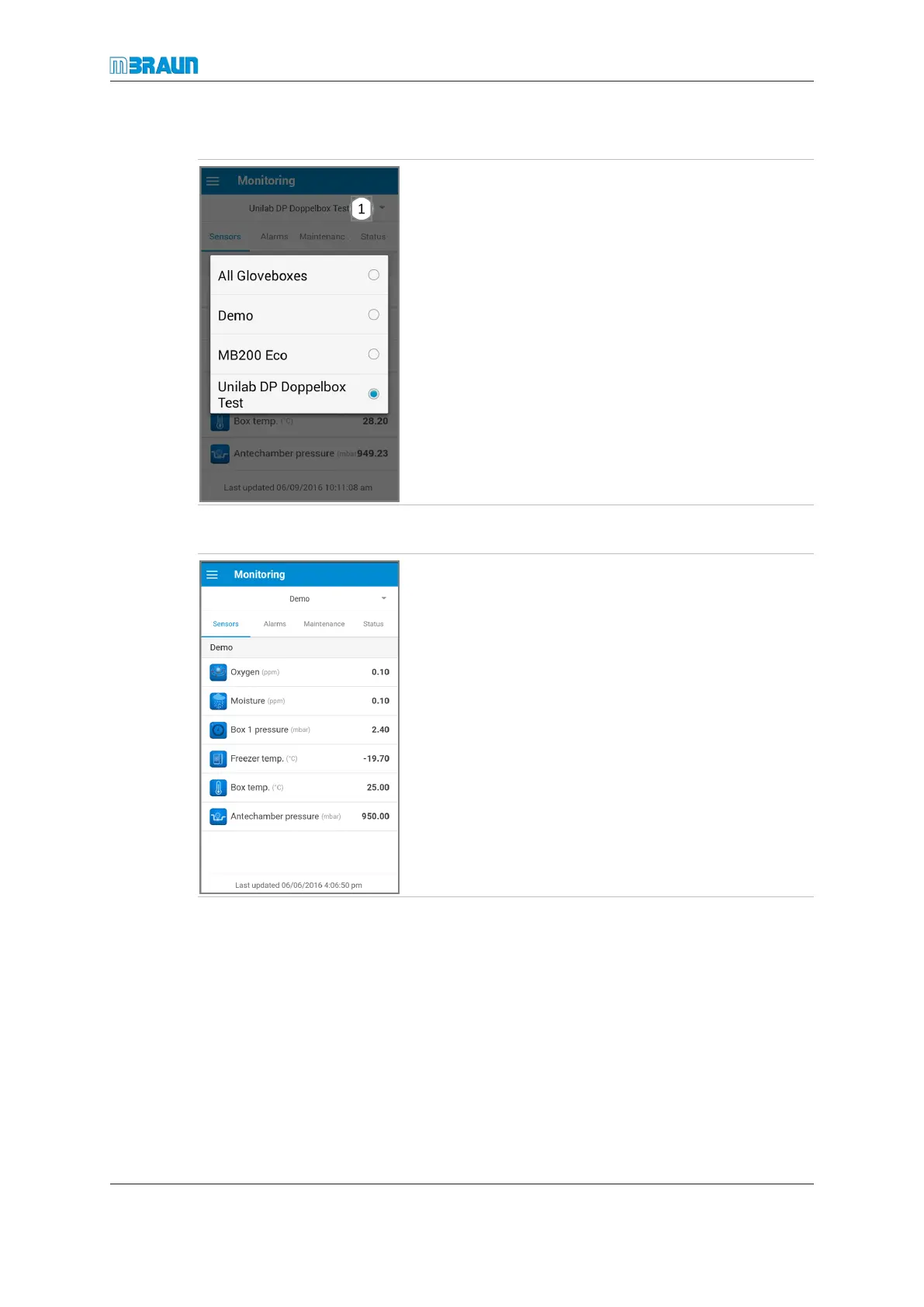
Selecting a glovebox for data display
► Select Monitoring.
► Touch the currently displayed glovebox name ①.
► Select the required glovebox or All Gloveboxes.
ð On the Sensors and Status pages, data are displayed
in sections.
ð On the Alarms and Maintenance pages, the glovebox
name is displayed below the alarms and maintenance
tasks.
Analysers
This page displays the analyser values of the selected
glovebox.



 To Next Page