5 Human machine interface
Introduction
MB-20-G/MB-200G-W_MB-LABmaster_MB-200 MOD_TP700
Operating Manual - V5.0 - 04/2018 - STD
Page
5 - 1
5 Human machine interface
5.1 Introduction
An MBRAUN gas purification system is controlled by a Siemens PLC. A human machine
interface (HMI) is provided with a touch panel.
5.2 Touch panel
A touch panel is the system’s central operation and display unit. After the system is
switched on, the touch panel boots automatically. While booting, the touch panel is
mapped with the main components of the system.
Unprotected touch panel
If operated without protection, the touch panel can become dirty or damaged.
► Use a touchpen to navigate and set parameters on the touch panel.
The gas purification system is visualised using graphical icons. The menu tree and the
visual representation of the system on the touch screen depend on the specific solution.
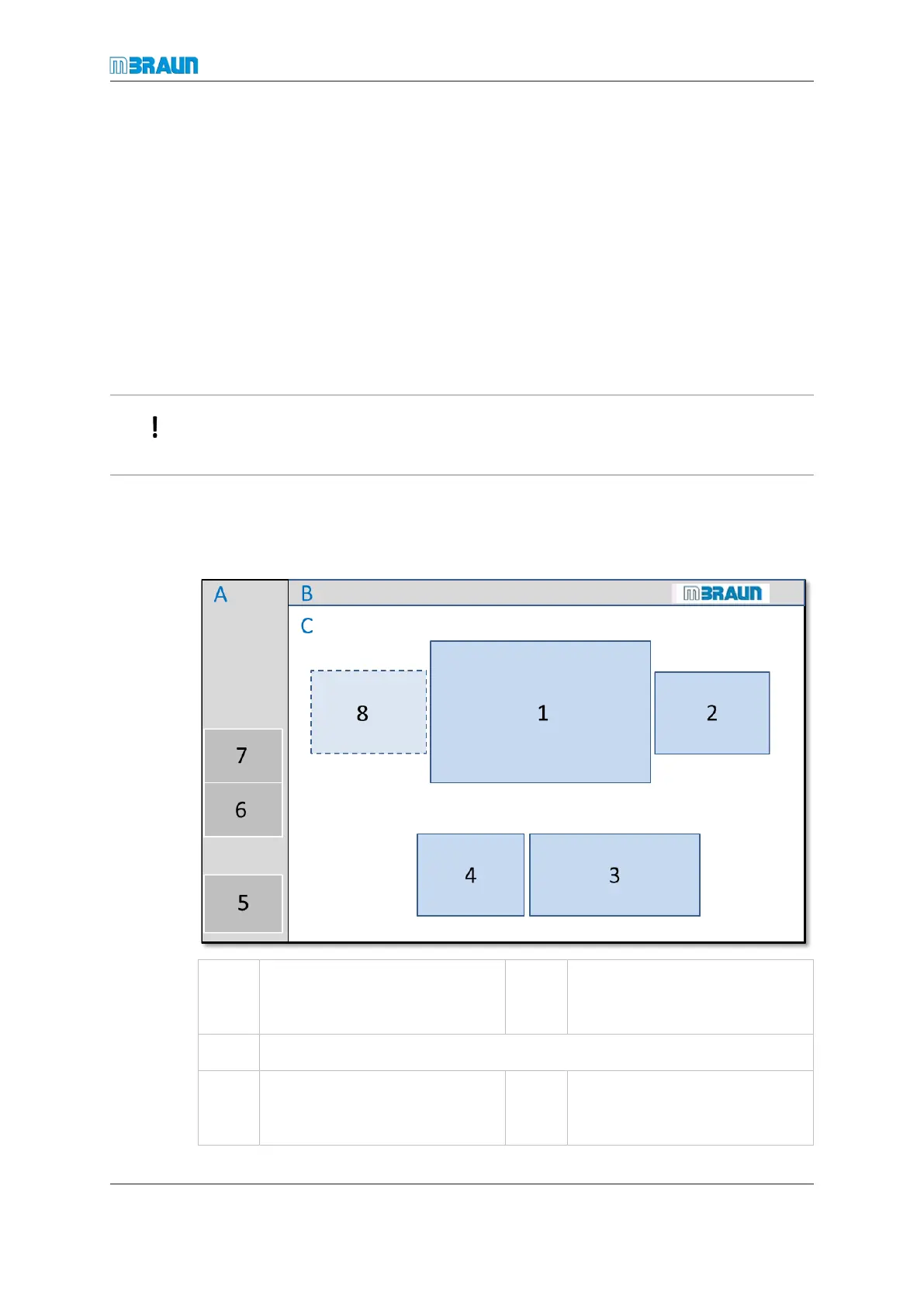
Icon and button layout on the touch panel
A Navigation bar B Header which displays the box
pressure and the H
2
O and O
2
concentration
C Information section, presents a visualisation of the system
1 Box icon
Button to open the Box Para-
meter screen
2 Antechamber icon
Button to open the Antechamber
screen



 To Next Page