5 Human machine interface
Menu Screen selection screen
Page
5 - 12
MB-20-G/MB-200G-W_MB-LABmaster_MB-200 MOD_TP700
Operating Manual - V5.0 - 04/2018 - STD
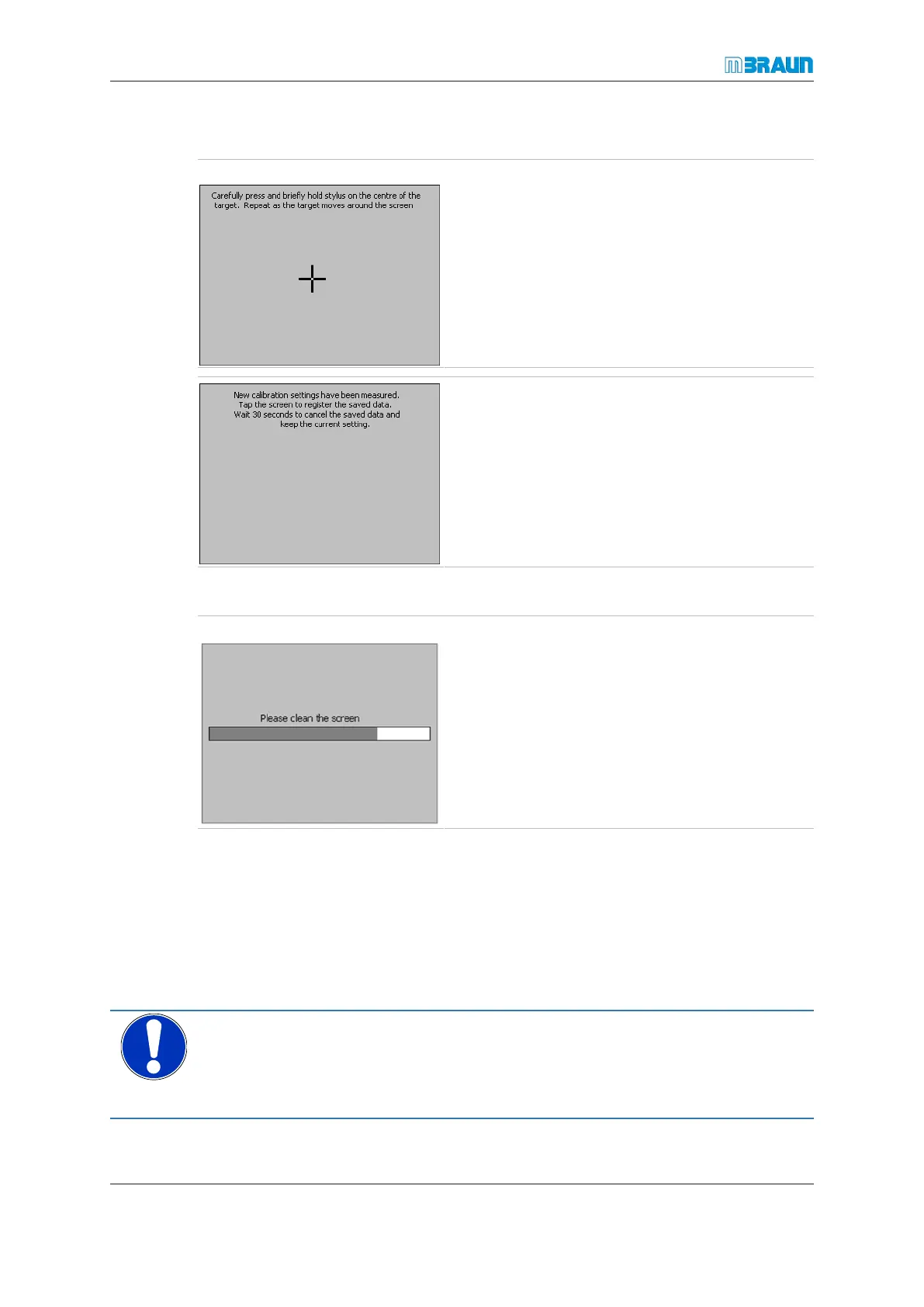
Calibrating the touch panel
Start Screen ⇨ Menu ⇨ Service ⇨ OS Services ⇨ Touch Calibration
► To calibrate the touch position on the screen,
touch Touch Calibration.
► Briefly and carefully touch the centre of the
crosshairs using a plastic stylus.
► Repeat the procedure after the crosshairs have
moved within the display field.
If input was successful the screen in figure to the left
is displayed.
Cleaning the touch panel
Start Screen ⇨ Menu ⇨ Service ⇨ OS Services ⇨ Screen Cleaning
Touch Screen Cleaning
Within 30seconds the display is not touch-sensitive.
► Clean the screen with a damp soft cloth.
Setting the language
By default, MBRAUN systems provide user guidance in German and English. Other lan-
guages are available on request.
► Navigate to the OS services screen.
► Touch Language.
► Select the required language.
NOTICE
Access to WIN CE by unqualified personnel
Software failure could stop operation
Make sure that only skilled personnel has access to the WIN CE operating system



 To Next Page