5 Human machine interface
Menu Screen selection screen
MB-20-G/MB-200G-W_MB-LABmaster_MB-200 MOD_TP700
Operating Manual - V5.0 - 04/2018 - STD
Page
5 - 11
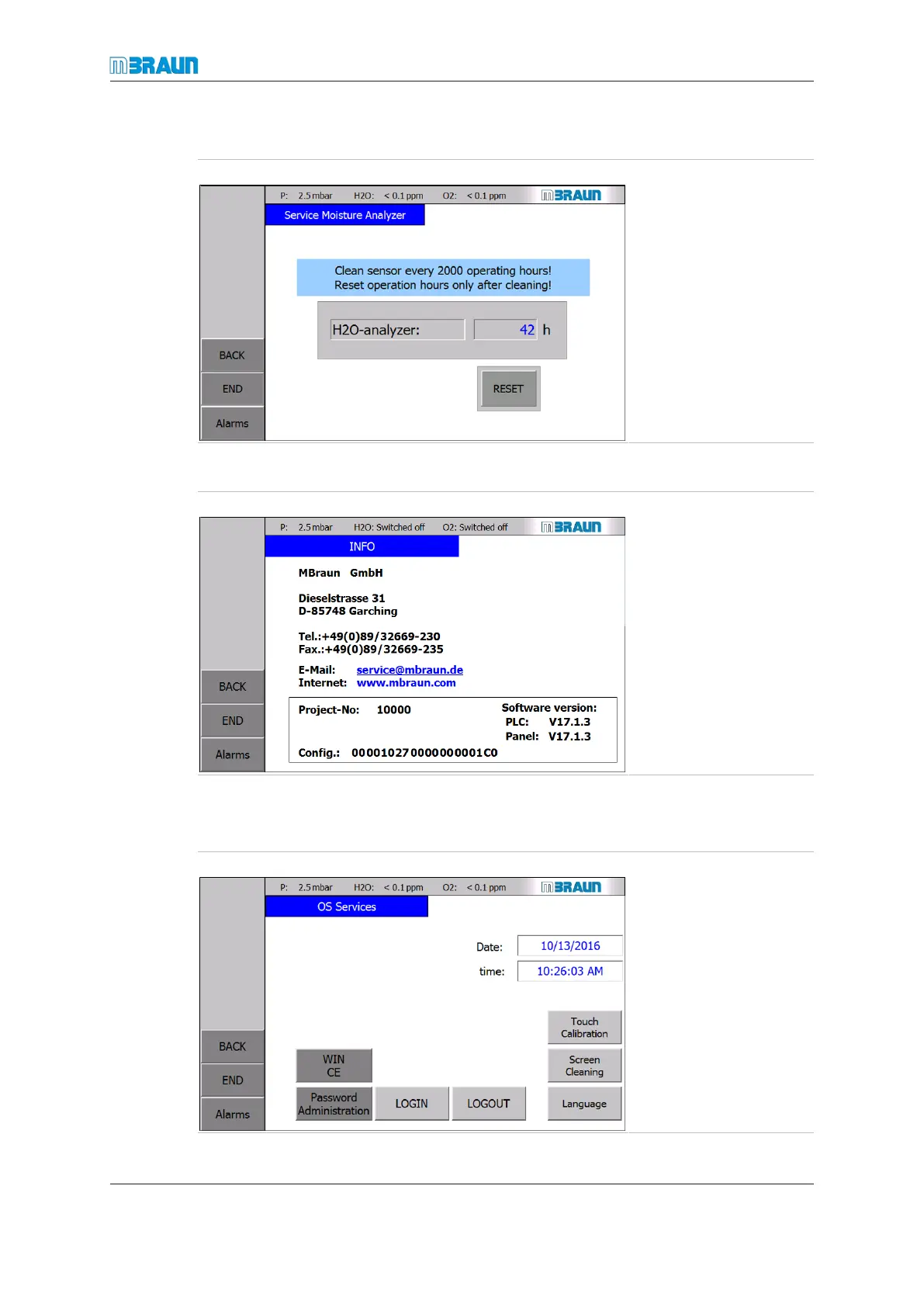
Reset operating hours of moisture analyser
Start Screen ⇨ Menu ⇨ Service ⇨ H2O-Sensor
► For information on
how to clean the H
2
O
analyser, refer to the
chapter "O2 and
H2O analysers".
► After you have
cleaned the H
2
O
analyser, touch the
RESET button to re-
set the operating
hours to 0 h.
MBRAUN contact and address data
Start Screen ⇨ Menu ⇨ Service ⇨ Info
The screen Info displays
the MBRAUN contact
data. In the lower field
project-specific details
such as project number,
serial number of the sys-
tem, and software version
are displayed.
Service MBRAUN screen
Some of the buttons in the OS Services may be password protected.
Start Screen ⇨ Menu ⇨ Service ⇨ OS Services
Date and time are factory-
set to European central
time.



 To Next Page