7 Gas purifier operation
Solvent filter operation (optional)
MB-20-G/MB-200G-W_MB-LABmaster_MB-200 MOD_TP700
Operating Manual - V5.0 - 04/2018 - STD
Page
7 - 15
Activating a PLC-controlled LMF
Prerequisite
¡ Solvent filter has been fully regenerated.
Activating in the Function screen
Start Screen ⇨ Functions
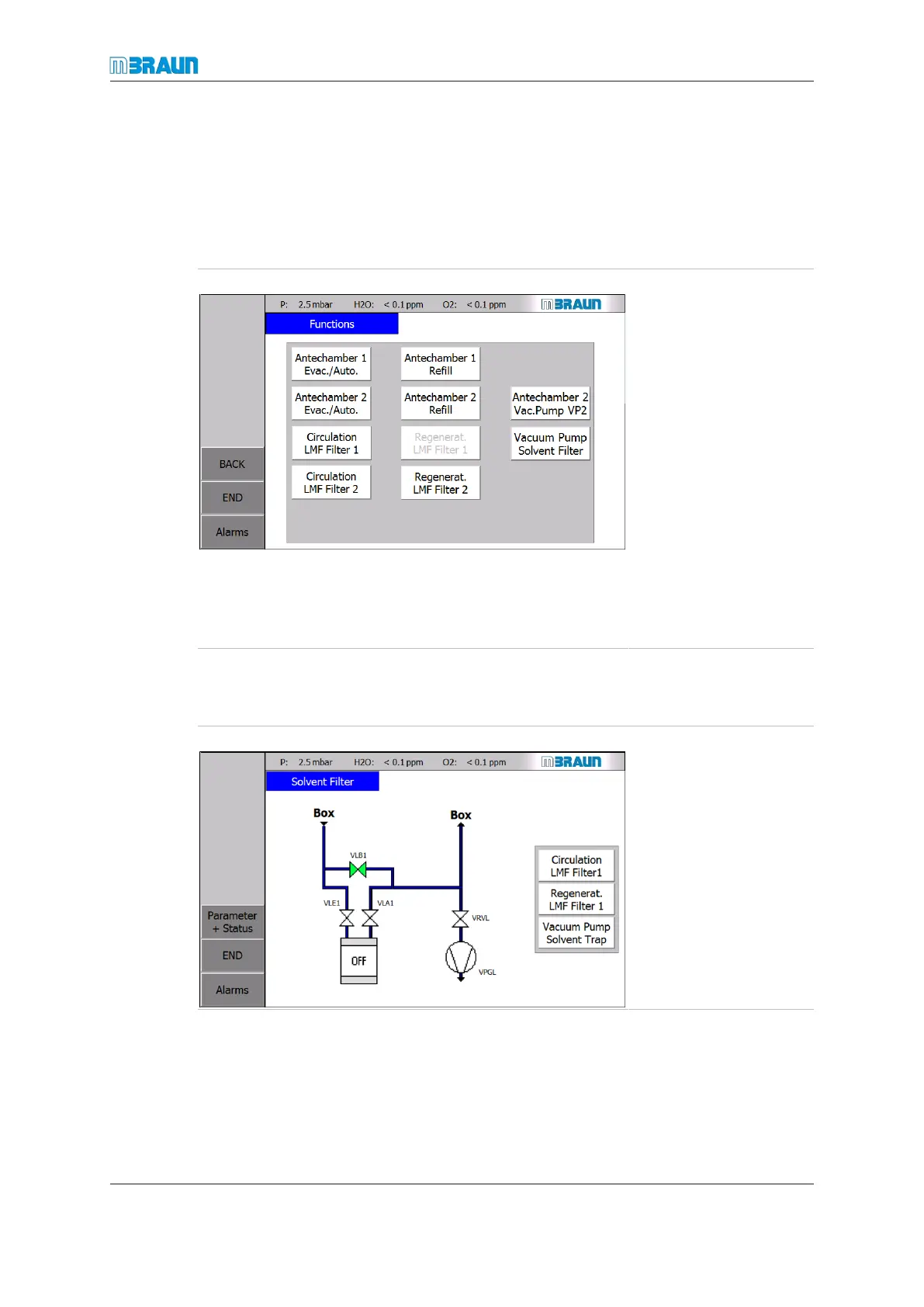
Figure left shows an ex-
ample with two solvent fil-
ters and an optional va-
cuum pump dedicated to
the solvent filter (VPGL).
► Touch the Circula-
tion LMF Filter 1
button.
ð The solvent filter is
activated and the cir-
culation runs through
LMF1.
ð The dedicated va-
cuum pump is
switched on.
ð LMF 2 can be regen-
erated.
Activating in the Solvent filter screen
Alternatively, the solvent filter can also activated in the Solvent Filter screen:
Start Screen ⇨ LMF icon
Figure left shows an ex-
ample with one solvent fil-
ter and an optional va-
cuum pump dedicated to
the solvent filter (VPGL).
► Touch the Circula-
tion LMF Filter 1
button.
ð The solvent filter is
activated.
Deactivating the LMF
► On the Functions screen, touch the Circulation LMF Filter 1 or Circulation LMF
Filter 2 button.
ð The solvent filter is deactivated.



 To Next Page