9 Antechamber operation (Vacuum antechamber)
PLC-controlled door interlock
Page
9 - 18
MB-20-G/MB-200G-W_MB-LABmaster_MB-200 MOD_TP700
Operating Manual - V5.0 - 04/2018 - STD
Difference to standard systems without door interlock
In standard systems without door interlock, both antechamber doors are released and
can be manually opened by an operator at any time.
SOP for antechamber operation
► Be sure to define an SOP for safely transferring material into and out of the glovebox
or enclosure.
► Make sure the SOP is followed.
Systems with optional PLC-controlled door interlock
In automatic mode, after a full antechamber cycle has finished:
¡ Both antechamber doors are released for opening.
¡ Only one door can be opened at time.
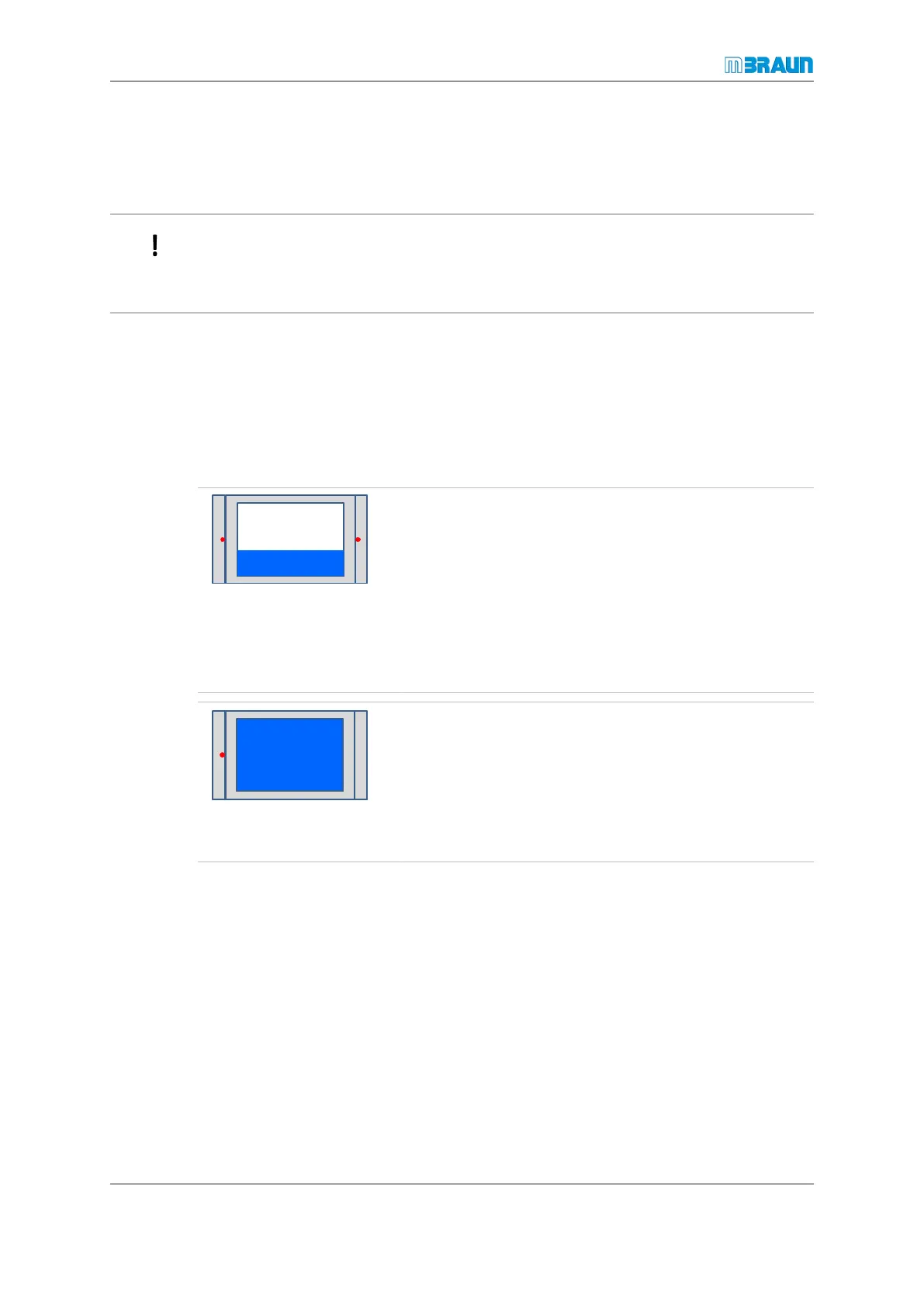
Door lock status display on touch panel
Both doors locked:
A red dot in the antechamber door icon on the touch panel
indicates that the antechamber door is locked by the
Siemens PLC.
A locked door is fixed with a mechanical latch. The latch is
released and engaged by means of an electro pneumatic
cylinder.
The door cannot be opened until the antechamber's oper-
ating status permits door unlocking.
One door is locked:
If the antechamber door is released, the red dot disap-
pears.
The door can now be mechanically opened:
¡ On the main antechamber: disengage star handle
¡ On mini antechamber: disengage lever
When the outer door is opened for the first time:
¡ The inner door is locked immediately.
¡ An additional antechamber cycle is required to release the inner door for opening (be-
cause both doors are released after an antechamber cycle).
When the inner door is opened for the first time:
¡ The outer door is locked immediately.
¡ An additional antechamber cycle is required to release the outer door for opening (be-
cause both doors are released after an antechamber cycle).



 To Next Page