Appendix
204
5
❖ Erase
• The width of the erased margin varies depending on the reproduction ratio.
• If the size of the original is different from sizes listed in the following chart,
the erased margin might be shifted:
•Metric version
Exposure glass: A3L, B4 JISL, A4KL, B5 JISKL, A5L
ADF: A3L, B4 JISL, A4KL, B5 JISKL, A5KL, A5KL
•Inch version
Exposure glass: 11" × 17"L, 8
1
/
2
" × 14"L, 8
1
/
2
" × 11"KL
ADF: 11" × 17"L, 8
1
/
2
" × 14"L, 8
1
/
2
" × 11"KL, 5
1
/
2
" × 8
1
/
2
"L
• By combining “Erase Inside 1” - ”Erase Inside 5”, you can erase up to 5 ar-
eas at the same time.
❖ Background Numbering
• The numbers appear to overlap the copied image in some cases.
❖ Margin Adjustment
• If you set a binding margin that is too wide, part of the image may not be
copied.
• When making copies in the Combine mode, the binding margin is added
to the copies after the combination is finished.
❖ Preset Stamp
• You can change the size and density of the stamp with User Tools. De-
pending on the setting, density may change.
• Depending on paper size, if you change the stamp size, parts of the stamp
might not be printed.
• When you use this function with the Magazine or Booklet function, you
can print the stamp only on the first page.
❖ Date Stamp
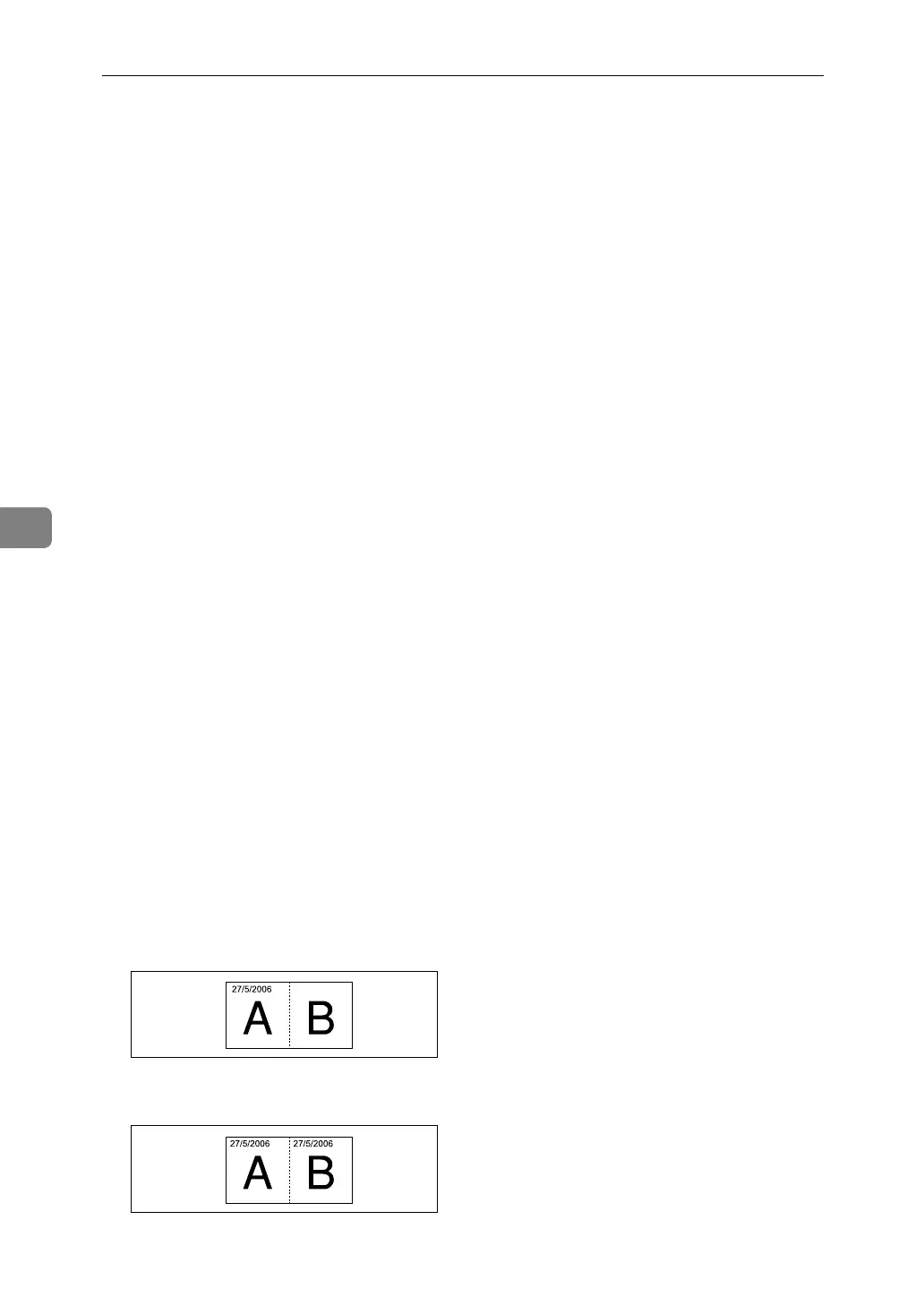
• When using Combine mode, the date stamp is printed as follows:
• With the Combine function
• With the Magazine or Booklet function
AMG026S
AMG027S


 To Next Page