Supplementary Information
205
5
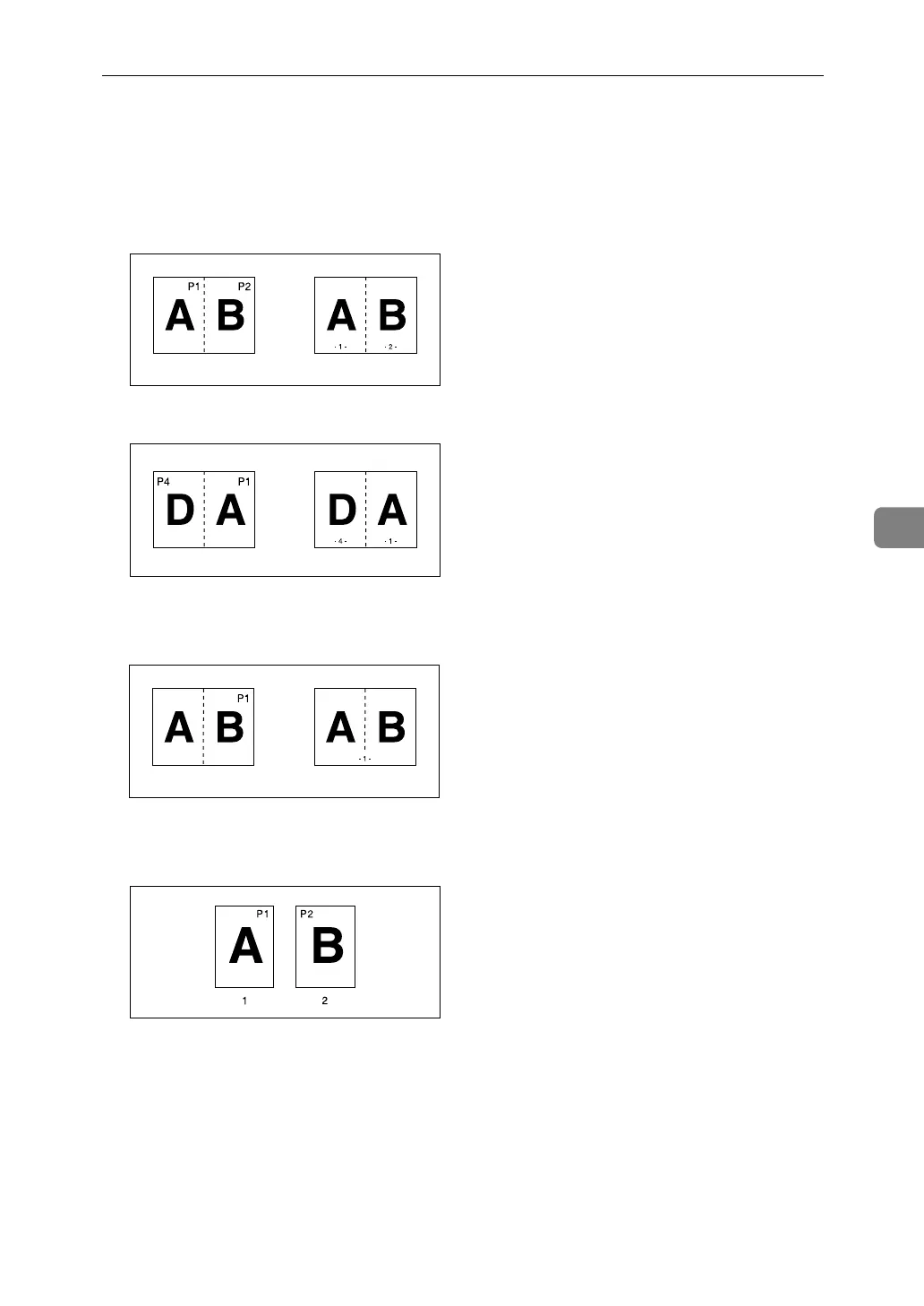
❖ Page Numbering
• When page numbering is used with Combine mode, page numbers are
printed as follows:
• Page Numbering per original:
With 1 Sided/2 Sided using the Combine function
With the Magazine or Booklet function
• Page Numbering per copy:
With 1 Sided/2 Sided using the Combine function
• If you combine this function with the Duplex (Top to Top) function and se-
lect [P1,P2...] or [1/5,2/5...], page numbers on the back are printed as follows:
A Front
B Back
❖ Stamp Text
Certain stamp positions can cause text to disappear.
GCANPE0E
GCANPE1E
GCANPE2E
GCSTMPBE


 To Next Page