115
DISC mode
Video CD playback
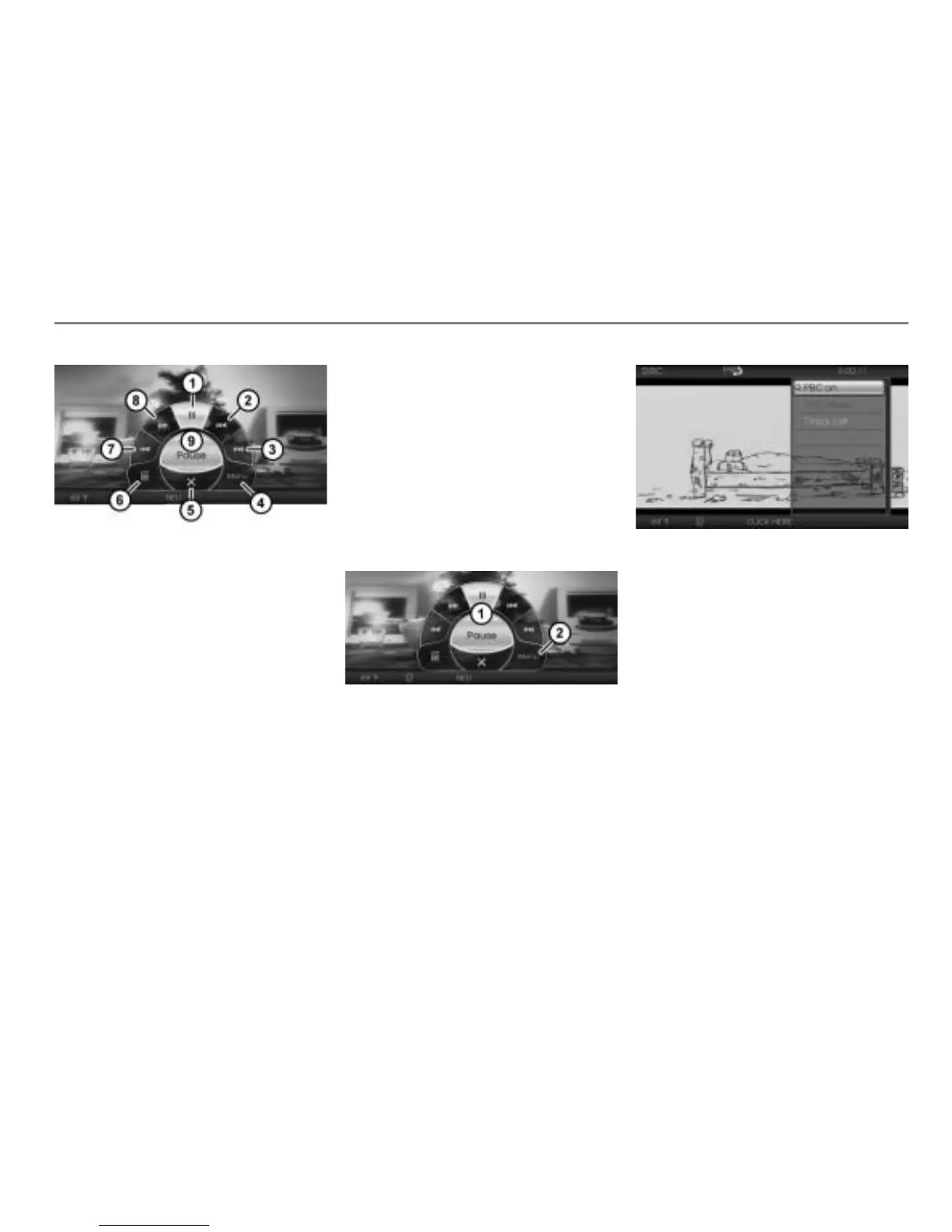
Pause/resume playback
Skip track back
Skip track forward
Open the native video CD menu
Close the on-screen menu
Open the PBC menu or call up the track
list
Fast reverse
Fast forward
Shows the selected menu item -
Closing the on-screen menu
Option 1: In the on-screen menu,
select the menu item .
Option 2: Briefly press the
button.
Option 3: Do nothing and wait until the
on-screen menu is automatically
closed.
Opening the native video CD menu
This function is also available outside the
on-screen menu, see the section “Opening
the native video CD menu” on page 111.
Open the on-screen menu, see section
“Opening the on-screen menu” on
page 114.
On-screen menu
Menu item
To open the native video CD menu:
In the on-screen menu , select the
menu item .
The native video CD menu will be
shown over the video currently playing.
Please see page 111 for a description
of the native video CD menu.
The menu item Return to Screen described
on page page 111 is not part of the native
CD menu displayed on-screen over the
video currently playing.
To close the native video CD menu:
Briefly press the button or do
nothing and wait until the menu is
automatically closed.



 To Next Page