116
DISC mode
Video CD playback
Opening the PBC menu or calling up the
track list
These two functions are also available
outside the on-screen menu, see the
section “Opening the PBC menu” on
page 112 or the section “Track list” on
page 113.
To open the PBC menu, the display of the
PBC menu must be switched on in the
native video CD menu, see the section
“Native video CD menu” on page 111. To
call up the track list, the display of the PBC
menu must be switched off there.
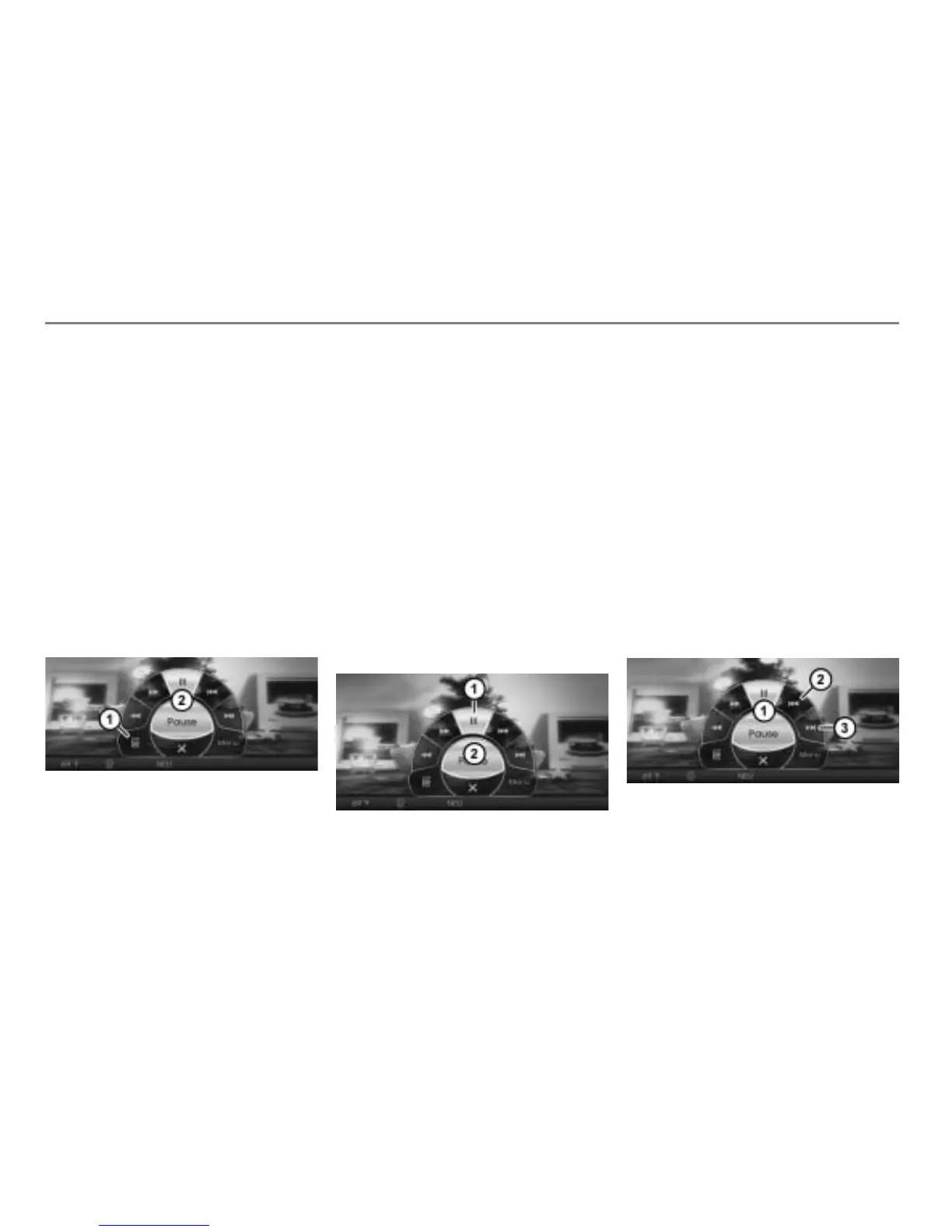
Open the on-screen menu, see section
“Opening the on-screen menu” on
page 114.
Menu item
On-screen menu
In the on-screen menu
, select the
menu item
.
Either the PBC menu or the track list will
be shown over the video currently
playing, depending on whether the
display of the PBC menu is switched on
or off.
Please see page 112 for a description
of the PBC menu.
To play a track: Select the desired
track in the track list.
Pausing or resuming playback
Open the on-screen menu, see section
“Opening the on-screen menu” on
page 114.
Menu item
On-screen menu
To pause or resume playback: In the
on-screen menu , select the menu
item .
The system will pause or resume
playback, depending on the previous
status.
Skipping tracks forward/back
These two functions are also available
outside the on-screen menu:
on the steering wheel, see page 111
in the PBC menu, see page 112
Open the on-screen menu, see section
“Opening the on-screen menu” on
page 114.
On-screen menu
Skipping tracks back
Skipping tracks forward



 To Next Page