211
Navigation
Entering destinations
Now you have the following options:
Entering a state/province, see section
“Entering a state/province” on page 211
Entering a street, see section “Entering
a street” on page 212.
Before entering a street, make sure that the
correct state/province has been entered
before.
After entering a street, entering a city,
see section “Entering a city” on
page 213.
After entering a street or city, entering a
house number, see section “Entering a
house number” on page 214.
Entering a state/province
Open the address input menu, see
section “Opening the address input
menu” on page 210.
In the address input menu, push
the
controller
and select the menu item
State/Prov..
Now you can enter the state/province.
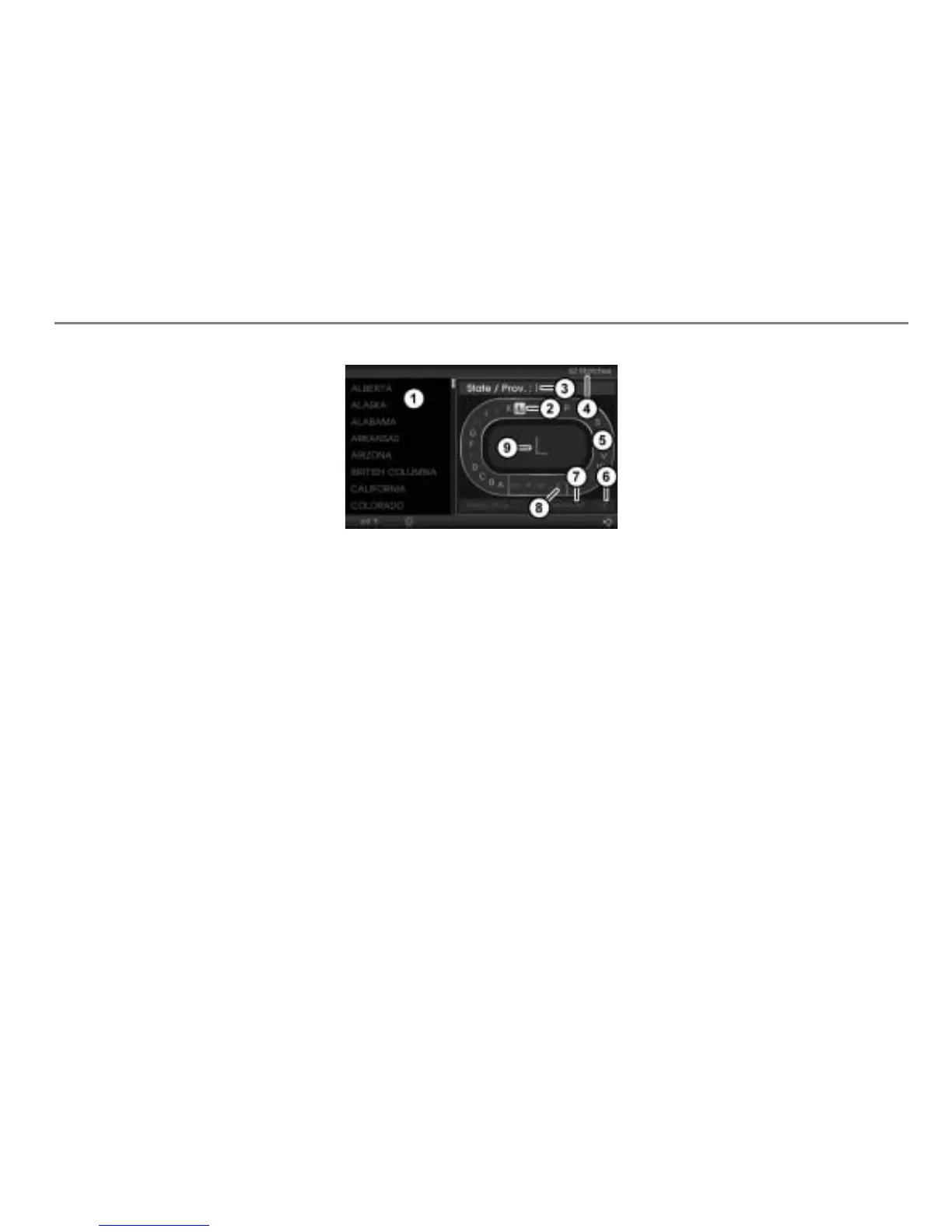
Hit list
Currently highlighted character
Input field
Number of hits in the hit list
Predictive speller
Confirm entry
Delete all characters in the input field
Delete the last character in the input
field
Enlarged display of the currently
highlighted character in the predictive
speller
Entering/deleting characters
To enter a character: In the predictive
speller
, highlight a character and
press the controller .
The character is entered and appears in
the input field
.
Not all of the characters displayed can be
highlighted in the predictive speller
. The
characters that can be highlighted depend
on those already entered.
Before any character is entered, the hit list
shows all states/provinces. Each time
you enter a character, the hit list is
narrowed down in accordance with the
characters already entered. As soon as the
entry is unambiguous, the hit list contains
just one entry. Once you reach this stage
you cannot enter any further characters,
you can only complete the entry.
To delete the last character in the
input field
: Select the menu item
.
The last character entered is deleted.



 To Next Page