CHAPTER 9
Graphic Functions: Opacity and Effects
88 DL.3 Digital Light User Manual
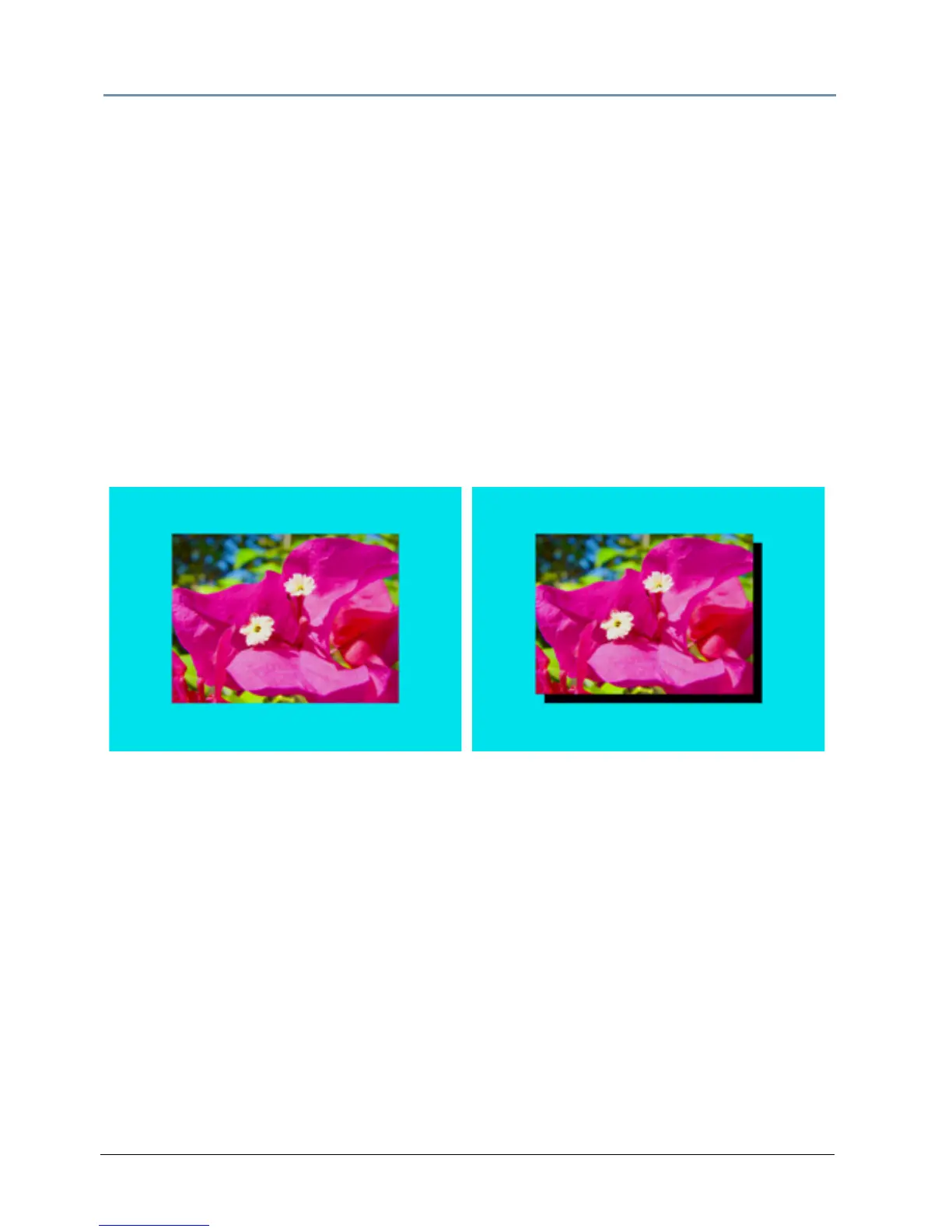
Drop Shadow
Visual Mode Parameter DMX value = 19
You can create a drop shadow behind the media file texture on a 3D o
bject, and vary its size
horizontally and vertically. This option creates a black plane behind the selected media file
texture on a flat rectangular object that can be positioned to form a drop shadow effect. You
won’t see the shadow until you select a Modifier 1 or 2 DMX value above or below 128 (50%)
Modifier 1: The default DMX value of 128 (50%) = no adjustmen
t. Values below the midpoint
move the “shadow” right as you approach 0 = maximum horizontal shadow width. Values above
the midpoint move the “shadow” left as you approach 0 = maximum horizontal shadow width at
a value of 255 (100%)
Modifier 2: The default DMX value of 128 (50%) = no adjustmen
t. Values below the midpoint
move the “shadow” down as you approach 0 = maximum vertical shadow width. Values above
the midpoint move the “shadow” up as you approach 0 = maximum vertical shadow width at a
value of 255 (100%).
Original Content
Visual Mode Parameter DMX value = 19
Visual Mode Parameter DMX value = 19
Visual Mode Modifier 1 DMX value = 0
Visual Mode Modifier 2 DMX value = 255



 To Next Page