CHAPTER 11
Global Functions
132 DL.3 Digital Light User Manual
Global Viewpoint Mode
The Global Viewpoint Mode parameter defines a 3-D space and the Viewpoint Position
parameters modify your viewing location with the defined 3-D space. Each Viewpoint Mode uses
three values to specify a viewpoint in space. This point in space is specified by the horizontal
angle, vertical angle, and zoom.
Within any 3-D space, you can choose the viewpoint target as the center of 3-D space or the
center of an
y defined Graphic Object from 1–9.
Default DMX Value
0 = Perspective view, Spherical Coordinates with the focus at the center of the 3-D space.
Perspective View, Spherical Coordinates
This Viewpoint mode creates a 3-D space with a perspective view of a 3-D space. Viewpoints are
located in terms of X, Y and Z positions located on a sphere surrounding the image.
Perspective View, Cartesian Coordinates
This Viewpoint mode parameter creates a 3-D space with a perspective view. Viewpoints are
located in terms of rectangular X, Y and Z positions describing a location in this space.
Orthogonal View, Cartesian Coordinates
This Viewpoint mode creates a 3-D space without perspective. Viewpoint are located in terms of
rectangular X, Y and Z positions describing a location in this space. In this case, the composite
image is always flat.
Variable Edge Blending
NOTE:Setting the Viewpoint Mode Parameter to a DMX value of 128 accesses the Variable Edge
Blending function. This option extends the edge blending range between image components in a
Collage. When this option is selected, the Viewpoint Modifier 1 and 2 parameters provide
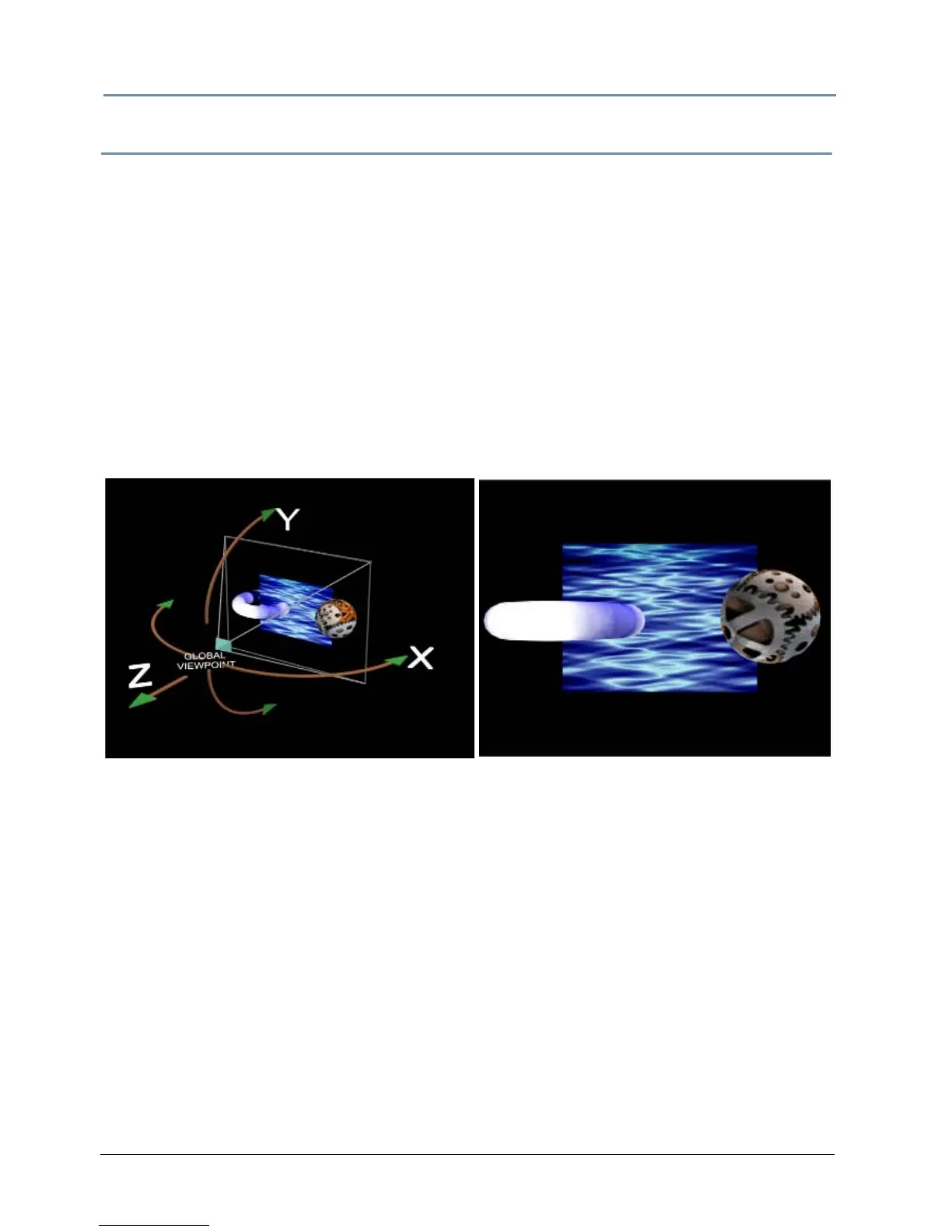
Global Viewpoint set with X, Y, and Z
positions all equal to zero.
Output displayed with global
viewpoint shown at left.



 To Next Page