CHAPTER 2
Setup and Configuration
DL.3 Digital Light User Manual 19
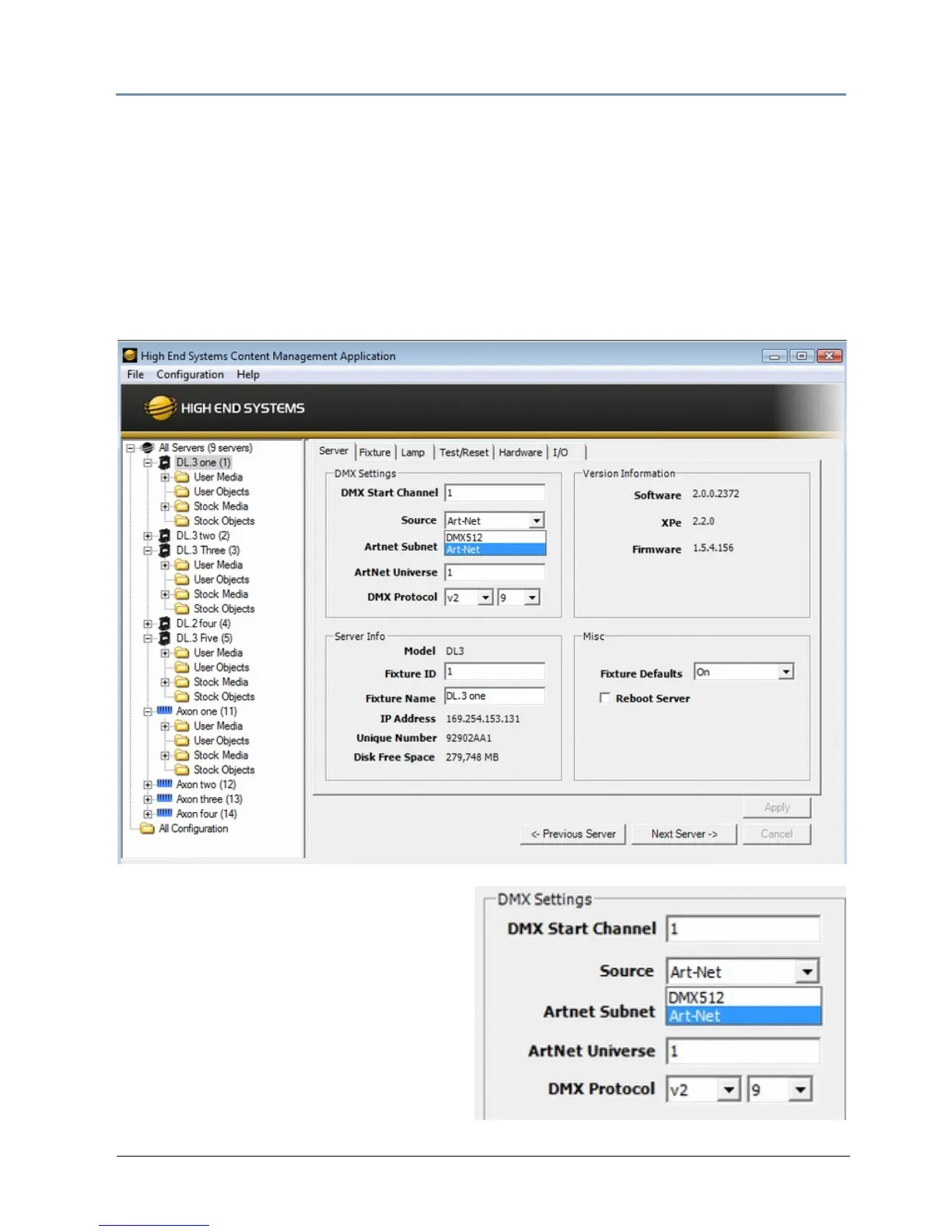
Setup Configuration Using the CMA
The Content Management Application running on your computer and linked to DL.3 fixtures via
Ethernet lets you remotely configure the DL.3 fixtures. For more information on the CMA, see
Chapter 16: Content Management Application (CMA) on page 2
51. All the setup configuration
selections for DL.3 and DL.2 fi
xtures can be made in the Server tab.
To view configuration information for a indivi
dual server, click on All Servers in the left pane of
the CMA window and select the + to view all the servers on the fixture network. Select a server
in the left pane to view its configuration information in the right pane.
Select a Source
1. Select a DMX Source type by clicking
on the down arrow of the Source field
to select DMX512 or Art-Net.



 To Next Page