CHAPTER 3
The Digital Light Menu System
DL.3 Digital Light User Manual 35
Lens Type Options (DL.3 fixture only)
There are three accessory lenses available for the DL.3 Digital Light. The default setting for the
Lens Type field is Standard. When you install a Long throw, an Ultra Long throw, or a Wide
Angle lens, you will need to select that lens type to configure your system.
NOTE: The Lens Type field is not active if you are operating this version of
the software on a DL.2 fixture.
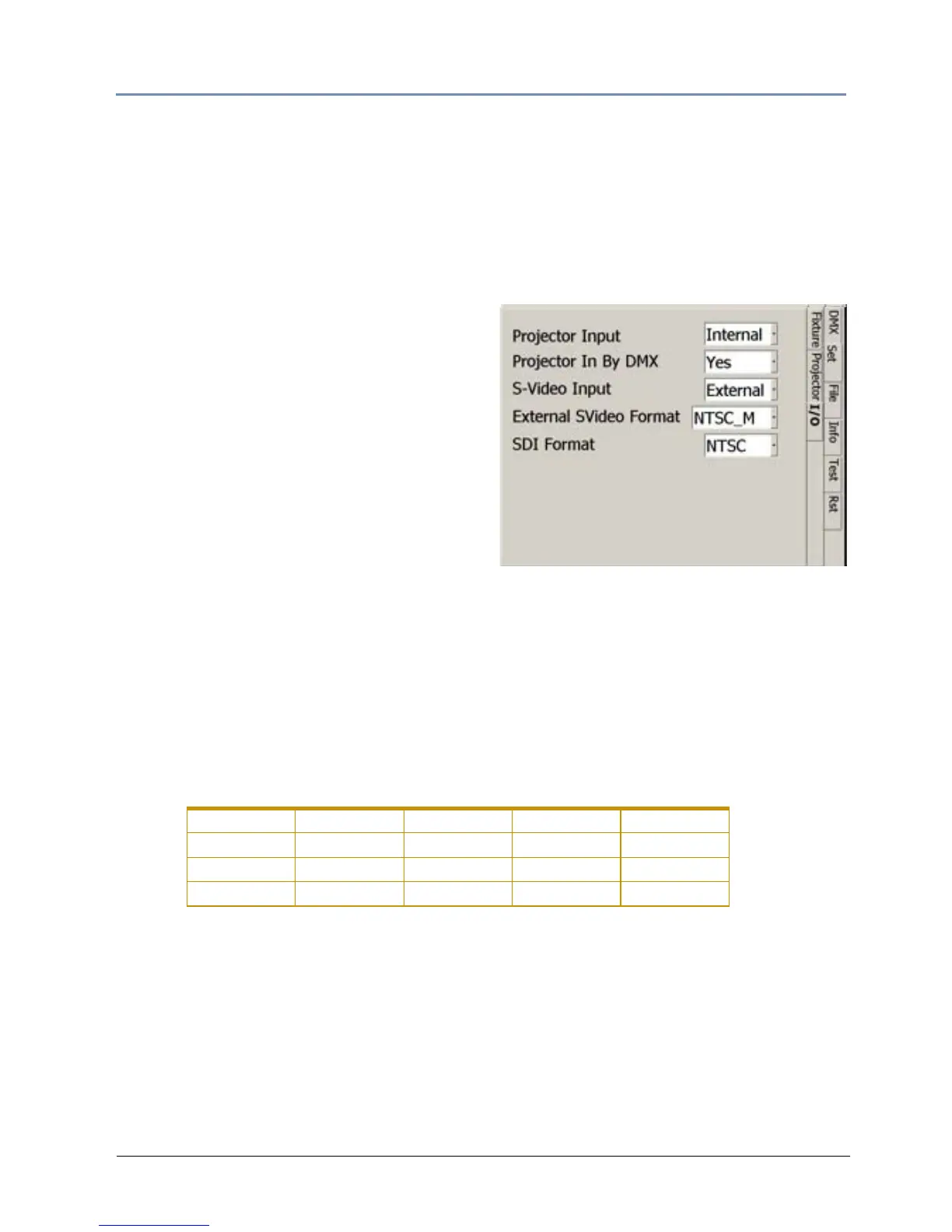
Set_I/O Screen
This screen lets you select the Input and Output
options for the fixture.
Use the Proje
ctor Input field to select which
input the projector should accept. When
External is selected, the projector takes input
directly from an external source and bypasses
the internal graphics engine. When Internal is
selected, the projector takes input directly from
the graphics engine. Internal is the default
configuration setting.
Projector In By DMX to
ggles the ability to set the projector input via the Control Console. Yes
is the default and allows the input to be changed via the console, No doesn't allow the input to
be changed.
Video Format
•The S-Video Input field allows you to accept Internal S-Video signal from the DL.3 onboard
camera input or External from another DL.3 or video source.
•The Ex
ternal SVideo Format field lets you choose which S-Video format the fixture will
accept. Digital Light fixtures support multiple S-Video formats including:
Notes: The format must be set to NTSC_M to receive input from the internal camera.
This format is not available in the DL.3F model.
•The SDI Format field lets you select from the SDI formats supported.
NTSC_M PAL_B PAL_H SECAM_B SECAM_K
NTSC_MJ PAL_D PAL_I SECAM_D SECAM_K1
PAL_G PAL_M SECAM_G SECAM_L
PAL_N SECAM_H SECAM_L1



 To Next Page